IPCAM User Manual
10
3.2 Software installation
Software installation
●
It is very easy to install software. You just need to run installation programme then it can
work properly.。
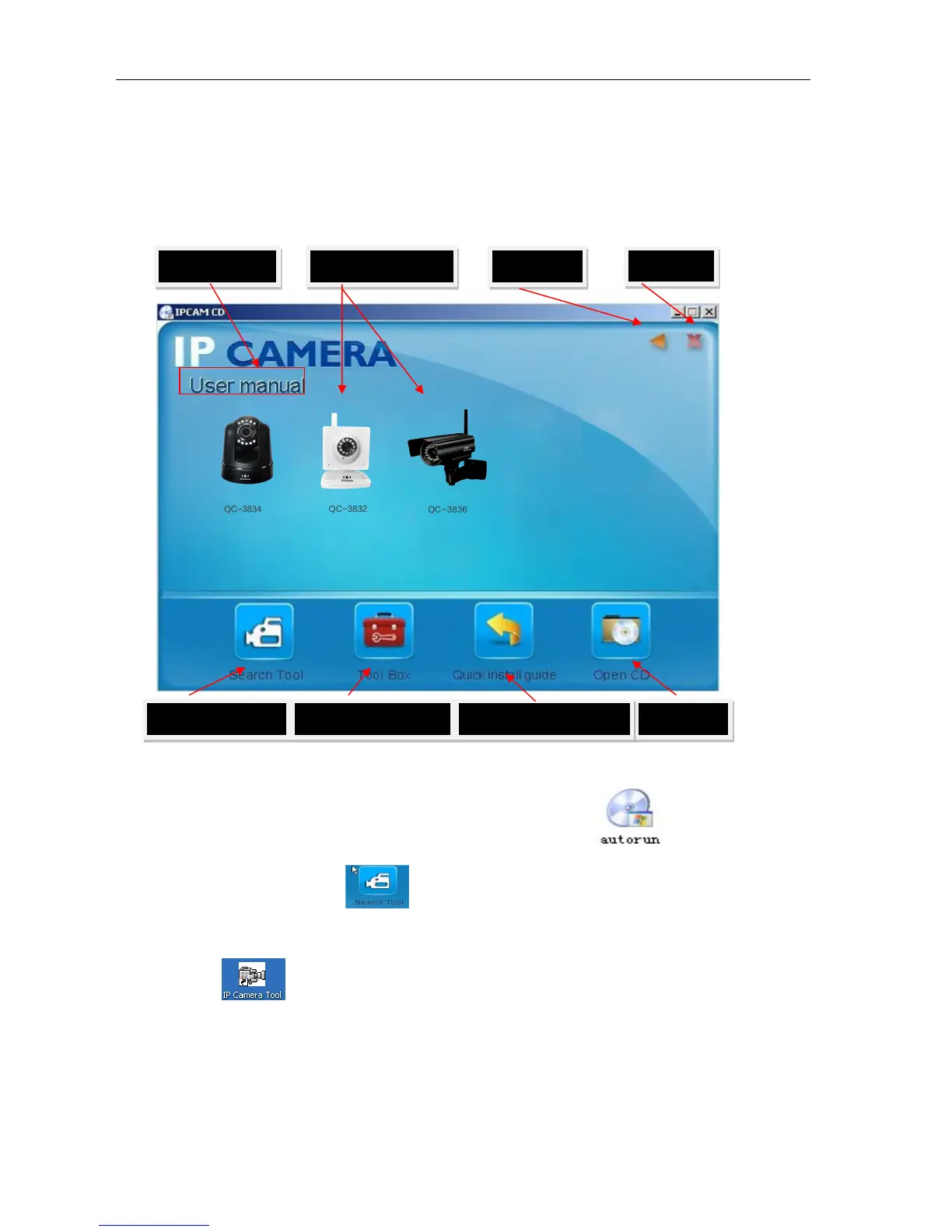
Please put CD in the PC driver and the CD will automatically run to the software installation
interface:
G
Picture9 Software installation interface
If no such an interface, please click “autorun.exe”in the CD
●And then find
‘
search.exe” . Clink and install LAN Tool to PC system,then you
can view " IP Camera Tool" in Computer desktop for LAN Search tool.“IP Camera
Tool”
Min User manual Open user manual
Exit
Search tool in LAN
Application Tool box
Open CD
Quick installation guide



 To Next Page