IPCAM User Manual
17
4.4 IP camera operation
4.41 For Visitor
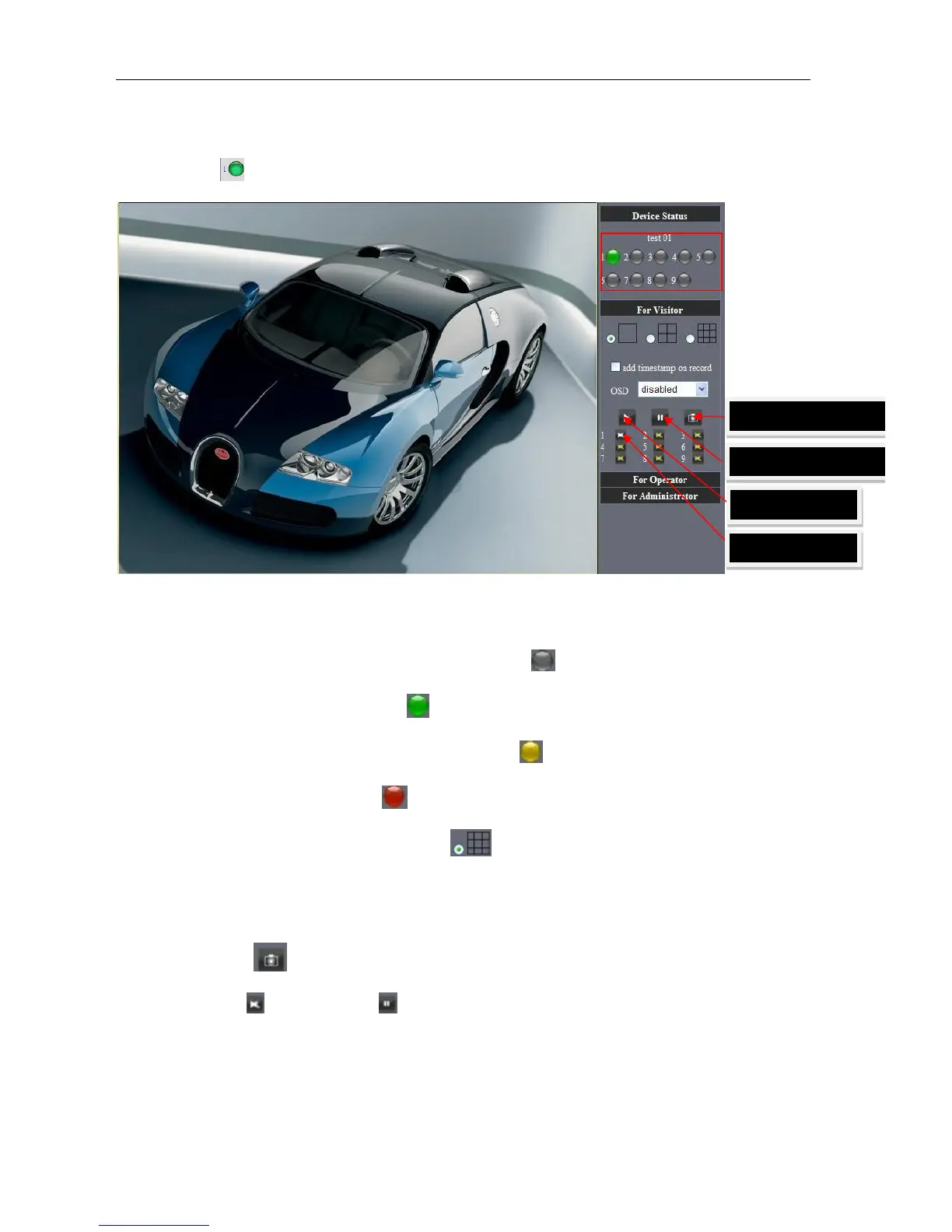
For example: if is bright ,the first route is at status of Detection(Only IE Broswer can view it)
Picture 22
The right upper is status's indicator area which can show 9 IP camera status.
l When the button is gray, it means IP camera didn't connect
.
l Green means IP camera has connected
.
l Yellow means there is something wrong with connection
.
l Red means it is the status of alarm
.
If you want to detect 9 views , need to click this icon
.
OSD: Display date and time on the video. You can disable the OSD function or choice
other color.
(OSD:on-screen display)
Snapshot: Click icon
to snap the picture.
REC: Click icon
into REC mode, is stop.
Note: the record file name is: device Alias_ Current time.Avi
For example: IPCAM_20101011134442.Avi
It means the device alias is IPCAM and its record’s end time is : At 13:44:42 on



 To Next Page