IPCAM User Manual
38
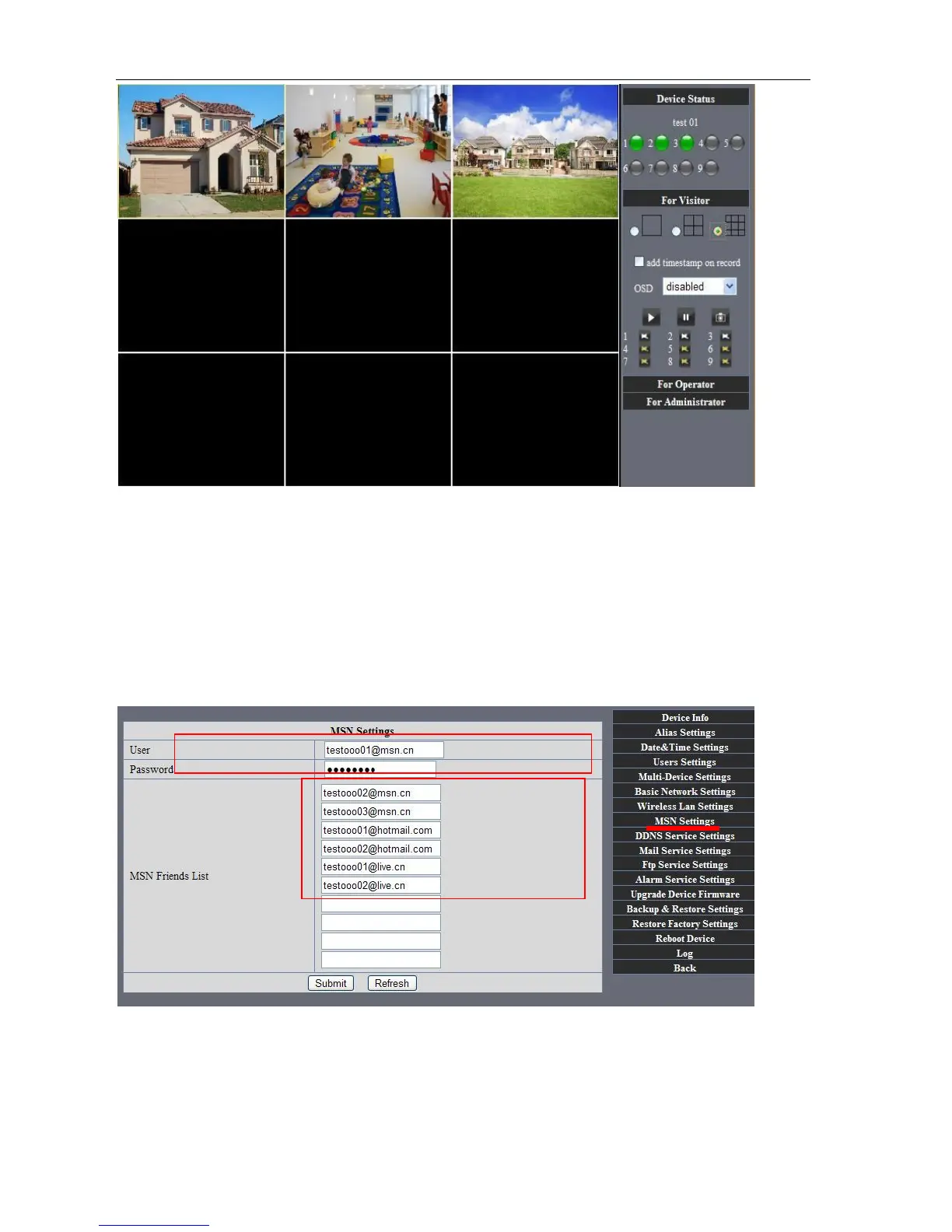
Picture 66
7.3 MSN Settings
Fill in your MSN account and password, then add account which need to receive
IPCAM’S ip address to IPCAM‟S MSN list (Picture 67),click submit then you’d better
restart IP camera. After it ,login your MSN to add IPCAM’s MSN account to MSN List that
you can receive IPCAM’s ip address.
Picture 67
First login and click "add contacts " choose Add Contact ,then fill IPCAM’s MSN account in "instant
messaging address" ,click next then send offers.
Aplly for MSN account and passworf for IP cam
A



 To Next Page