IPCAM User Manual
49
Picture
92
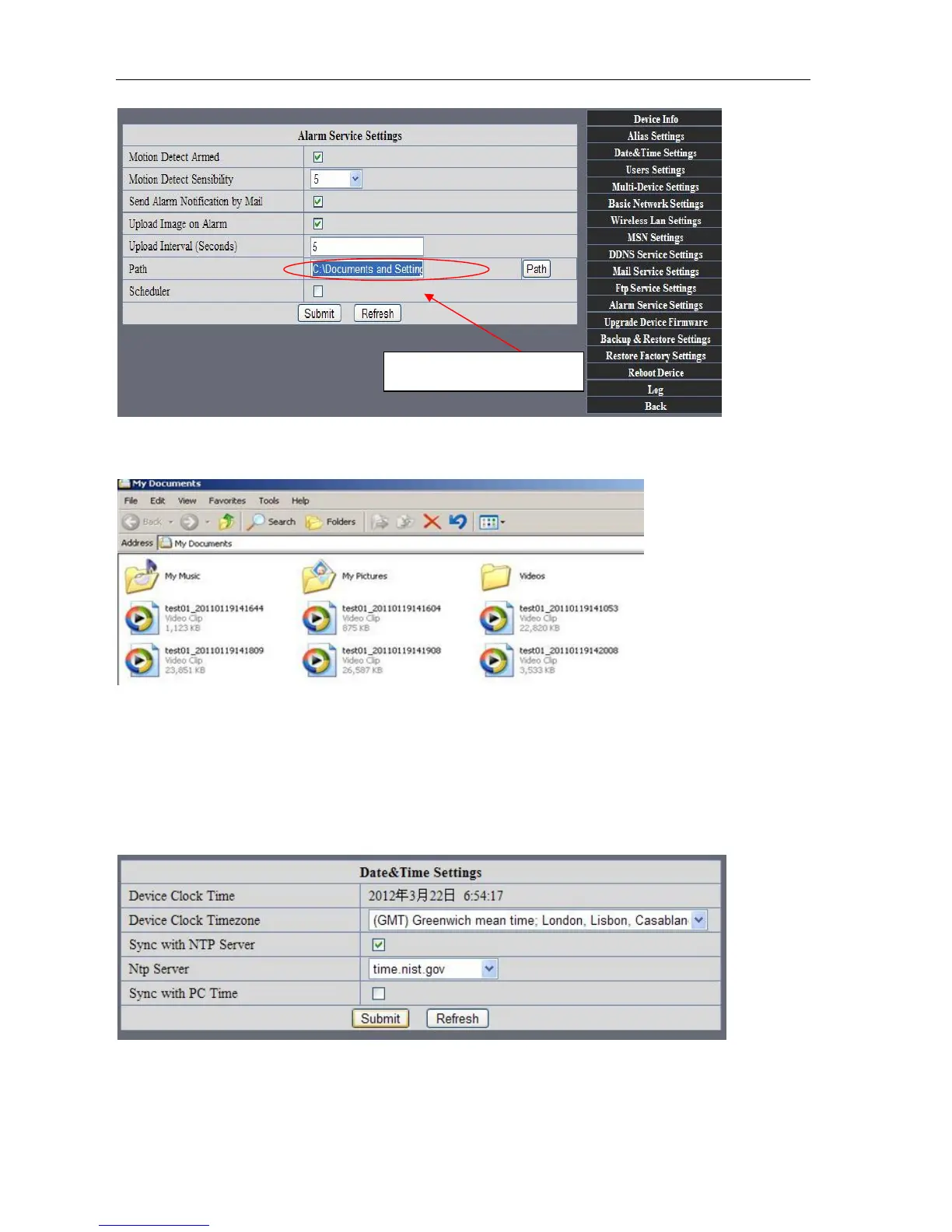
REC save to pc’s position
Picture 93
7.7 IP camera's Time & Date setting and PTZ Setting
If IP camera connected with Internet, it can automatically check the time & date via running NTP Server. And
need to choose properly IP camera's Time zone. Otherwise it need PC Time to check IP camera time & Date.
Picture 94
Storage path can be changed



 To Next Page