IPCAM User Manual
46
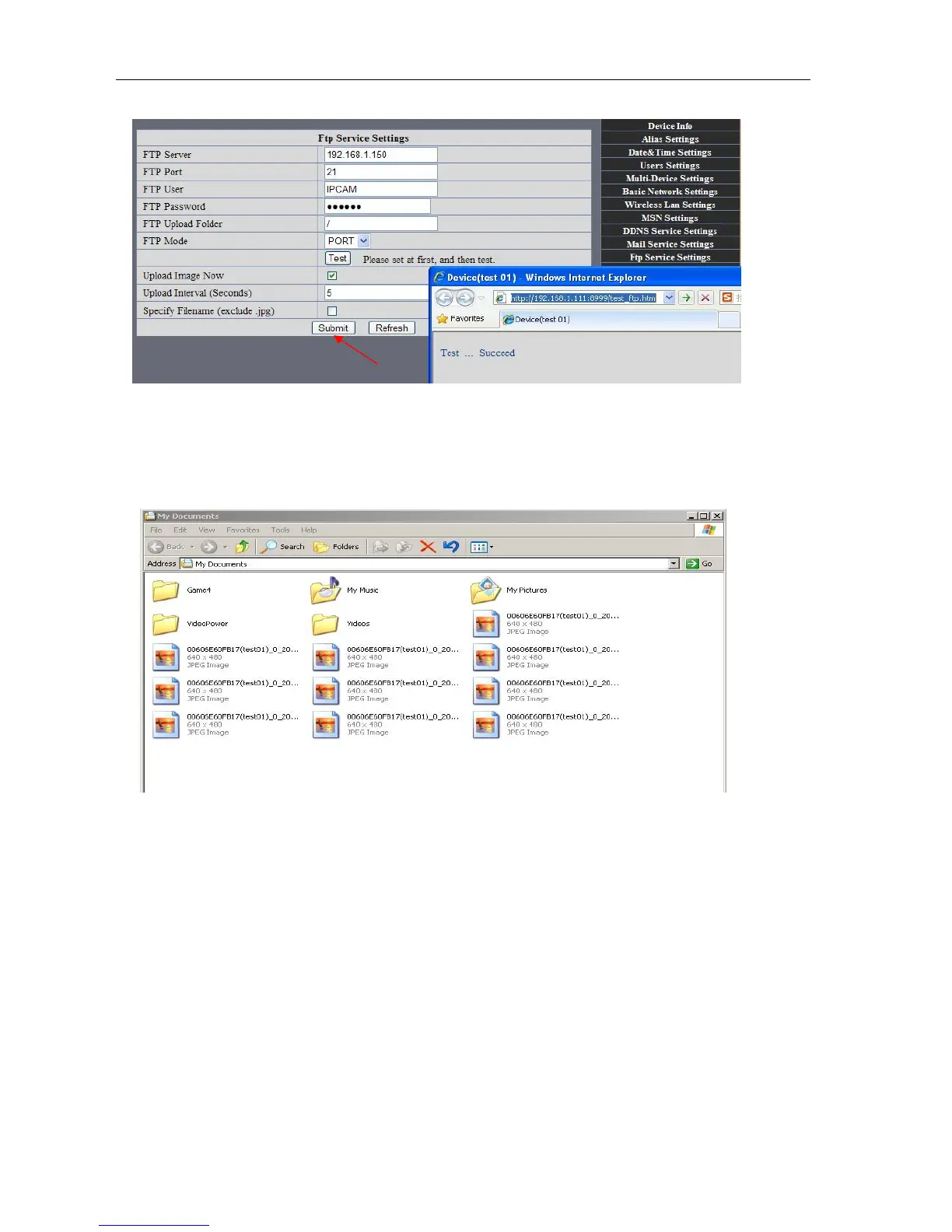
5. IP camera’s FTP Server set like this
Picture 86
6. Set up and complete testing is successful,when it alarms, IP camera will upload
pictures to the FTP server Settings of main directory path (as shown )
Picture 87
FTP Server: the FTP server address.
FTP port: the port usually is 21
FTP Mode: support standard(POST) mode and passive(PASV) mode.
Upload Image Now: it will upload image now when checkbox is not checked. When checked, you can
input upload interval(Seconds)
7.6 Motion Detection
.Enter Alarm Service Settings page to configure Motion Detection function
1)
Motion Detect Armed
Each alarm triggers in the protection of time, the device will take various measures to alarm



 To Next Page