IPCAM User Manual
6
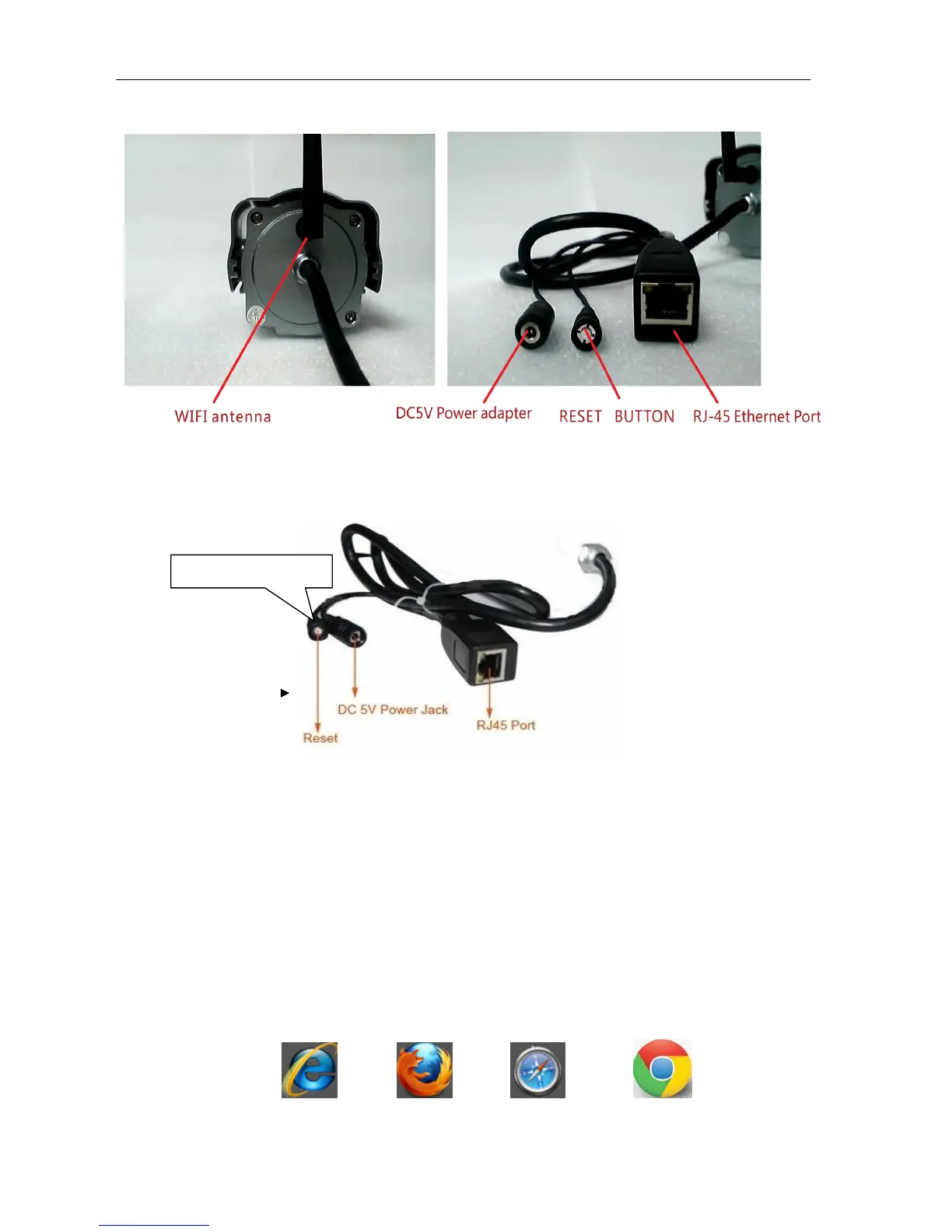
2.2 Device interface
Picture 2: Device interface
LAN : RJ-45/10-100 Base T
DC5V : 5V/2A Power supply
Picture 3 Reset Button
RESET BUTTON: Press and hold down the RESET BUTTON for 5 seconds.Release the
power button and IP camera will be reset back to the factory default parameter
3 Device installation
System configuration requirements: ( Example for view four IP Camera )
CPU: 2.06GHZ or above Memory: 512M or above
Network Card: 10M or above Display Card: Microsoft DirectX 9 Pictur device or above memory
Recommendable Operating System: WindowsXP.Vista. Windows 7、Windows 8
Support web browser: IE .
Firefox 、Safari 、
Chrome
etc .
RESET BUTTON



 To Next Page