IPCAM User Manual
12
l SIX Options
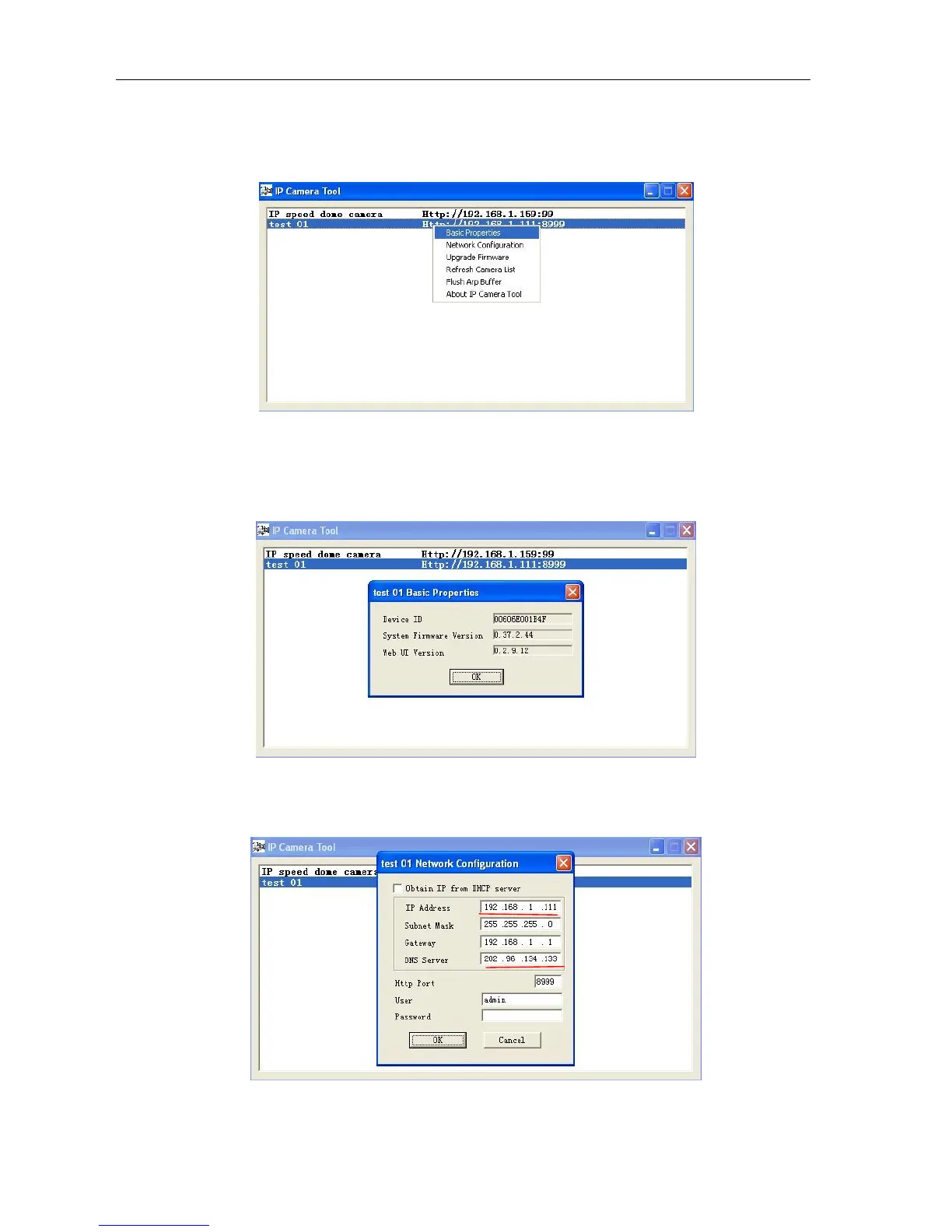
Choose the IP Camera list and Click right mouse button, there are six options, Basic
Properties, Network Configuration, Upgrade Firmware, Refresh Camera List, Flush Arp, About IP camera tool as
shown Picture 12.
Picture 12
Basic Properties
There is some device information in the Basic Properties, such as Device ID, System
Firmware Version, Web UI Version
Picture 13
Network Configuration
In this page, you can configure the Network parameter.
Picture 14



 To Next Page