Chapter 1: Introduction > Challenger user interfaces
4 Challenger10 Administrators Manual
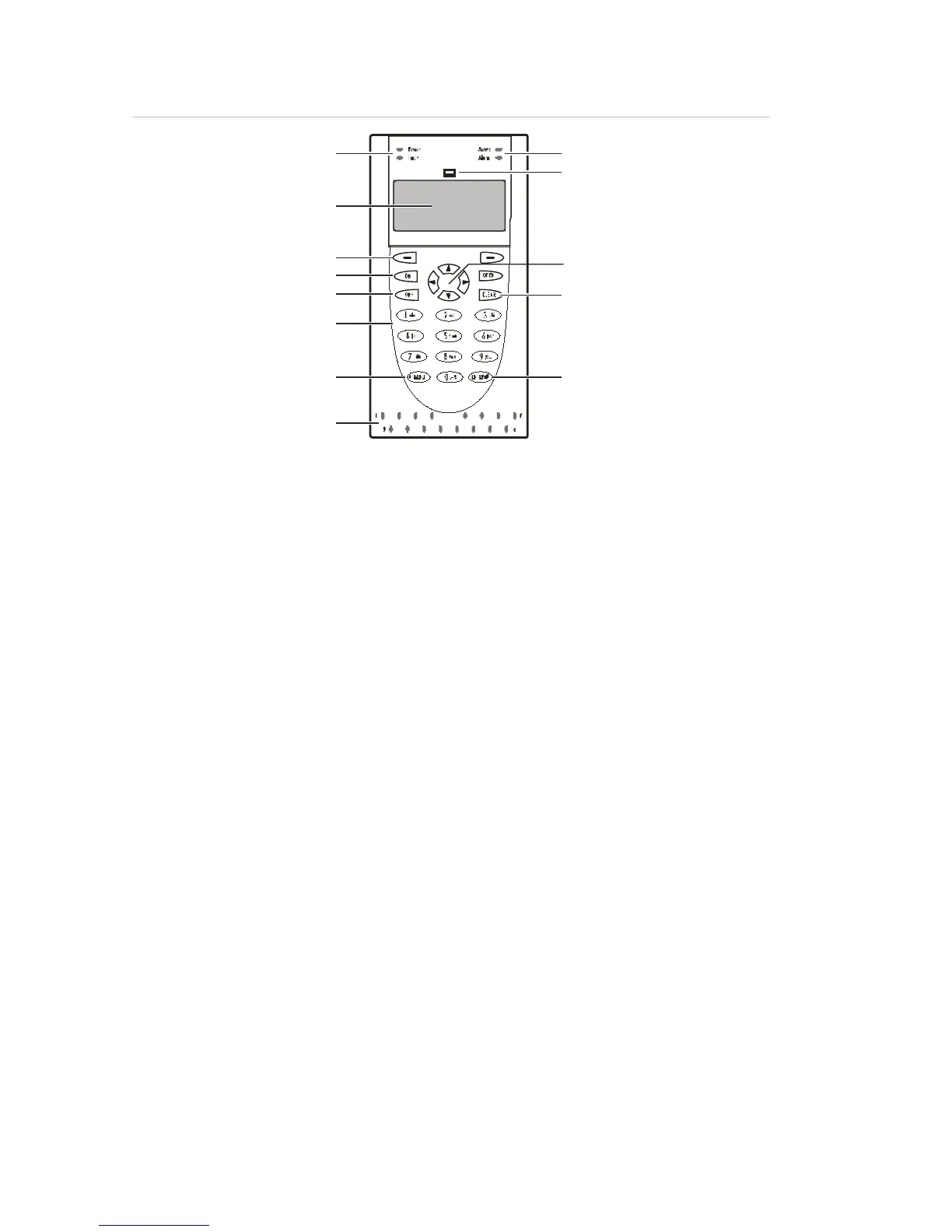
Figure 1: Details of CA1116 RAS
8
9
(1)
(2)
(4)
(5)
(6)
(7)
(1)
(9)
(10)
(8)
(12)
(11)
(3)
(1) Status LEDs
(2) LCD screen
(3) Area search mode key.
(4) Press the On key after entering your PIN
to tell the Challenger system that you
want to arm your areas. (Some arming
stations have a # instead of the ON key).
(5) Press the Off key after entering your PIN
to tell the Challenger system that you
want to disarm your areas. (Some arming
stations have a * instead of the OFF key).
(6) Press a numeric key to enter numbers,
and for entering text when programming
user names.
(7) Press the Menu* key to display the menu
login prompt; backspace to correct an
error; or to scroll backwards in the menu.
(Some arming stations have only a *
without the word “menu”).
(8) Area LEDs
(9) Card reader icon (applies to CA1115 and
CA1116 models).
(10) Press the up arrow and down arrow
keys to scroll through menu options.
(Some arming stations have a NEXT key
to display additional text).
(11) Press the Clear key to exit the current
function or operation and return to alarm
control prompt. (Available on some
arming stations only).
(12) Press the ENTER
to be processed (similar to the Enter key
on a computer); or to scroll forwards in
the menu. (Some arming stations have a
# instead of the ENTER key).
The LCD screen
Messages are displayed on the liquid crystal display (LCD) screen on the keypad
or on a touch screen. These messages guide you through the functions of the
Challenger system, such as identifying problems, the procedures necessary to
rectify problems, programming functions, and other menu options. The display
might also show information you have entered on the keypad. The second line of
the display shows instructions and the characters you enter on the keypad.
Welcome screen
A RAS’s LCD screen displays messages about the state of the Challenger
system and to help navigate the menu options (subject to permissions). The
display might also show information you have entered on the keypad.



 To Next Page