PL-680 13
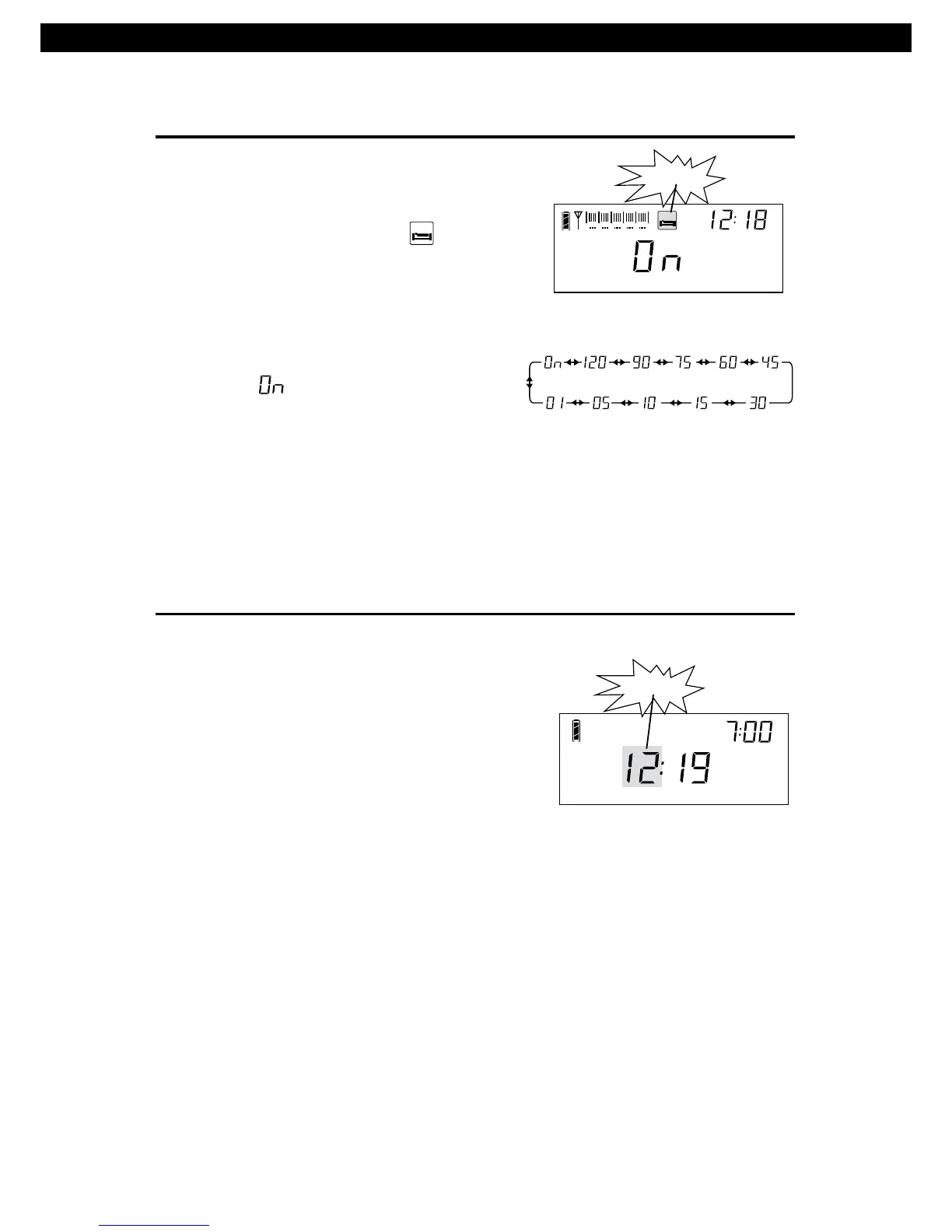
1. In POWER OFF mode, press &
hold the [POWER] button untill
the sleep timer symbol " "
flashes on the display.
2. Rotate the [TUNING] knob
immediately to select a sleep
timer from 1 - 120 minutes or
select " " for POWER ON
mode (the radio will be turned
on after 1 second).
Note: The default setting of the sleep timer is "ON ".
SLEEP FUNCTION
SL EEP
Ni-MH
Battery
0 1 2 3 4 5
SL EEP
flashing
Time selection for sleep timer
1. Press & hold the [TIME] button
the hours indicator starts flashing.
Rotate the [TUNING] knob to adjust
the hours, or directly input the time
by pressing the [ 0 – 9 ] numeric keys.
2. While the hours indicator is flashing,
press the [TIME] button again to
select the minutes indicator.
Rotate the [TUNING] knob to
the minutes, or directly enter
pressing the [0 – 9] numeric keys.
3. Short press the [TIME] button to confirm,
or wait for 3 seconds to automatically
confirm the time setting.
until
adjust
it by
TIME SETTING
Ni-MH
Battery
Timer A
Time setting
flashing



 To Next Page