15
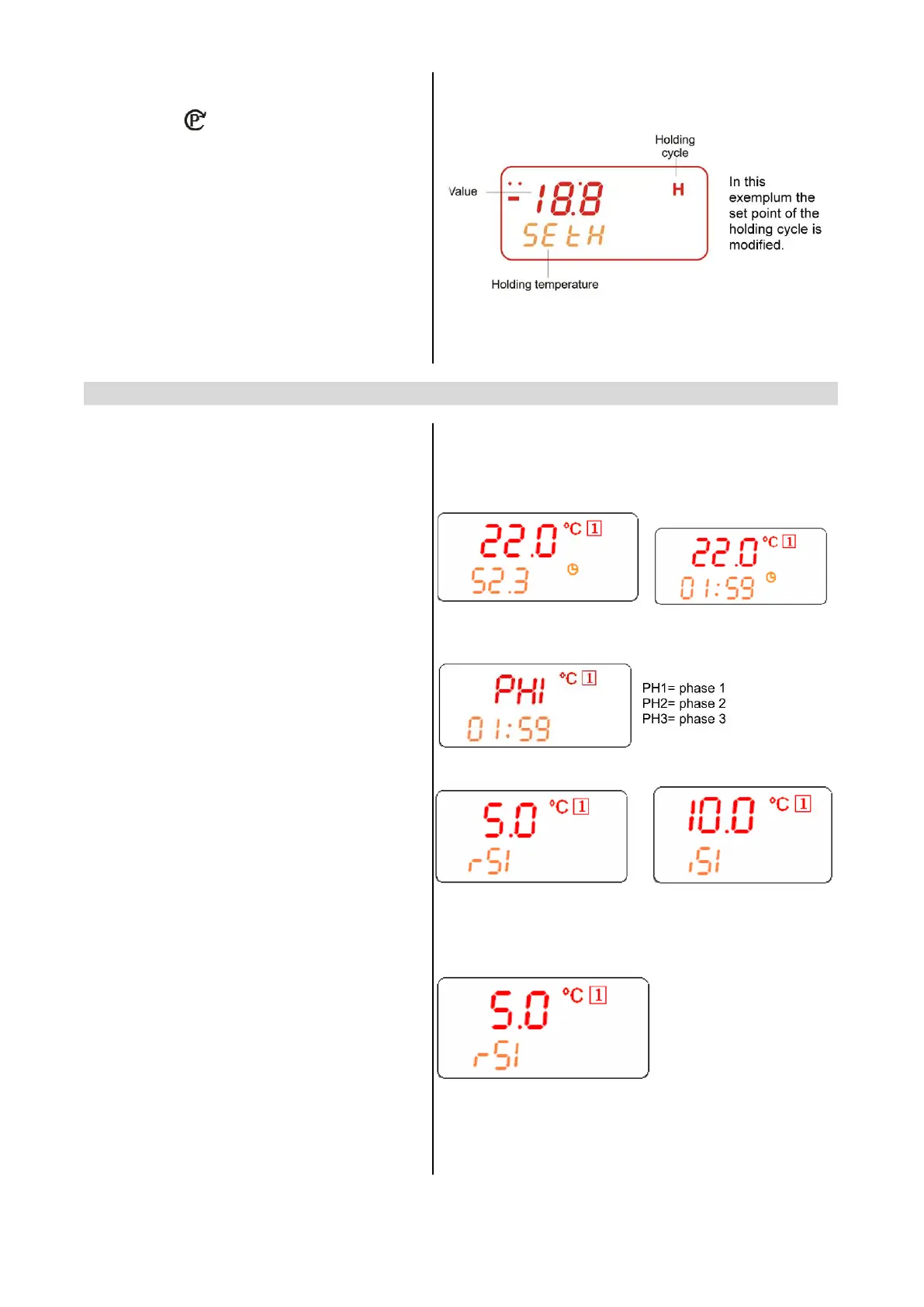
HOW MODIFY A CYCLE:
1. Push the key (6) for several seconds
till the first parameter (CyS) is displayed.
2. Use the UP and DOWN keys to browse the
parameters.
3. To modify a parameter push the SET key
and use the arrow keys.
5. Confirm the new value by pushing the
SET key.
6. The new value is recorded even if the
programming is exited by time out.
14.3 KEYBOARD WHEN A CYCLE 1,2,3,4 IS RUNNING
DISPLAY TEMPERATURES:
The upper display shows the temperature of
the thermostat probe The bottom display
shows the temperature of a insert probe (if
enabled) or the count down timer.
By pushing the DOWN key the probes iP1, iP2,
iP3 and the count down timer are displayed in
sequence.
PHASE DISPLAY: pushing the UP key the
running phase is displayed.
HOW TO DISPLAY THE REGULATION
SET POINTS
By pushing the SET key the following
information are displayed in sequence:
- rSI = Room set point
- iSI = Stop phase set point, referred to the
insert probe
- Back to the room temperature.
HOW TO MODIFY THE ROOM SET
POINT
While rSI or iSI are displayed hold pushed the
SET key till the rSi or iSi label start flashing
and LED near the SET key is turned on..
Use the arrow key to modify the value and the
SET key to confirm it.


 To Next Page