16
14.4 KEYBOARD WHEN THE HOLDING CYCLE IS RUNNING (H)
HOW TO DISPLAY THE HOLDING
(REGULATION) SET POINT
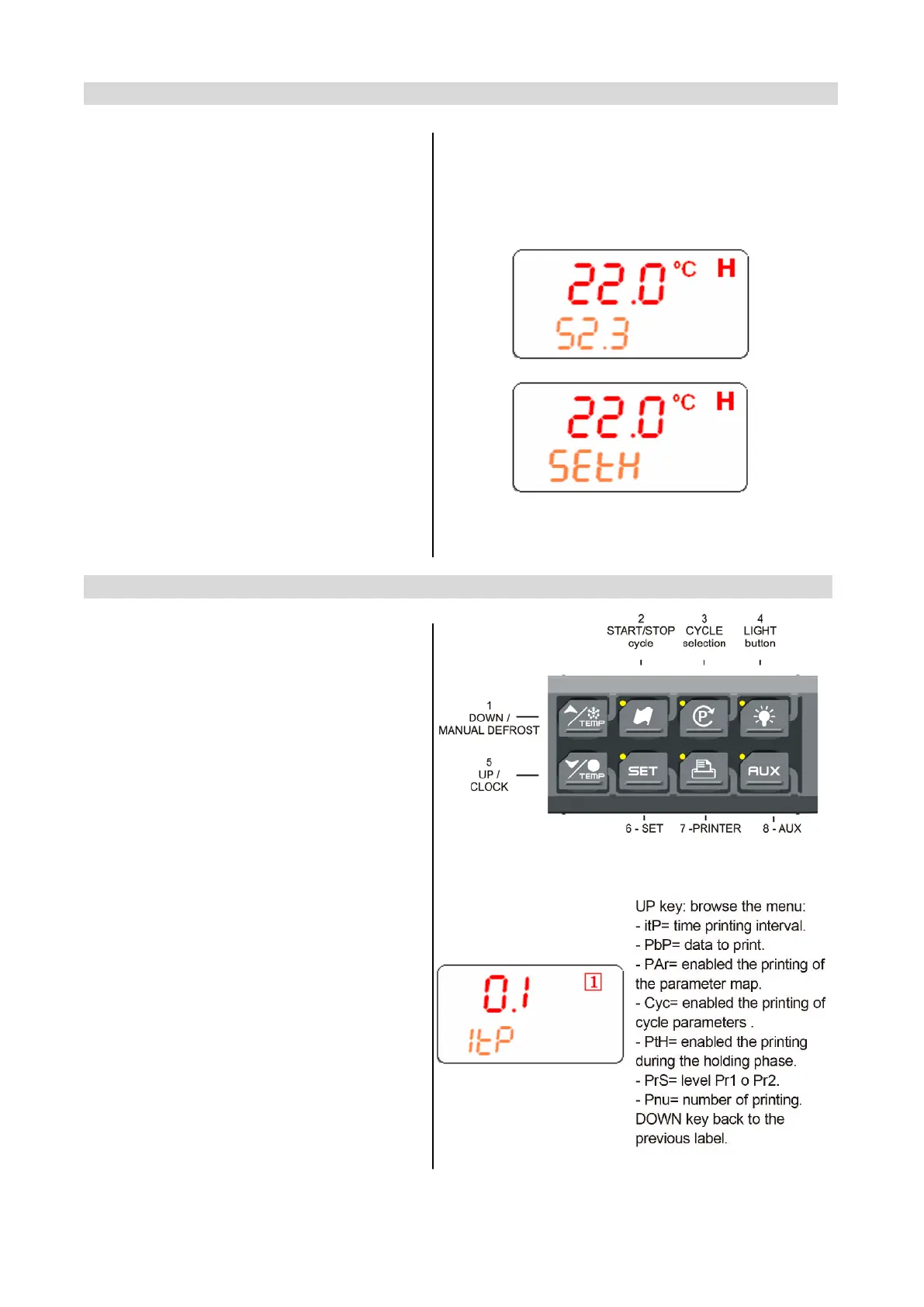
While the holding cycle is running, (H icon
lighted), push the SET key and the holding set
point is displayed on the UPPER display while
the SETH label on the bottom display
HOW TO MODIFY THE ROOM SET
POINT
While SETH is displayed hold pushed the SET
key till the SETH label starts flashing and LED
near the SET key is turned on..
Use the arrow key to modify the value and the
SET key to confirm it.
TO CONFIRM AND EXIT: push again the SET
key
14.5 OTHER KEYS
LIGHT (4): push the LIGHT (4) key to switch
the light on and off. The status of the light is
monitored by the yellow LED upper the key.
AUX (8): push the AUX (8) key to switch the
auxiliary on and off. The status of the auxiliary
relay is monitored by the yellow LED upper
the key.
PRINTER / H (7): push the PRINTER key when
the keyboard is connected to the controller, to
enabled/ disable the printer.
PRINTER CONFIGURATION MENU
Push the PRINTER (7) key for few seconds to
enter the printer configuration menu.
The itP, label is displayed, use the ARROW
keys to browse the parameters
To modify: push the SET key and then the
ARROW keys.
To confirm: push the SET key
To exit the Printer menu: Push together
SET + UP keys or wait 5 sec


 To Next Page