15 of 28 © 2009 D 527 - 06/09
Vent Mode: Only the fan operates to circulate air. Heating and
cooling are not operated except for freeze protection.
Off Mode: The heating, cooling, and fan are shut off except
heating for freeze protection.
Button Operation
Mode Button
Cool Mode: The cooling system operates to maintain the
Set Room temperature. The fan operates whenever the
cooling is on.
Auto Mode: The heating system operates to maintain the
Set Room Heat temperature. Likewise the cooling system
operates to maintain the Set Room Cool temperature. The
thermostat will prevent the Set Room Heat and the Set Room
Cool settings from getting closer than 3°F (1.5°C).
To switch from heating to cooling, the heat must be off for
at least a 30 minute interlock period and the actual Room
temperature must be at least 3°F (1.5°C) above the Set
Room Heat temperature.
To switch from cooling to heating, the cooling must be off
for at least a 30 minute interlock period and the Room
temperature must be at least 3°F (1.5°C) below the Set Room
Cool temperature. Cooling has priority over heating.
The fan operates whenever the cooling is on. The fan will
turn on with the heating if Fan Mode 2 is selected.
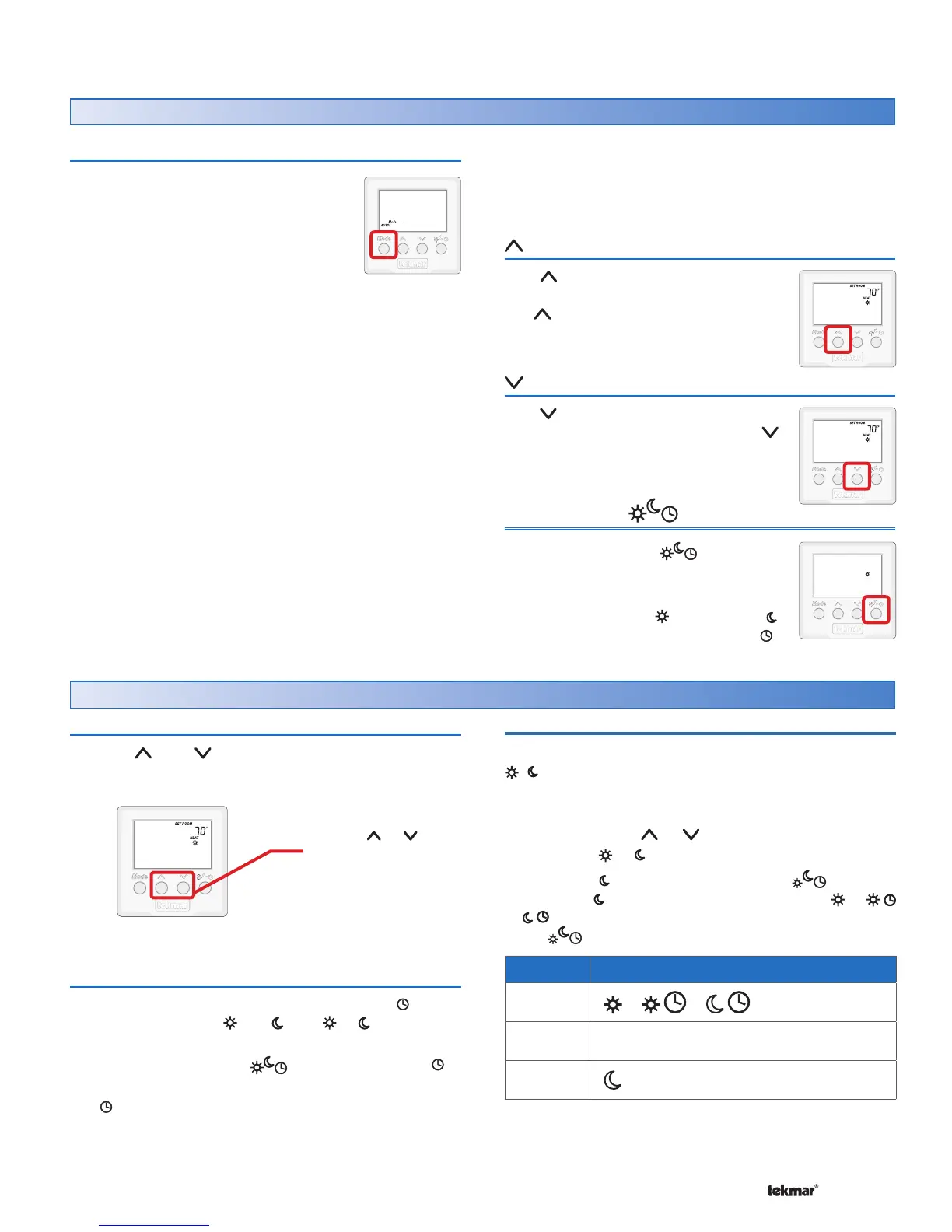
The Mode button selects between Auto,
Cool, Heat, Vent and Off.
Heat Mode: The heating system operates
to maintain the Set Room temperature.
The fan may turn on with heating if the
Fan Mode 2 is selected.
The button raises the Set Room
temperature. When in Vent mode,
the button increases the Set Fan
percentage.
Button
The button lowers the Set Room
temperature. When in Vent mode, the
button lowers the Set Fan percentage.
Local Override Button
The Local Override ( ) button
changes between the local override
temperatures.
The option is Occupied ( ), Unoccupied ( ),
or follow the programmable schedule .
530 Thermostat
Button
Room Temperature
Press the or the button to select the room temperature.
The display indicates whether the “HEAT” or the “COOL”
temperature is being changed.
If in Auto mode, press the Mode button to toggle between
Heat or Cool temperature adjustment.
Programmable Schedule
When operating on a programmable schedule, a symbol
is shown, as well as a or a . The or indicates the
current operating temperature.
Press the Local Override ( ) button to select the to
operate on a programmable schedule.
If a symbol does not appear, there is no schedule
available. Schedules are provided by tekmarNet
®
Timers
or Thermostats that are connected to the Zone Manager,
Expansion Module or Wiring Center.
F
Use the or
button to adjust
temperature.
Setting the Temperature
Scenes (System Override)
When using scenes, there are three temperature settings:
, , Away. The scene takes precedence over any local
overrides or any programmable schedules.
While in the Away scene, the room temperature cannot be
changed using the or buttons. Change the scene
from Away to or to change the temperature.
While in the or Away scene and the button is
pressed, the or Away icon will flash. Scene 1 ( or
or ) must be activated before the thermostat responds
to the button.
Scene Display
1
or or
2
Away
3



 To Next Page