© 2009 D 527 - 06/09 20 of 28
Schedules (Requires schedule device)
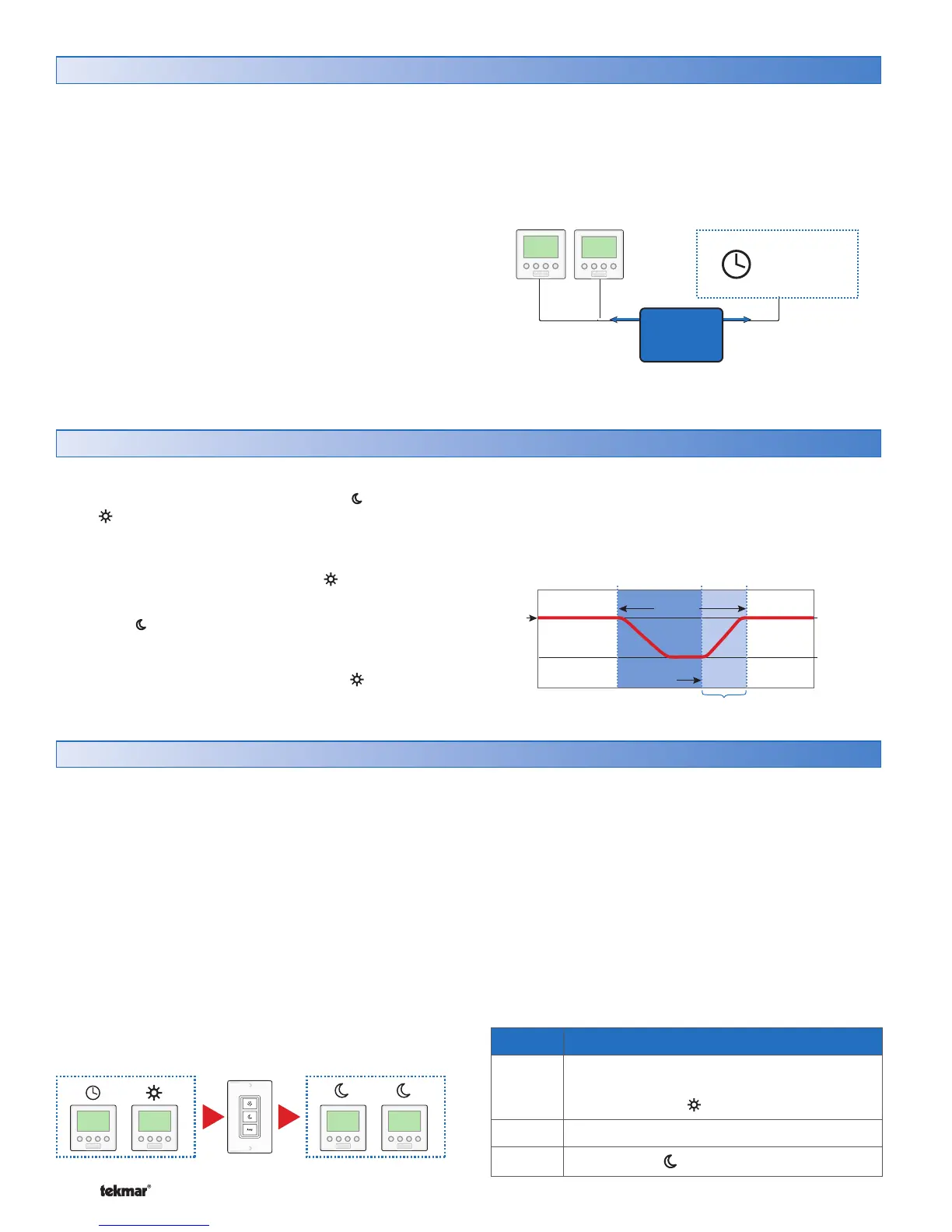
This thermostat can follow a programmable schedule in order
to automatically lower the room temperature setting.
Lowering the room temperature setting reduces the amount
of fuel required to heat the building resulting in energy
savings.
For this thermostat to follow a schedule, a device called a
schedule master is required. A schedule master can be a
programmable tekmarNet
®
Thermostat (such as models
542, 543, 544, 545, 546), a programmable tekmarNet
®
Timer 033, or other tekmarNet
®
devices that indicate they
are a schedule master.
The schedule master may support multiple system
schedules. Thermostats 528 and 530 can follow system
schedule 1, 2, 3, or 4. Thermostat 527 can only follow
system schedule 1.
To follow a schedule:
Select DIP switch setting 1 to Setback (On position).
Locate the schedule item in the Adjust menu. Select
system schedule 1, 2, 3, or 4.
•
•
tN2 Thermostats
tN4 Communication
Programmable
Schedule
Device
Schedule Master
tN2 Communication
tekmarNet
System
Control
Optimum Start
When a programmable schedule is selected, there is a time
delay for the temperature to change from the temperature
to the temperature.
The thermostat uses an Optimum Start feature to predict
the heat up rate of the room. The optimum start feature
allows the room to reach the set room temperature by
the time set in the programmable schedule.
During the time period, the user may notice the heat
being on even though the room temperature is above the
set room temperature. This is due to the Optimum Start
feature heating the room in order to reach the temperature
on time.
The Optimum Start applies for both the heating and the
cooling systems.
Optimum Start
10P.M. 5A.M. 8A.M.
Occ
70°F (21°C)
UnOcc
65°F (18°C)
Room
Temp.
Recovery Period
Optimum
Start
Setback
Period
Scene Room Temperature Setting
1
Follows programmable schedule if
available. If there is no schedule, operates
at the occupied temperature.
2 Away temperature.
3
Unoccupied temperature.
Scenes
Scenes are only available when a User Switch is installed
on the network.
Scenes are system wide manual overrides. By changing the
Scene, all participating thermostats change their operating
temperature at the same time. The Scene overrides any
time-scheduled changes in temperature.
The purpose of scenes is to provide a quick and convenient
method to lower the heating temperature (or raise the
cooling temperature) on multiple thermostats throughout a
building. This reduces the amount of fuel required to heat
the building, resulting in energy savings.
Scenes are often used when leaving on vacation, holidays,
or special events.
In order to use the Scene feature, a device called a User
Switch (sold separately) can be used to change the Scene
number.
This thermostat supports Scenes 1, 2, and 3. Scenes 4
through 8 are not supported. Should a permanent Scene
4 or 5 be activated, the thermostat operates in Scene
1. Should a temporary Scene 6, 7, or 8 be activated,
the thermostat does not change and remains in the last
supported Scene.
tekmarNet
®
Thermostats can participate with Scenes when
switch setting 2 is set to Scene (On position).
User Switch



 To Next Page