© 2009 D 527 - 06/09 18 of 28
Display Range Description
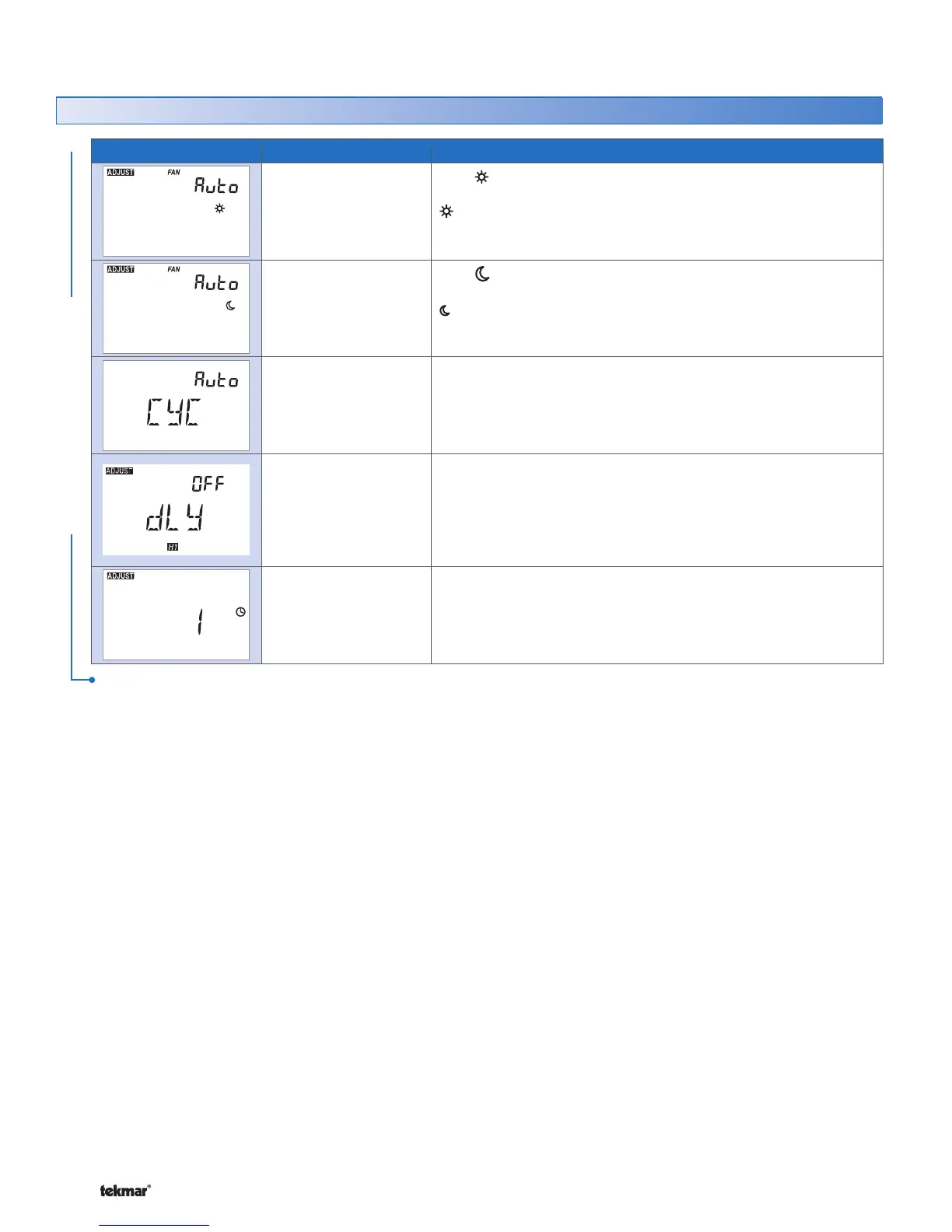
Auto, 10 to 90%,
On
Default = Auto
FAN
Set the minimum percentage the fan should operate while in the
event. This provides ventilation for the building.
Note:
If Ventilation is set to Off, selection for 10 to 90% not available.•
Auto, 10 to 90%,
On
Default = Auto
FAN
Set the minimum percentage the fan should operate while in the
event. This provides ventilation for the building.
Note:
If Ventilation is set to Off, selection for 10 to 90% not available.•
Auto, SYn
Default = Auto
HEAT CYCLES PER HOUR
Select either Auto cycle or Synchronize with other thermostats
on the tekmarNet
®
system.
Available when:
There is no tekmarNet
®
System Control on the system.•
OFF, On
Default = OFF
THERMAL MOTOR DELAY
Select whether or not a thermal motor (wax actuator) zone valve
is operated.
Available when:
A tekmarNet
®
System Control is on the system.•
1, 2, 3, 4
Default = 1
SCHEDULE
Thermostat can follow schedule 1, 2, 3, or 4.
Available when:
Switch setting 1 is set to Setback (On Position).•
Adjust Menu (2 of 2) *for installer use only
ADJUST MENU
After the last item, the control returns to the first item in the Adjust menu.
530 Thermostat



 To Next Page