AFA4000/E VAV Airflow Controller / p.94
6.8.4 Personnel sensor dip switch settings
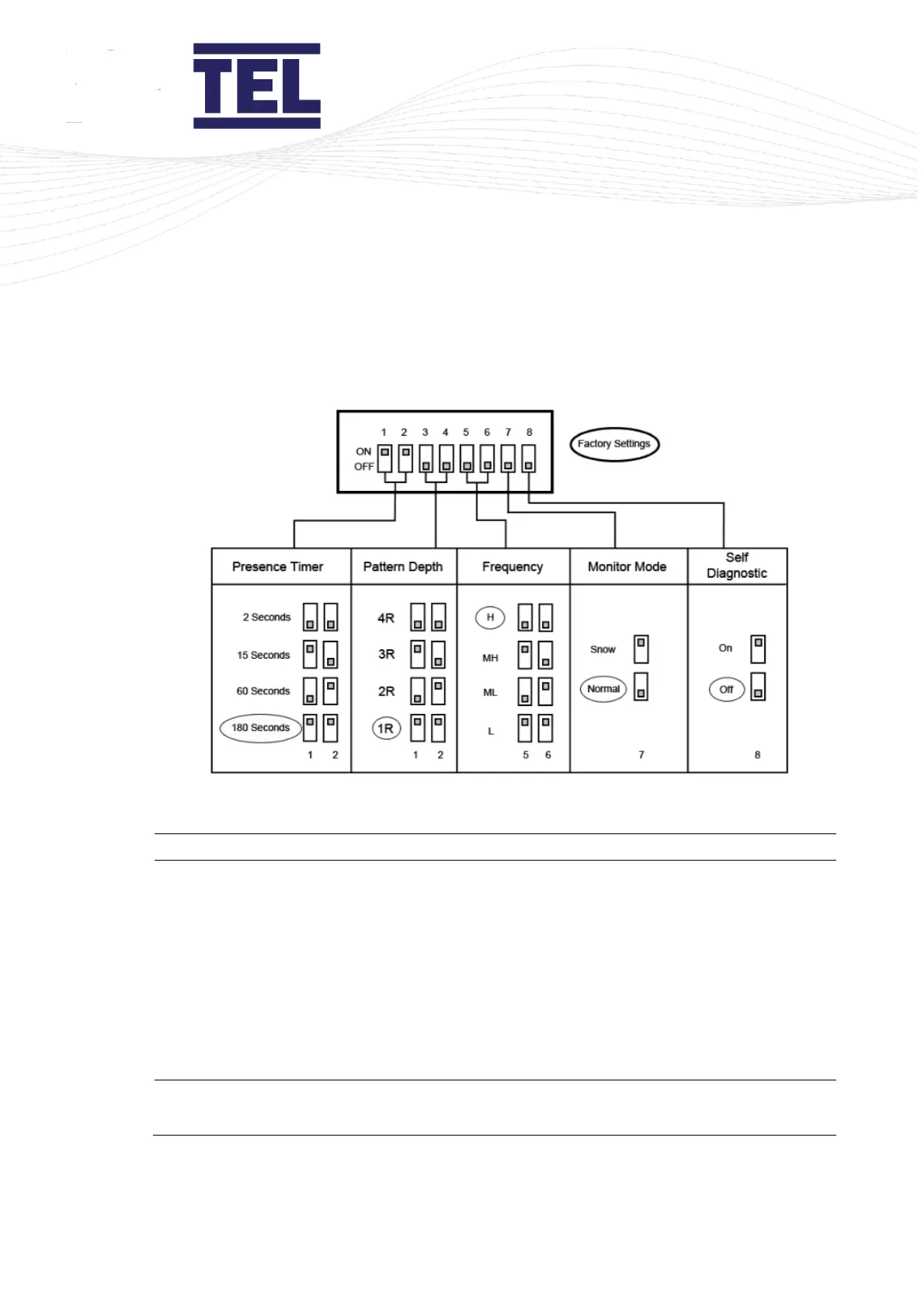
The following Personnel Sensor functions and parameters are controlled by Dip switches,
located within the Sash Light Curtain Control Box (Figure 62) (See section 7.6.10).
Figure 62: Personnel Sensor Dip Switch Settings
Select the time delay before the Personnel Sensor ‘re-
learns’ the background when a stationary object is
detected.
2, 15, 60 or 180 second delays are selected by setting
associated switches 1 and 2 to combinations of
ON/OFF (Figure 62).
Note: The timer will reset if any movement is
detected during the time period.



 To Next Page