EasyManua.ls Logo

Teleco TVLink RS868 Series - User Manual

Teleco TVLink RS868 Series
8 pages
Print Icon
To Next Page IconTo Next Page
Loading...
~ ~ TE LE C0
TELECOAUTOMATION SRL - Via dell'Artigianato, 16 - 31014 Colle Umberto (TV) ITALY (
E
••• ~ TELEPHONE: ++39.0438.388511 FAX: ++39.0438.388536
•.•• AUTOMATION
Thisdocument isthe property of TelecoAutomation Sriwho reserves ell reproduction end copying rights
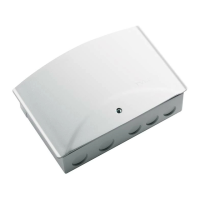
Electronic for the remote control of tubular motors for roller blinds, rolling shutters, doors with limit
switch inside or outside the motor, radio receiver section with transmitter channel memorization by
means of internal push button or via radio.
Possibility to conneet wired and wireless safety devices (wireless IR or 8K2 safety edge) with auto-
test con trol before every closing movement.
Possibility to connect a 230
V'"'-
courtesy lamp with varia bie time from 1 min. to 12 hours (detault
1min.)
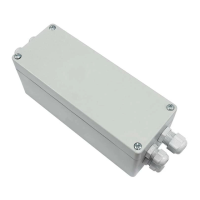
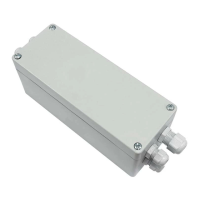
Plastic housing
tor
extemal use equipped with clamps.
Possibility of centralized controls for simultaneous control of several appliances.
Possibility to connect external mechanical controls with dynamic push button function and blockage
push button.
The first command after lhe reset, wireless or trom a push button, is always an opening commando
~.:.CONNEf:TIONS
Description of the connections:
1 Input ground general power supply
2 Input ground motor 16
3 Input general power supply 230 V --- phase 17
4 Input general power supply 230 V --- neutral 18
5 Opening output relay contact
6 Output 230 V --- neutra I by means of fuse 19
(common motor) 20
7 Closing output relay contact
8-9 Output LP 230
V---
60 W max. for for 21
flashing lamp 22
10-11 Output LC 230 V --- 300 W max. for 23
courtesy lamp
(only for the version with courtesy light) 24
12 Output 12 V --- 80mA for photocells 25
13 Push buttons and safety
common
14 FTC common
15 FTC input (NC norrnally closed)
Safety edge input (brown wire), 8K2 input
Safety edge input (green wire), 8K2 input
Safety edge input (white wire)
Push buttons common
Dynamic push-button input (NO normally open)
Stop push-button TB (NC normally closed)
Push buttons common
Magnetic contact input FC (NO normally open)
Antenna ground
Antenna pole (wire 8.5cm)
Code Number:
Series
Draft
Date
TVPRP868A08
TVLink RS868
T449.02 22/03/12
Question and Answer IconNeed help?

Do you have a question about the Teleco TVLink RS868 Series and is the answer not in the manual?

Teleco TVLink RS868 Series Specifications

General IconGeneral
BrandTeleco
ModelTVLink RS868 Series
CategoryReceiver
LanguageEnglish

Summary

General Description

Connections

Dip-Switch Function

Dip1: Wireless Safety Edge Exclusion

Configures wireless safety edge activation or deactivation.

Dip 2-3: Function Mode

Sets operating modes like Dead-man or automatic.

Transmitter Memorization

Mode 1: Single Push-Button

Memorizes single channels for dynamic open, stop, close control.

Mode 2

Memorizes channels in pairs for specific control functions.

Mode 3

Memorizes channels for courtesy light on/off control.

Code Cancellation Procedures

Cancel a Code from Receiver

Procedure for deleting individual transmitter codes from the receiver.

Cancel All Memorized Codes

Procedure to erase all stored transmitter codes from the receiver.

Cancel Code via Radio

Deleting a transmitter code remotely using an already paired transmitter.

Radio Transmitter Insertion

Initial Radio Insertion

Initial transmitter pairing via radio for first-time installations.

Additional Transmitter Memorization

Adding new transmitters to an existing installation.

Time Settings

Courtesy Light Time Setting

Sets the duration for the courtesy light from 1 minute to 12 hours.

Working Time of Closure Learning

Courtesy Light Function as Alarm

Operation Mode as Ambient Light or Alarm

Configures courtesy light for ambient lighting or alarm signaling.

Acoustic Signals

Safety Input Functions

KIT MY SAFE (Optional)

Installation - Positioning Elements

Guidelines for optimal placement of control unit and safety devices.

TCSP Radio Safety Edge Memorization

Steps to pair the TCSP radio safety edge with the Master device.

Master Unit LED Functions

Explains the status indications provided by the Master unit LEDs.
Related product manuals