5 – Operating Software
5-10 © Teledyne TSS DPN 402196 Issue 4.1
5.3 Operating DeepView for Windows
Teledyne TSS TSS designed DeepView for Windows to provide full functionality when you use a
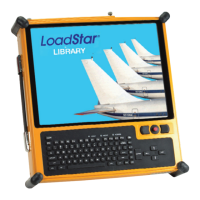
pointing device. The SDC10 utilises touch-screen technology to select commands and controls within
DeepView via the touch-screen panel and software keyboard (a shortcut is locate on the SDC
desktop). If preferred, a keyboard or mouse can be connected via either of the two front-mounted USB
ports.
NOTE
The instructions that follow assume you to be reasonably familiar with the Micro-
soft Windows operating environment. If necessary, refer to a relevant Windows
user guide for instructions to use Windows.
This sub-section explains how to use the software commands and tools during a survey. The
instructions refer to the Run Window and to the various secondary windows described throughout this
section. DeepView includes an on-line Help structure that summarises the advice and instructions
included here. There is also a simple ‘Help’ panel, accessible by pressing function key [F1] from the
Run Window, to list the function key short cuts that select some of the commands and tools described
below. See section 5.3.5 "Function Keys" on page 5-28 for a list of the function keys available for use in
the 440 and 440 modes.
Follow the advice throughout Chapter 6 "Operating Procedure" for a survey procedure using the 440
System.




 To Next Page