5 – Operating Software
5-20 © Teledyne TSS DPN 402196 Issue 4.1
The status line shows the communication port settings for the active serial device.
5.3.2.7 Video Overlay Enable
Enabling Video Overlay is covered in section 5.3.3.5 "Video Overlay Setup" on page 5-25 along with
details of the configuration options available.
5.3.3 Configuration Menu
5.3.3.1 System parameters
See section 5.2.3 "System Parameters" on page 5-6.
5.3.3.2 Altimeter
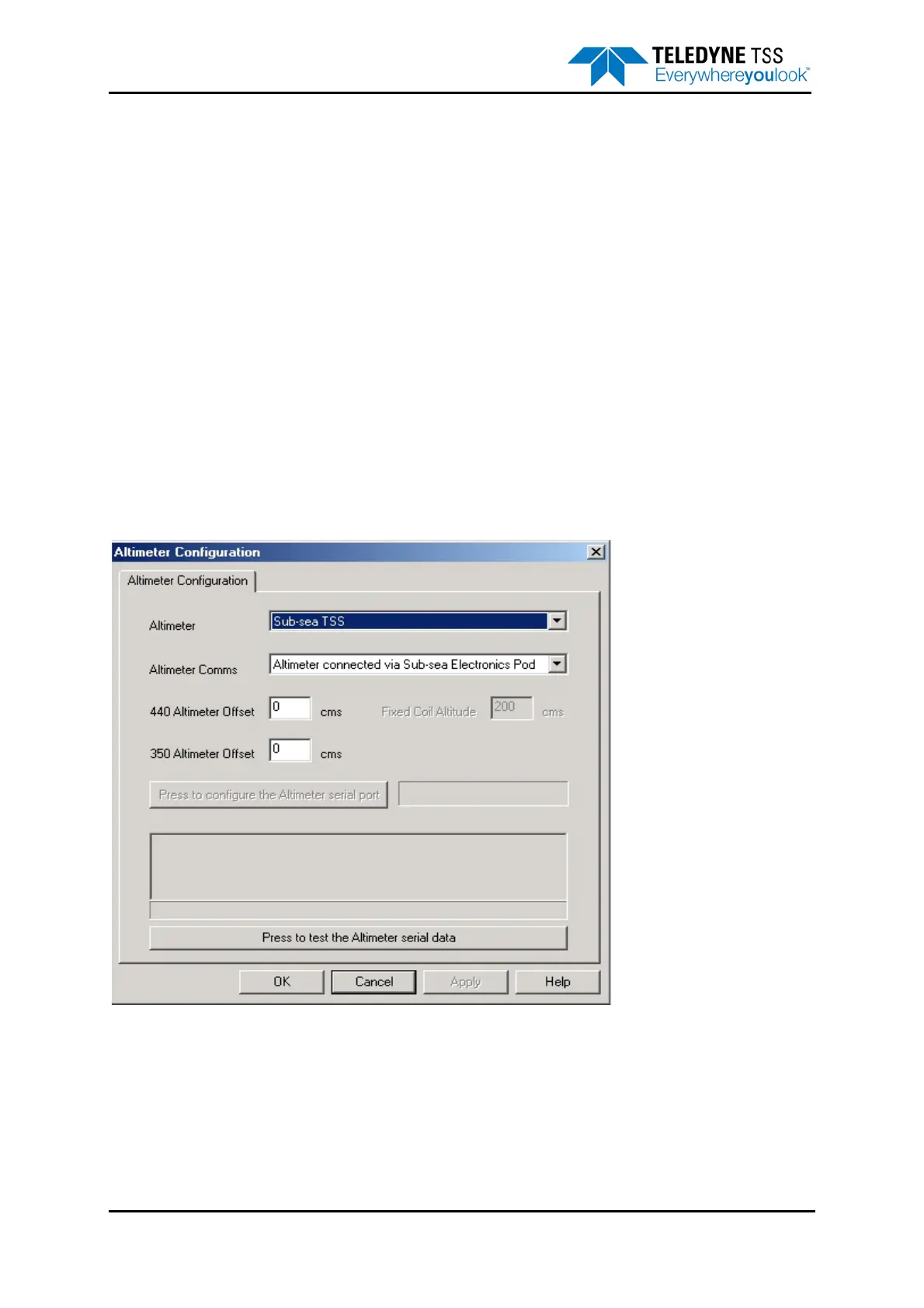
The Altimeter option allows you to change the altimeter configuration for specific installations and to
view data transmitted by an altimeter connected directly to the SEP. To edit these settings, select
Configuration
➥Altimeter.
To view data transmitted by an altimeter connected to an SDC serial communication port, use the
Terminal Window described in sub-section section 5.3.2.6 "Terminal Window" on page 5-19.
Figure 5-9: Altimeter Configuration




 To Next Page