R309 AT Commands
©2015 Telegesis (UK) Ltd - 120 - AT Command Manual (Rev 3.09)
13 Appendix B. Bootloading new firmware
13.1 Bootloading through the serial port
The process of bootloading an application file through the serial port or over the air is described
more fully in the ETRX357 Development Kit Product Manual. For convenience the main points are
described here also, as they relate to Telegesis Terminal. Other terminal applications can be used
provided they support the XMODEM protocol.
In order to upgrade the firmware of the ETRX35x module using the serial bootloader, issue the
“AT+BLOAD” command either by typing it in, or by pressing the respective button in the “Module
Control” group of the Telegesis Terminal Application.
Alternatively the button labelled “Bload” can be pressed on the development board whilst the reset
button is pressed and released. The same effect is achieved by holding pin PA5 low while
resetting or turning on the device.
After entering the bootloader, the connection parameters need to be changed to 115200bps, 8
data bits, 1 stop bit, no parity, no flow control (providing that it is not already set to these values).
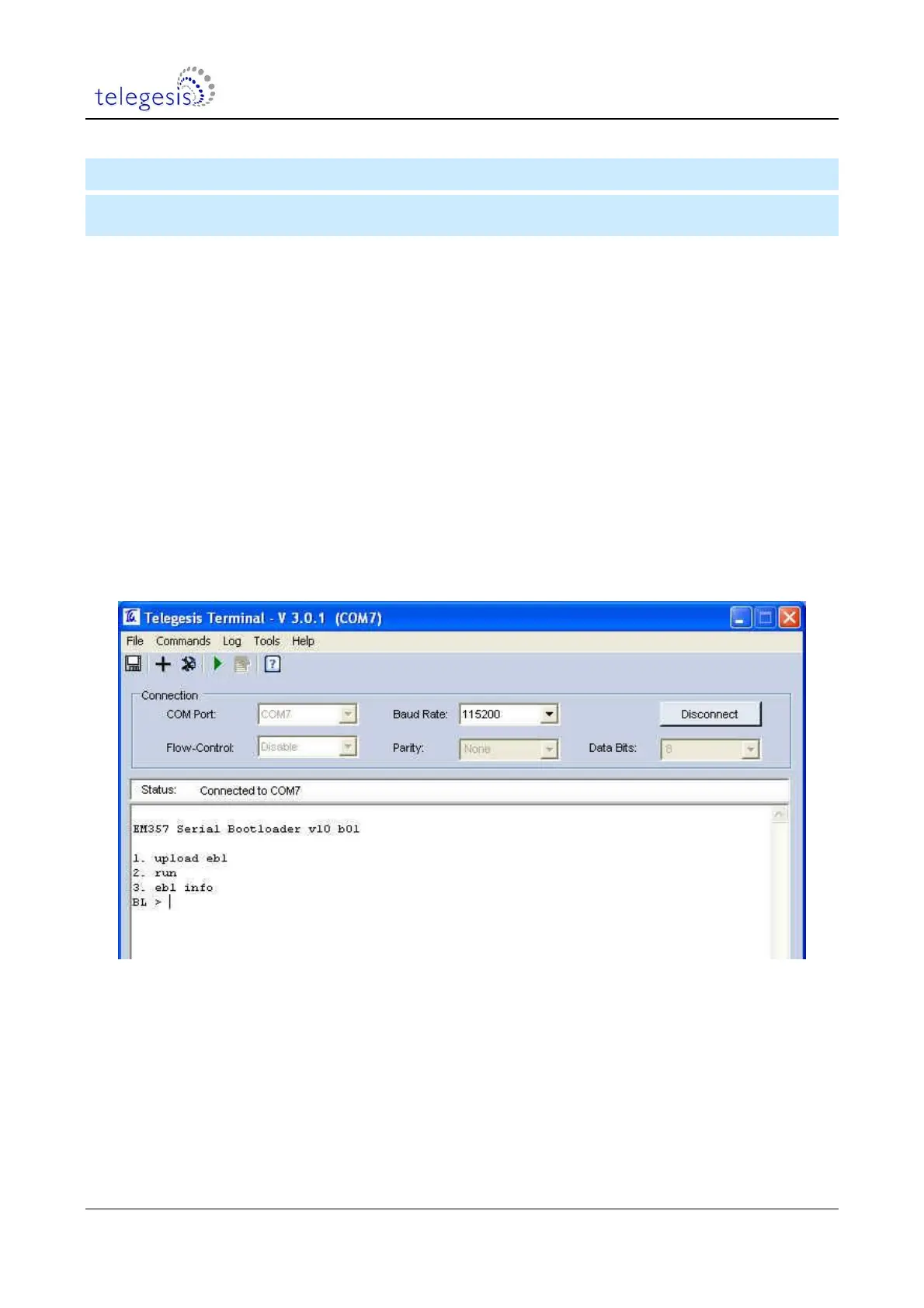
After pressing ‘Enter’ (sometimes twice), the bootloader menu will be shown in the terminal
window as shown in Figure 2.
Figure 2. Bootloader Menu
Pressing ‘1’ initiates the upload of the new firmware and a number of ‘C’ characters will indicate
that the ETRX35x is ready to receive data. Within 60 seconds, select Tools / Transfer File… and
browse for the new firmware file.
Firmware files for the ETRX35x will be in the format ETRX35x_R3xxC.ebl. After checking that the
protocol is set to XMODEM (128 Bytes), press the Send button and the new firmware will be
downloaded as shown in Figure 3.


 To Next Page