8 LCD64 - Operation Manual
English
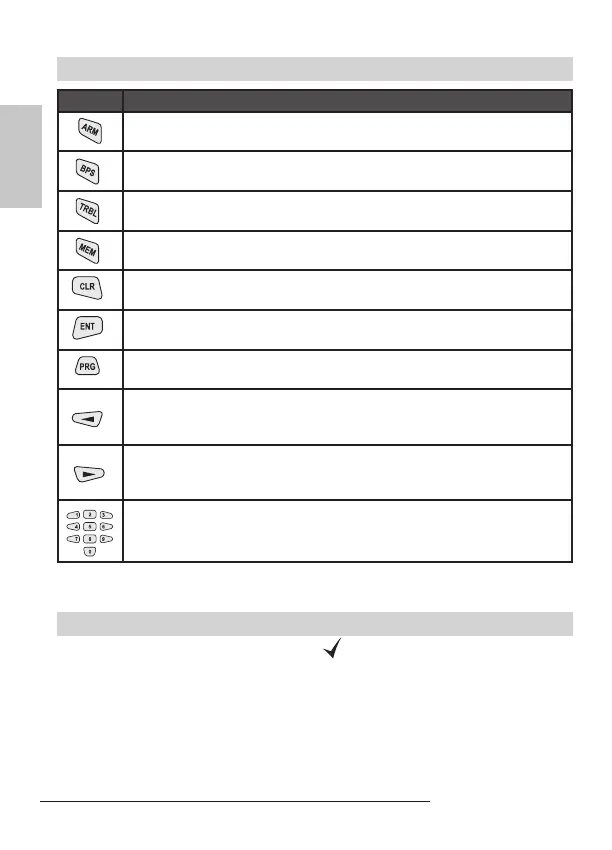
Buttons
Button Description
ARMING of Partition A, Partition B or both of them - this functionality of
the button is programmed from the installer.
Bypasses certain zone(s).
Reviews the system troubles.
Reviews the memory events LOG.
Clears entered data or transfers to previous menu level.
Conrms entered data or transfers to next menu level.
Entering the Manager or User programming menus.
Scroll the LOG memory or the system troubles review to the previous
event. ARMING or DISARMING of Partition A - this functionality of the
button is programmed from the installer.
Scroll the LOG memory or the system troubles review to the next
event. ARMING or DISARMING of Partition B - this functionality of the
button is programmed from the installer.
Used to enter different digital data, for example personal user or man-
ager access codes, settings, menu addresses, etc.
LCD64 Keypad Operation
Arming of Partition A
The system can be ARMED when the icon is displayed on the LCD and the icon
for Partition A is ON.



 To Next Page