Televes
®
17
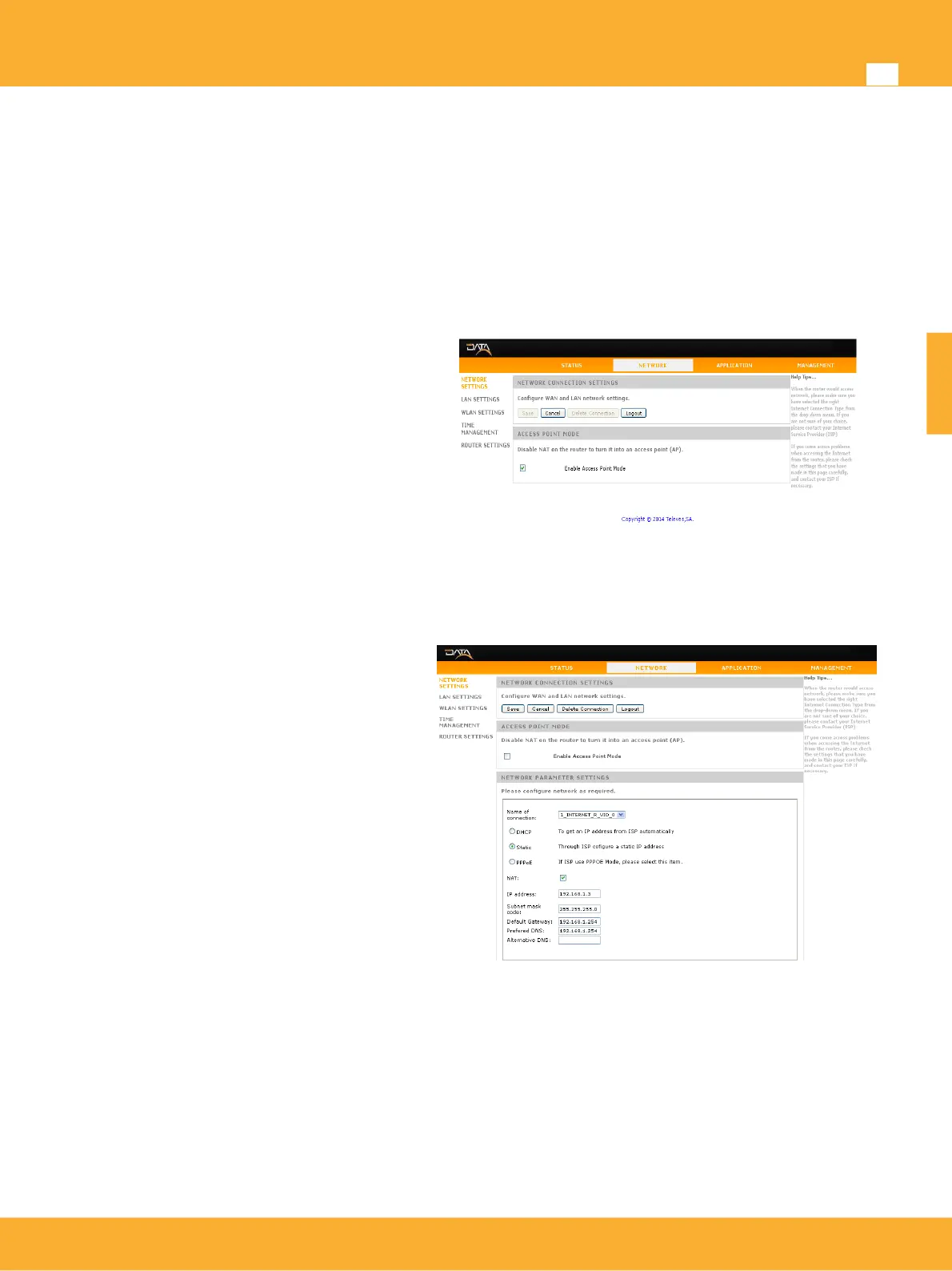
Setting up WAN mode
The working mode hast to be set through the Web interface on the Network Settings. Device has two
operating modes depending on the type of network deployed.
AP Bridge Mode
AP Bridge: This mode brings up a local
network where communication between all
interfaces is allowed. This type of network
is mostly indicated for home use.
NOTE: When AP Bridge Mode is set
CoaxManager(Pro)™ application can be
used to configure the coaxial/plc interface.
Router Mode
Router: This is the factory default working
mode. Under this mode the device will
route between the coaxial/plc (WAN)
interface and the Ethernet / WiFi (LAN)
interfaces.
In this mode the CoaxManager(Pro)™
can only be used to connect remotely to
the modem via Coaxdata master of
coaxial installation.
www.televes.es
ENGLISH


 To Next Page