Data Over Coax Gateway Ref.769301
32
Advanced Device Configuration
Default Configuration Behavior
By selecting Management> Advanced Management can define how the device buttons and LEDs
behave.
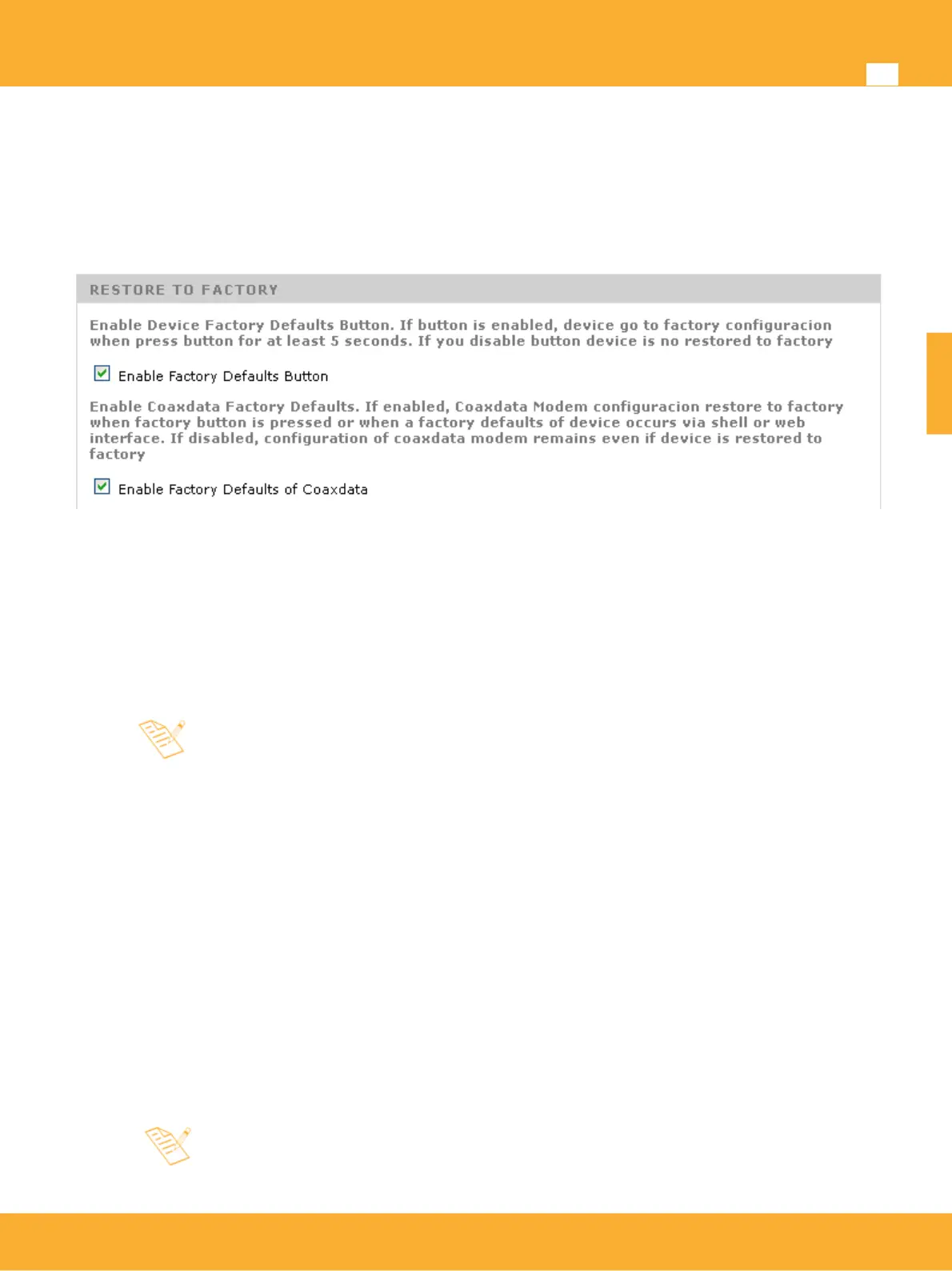
• Enable Factory Defaults Button: Activate factory settings button on the front of the device
(enabled by default). This button has a dual function depending on time is pressed
▪ Less than 5 seconds: always reboot the device.
▪ More than 5 seconds: If this option is enabled, it will restore the settings to factory defaults.
When disable factory defaults button, causes device settings can not be
changed by button press, allowing the supplier to retain its own settings in the
device and avoid user changes.
Although factory restore function is disabled may still be made through website
at Management > Device > Restore Factory.
• Enable Factory Defaults of CoaxData: Option allows when a factory defaults is performed on the
device by pressing the button or through the web page, they also do a factory defaults in CoaxData
modem.
This implies that the coaxial modem settings established by CoaxManager™ such as the
transmission mode and mask, QoS rules or prioritization will be restored to their default values.
Wifi Switch
This option sets when Wifi Switch controls activation and power of Wifi antenna.
• Wifi Switch: Enables the switch on the front of the device for setting the Wifi transmission mode
Normal/ LowPower/Off. If switch is enabled (default configuration) Radio and Power Transmission
options in Wlan Settings are not available and are controlled by switch.
This option allows providers to disable Wifi switch, so that the product can be
installed in accessible locations such as reception halls in hotels or open spaces
in public places, and prevent unwanted user manipulation.
www.televes.es
ENGLISH


 To Next Page