Data Over Coax Gateway Ref.769301
18
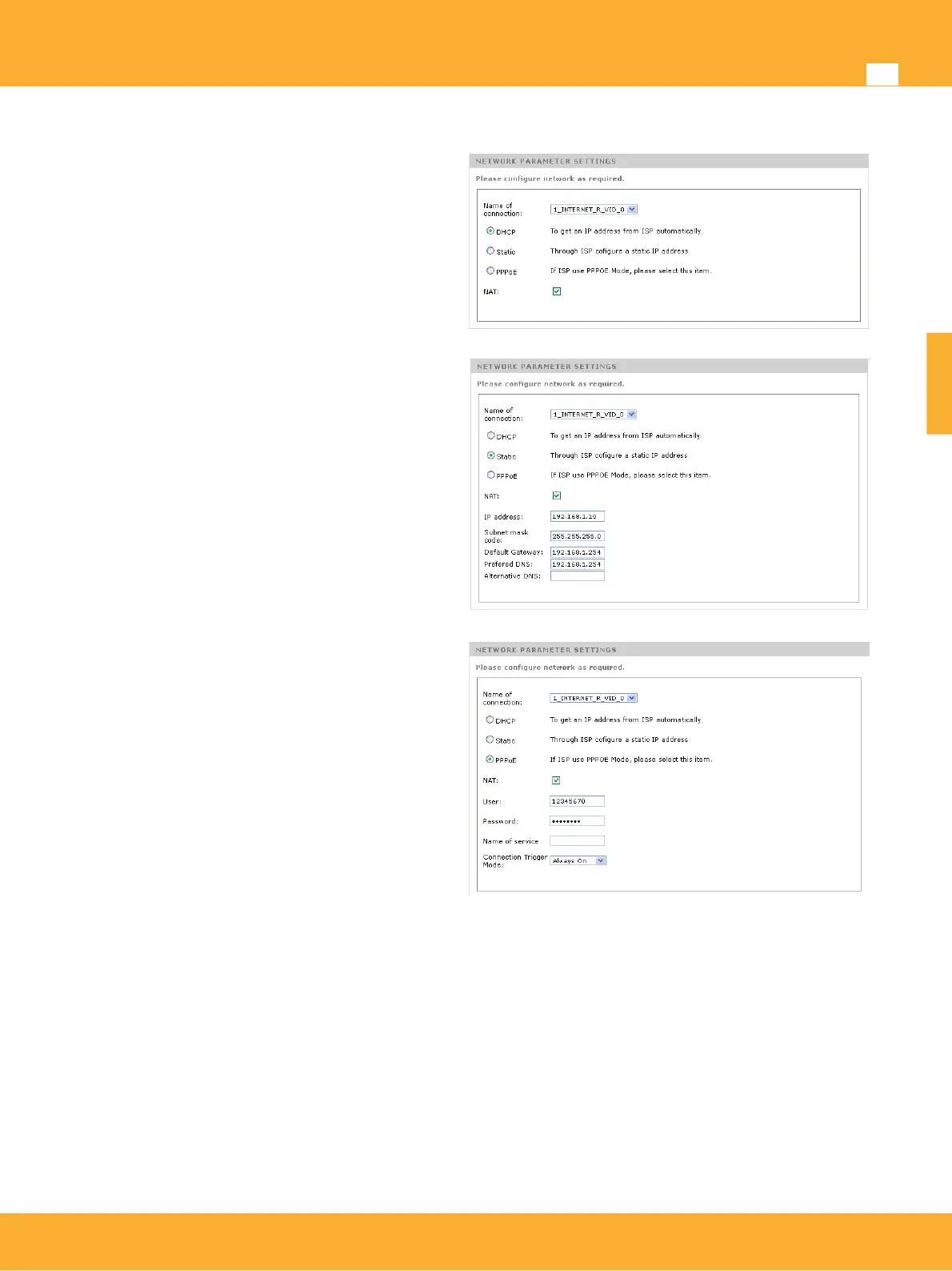
Router mode supports three protocols depending on the type of access to the internet: DHCP (Automatic),
Static Configuration and PPPoE.
DHCP: This mode sets the configuration of
the WAN interface (coaxial/PLC) through a
DHCP server connected to the Master of the
network.
Static Configuration: Allows the manual
configuration of the IP parameters of the
WAN interface.
IP Address/Subnet Mask:
Gateway: IP address of the router
connected to the Master device.
DNS: IP address of the Domain Names
Server
PPPoE(Point-to-point protocol over Ethernet):
connection on the WAN interface is
established through a PPPoE connection.
This configuration needs a PPPoE server on
the WAN side.
User: PPPoE user name
Password: service password
Connection Trigger: Indicates wether the
connection is stablished On demand or
always On.
Setting up LAN interface
The product includes a LAN interface to stablish connection between the local devices and internet and to
build a bridge between the ethernet ports and the WiFi network.
LAN Settings: This options configures IP address and network mask of the LAN inferface.
DHCP Server: Allows activation of DHCP server which will assign addresses dynamically to each
device. The range of IP’s and lease time can be also defined.
Restricted IP Address List: Device connected on the LAN needs a static IP address. This can be
set by matching desired IP address with MAC Host address in the DHCP server. A typical
application for this would be servers, STB’s, etc.
www.televes.es
ENGLISH


 To Next Page