Televes
®
9
Getting to know the Data Over Coax Gateway
Device connections
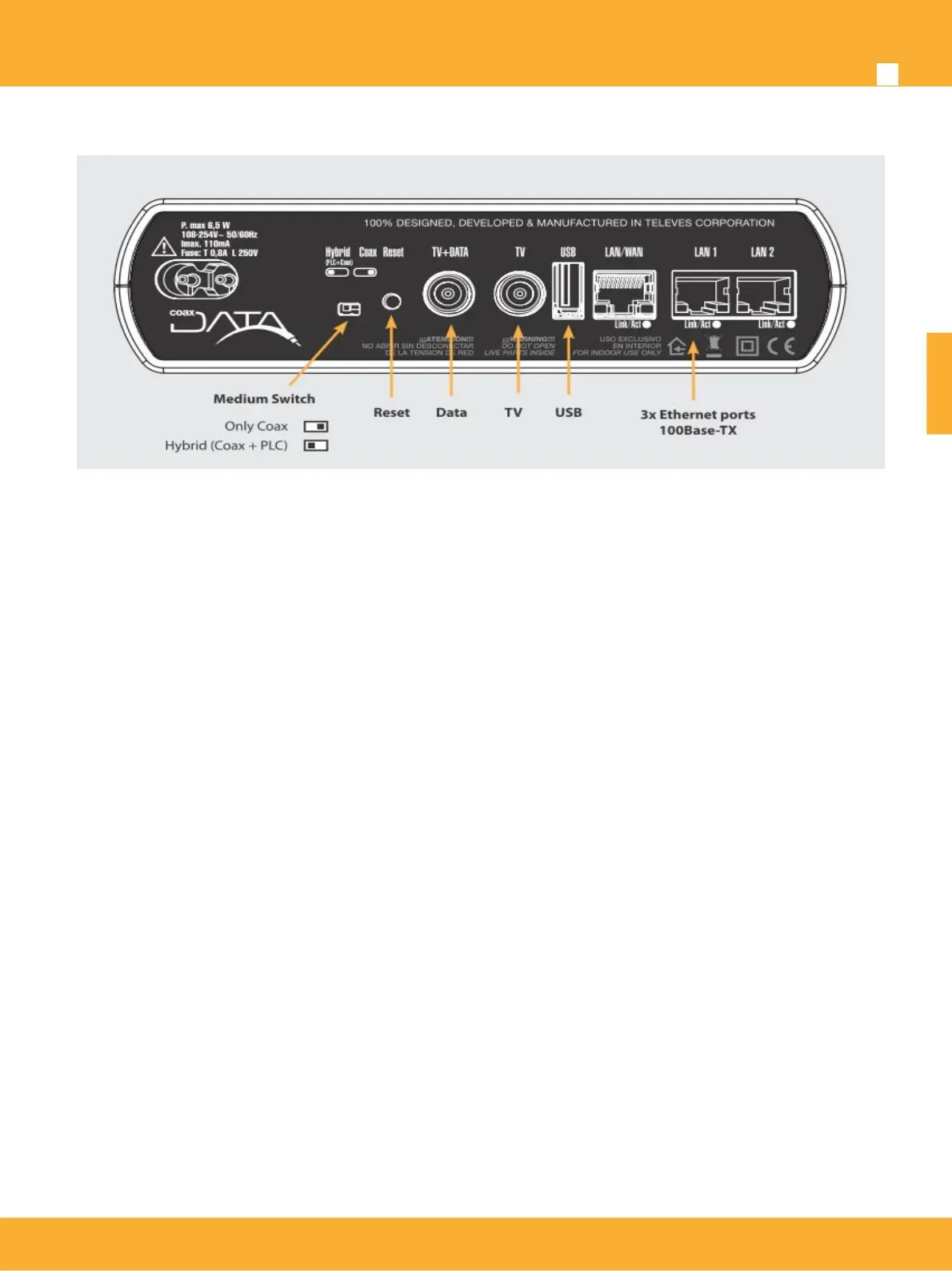
Ethernet ports
3 x RJ-45 ports IEEE 802.3 100 BASE-TX/10 BASE-T compliant. These ports allow the connection of the
CoaxData 1Gbps-HDTV to computers, VOIP telephones, Set Top Boxes, connected TV’s,etc. Each RJ45
support speed autonegotation and Auto-MDIX for ease and optimal working conditions.
Data input. TV + Data
Female F connector for data and TV input direct from the compatible TV socket.
TV output. TV
Female F connector to access TV channels.
Reset button / factory default configuration
Keeping the button pressed for a period under 5 seconds the device will reboot if the button is pressed for
more than 5 seconds it will reload factory configuration.
Please take into consideration that factory default will delete all configuration done on the
equipment.
Configuration of coaxial interface of the product will be affected by this button and reset to factory.
Please note this as this is managed by using the CoaxManager application.
IP default address is : 172.16.0.1/Mask: 255.255.255.0
Default user: Admin password: Televes1
Medium switch
At the back of the device this selects the transmission medium. Coaxial only (right), hybrid (coaxial & PLC)
(left).
Signal will always be present on the coaxial network.
The Medium LED on the front panel will bright green (Coaxial mode) or orange (Hybrid mode).
www.televes.es
ENGLISH


 To Next Page