Data Over Coax Gateway Ref.769301
40
User Web account
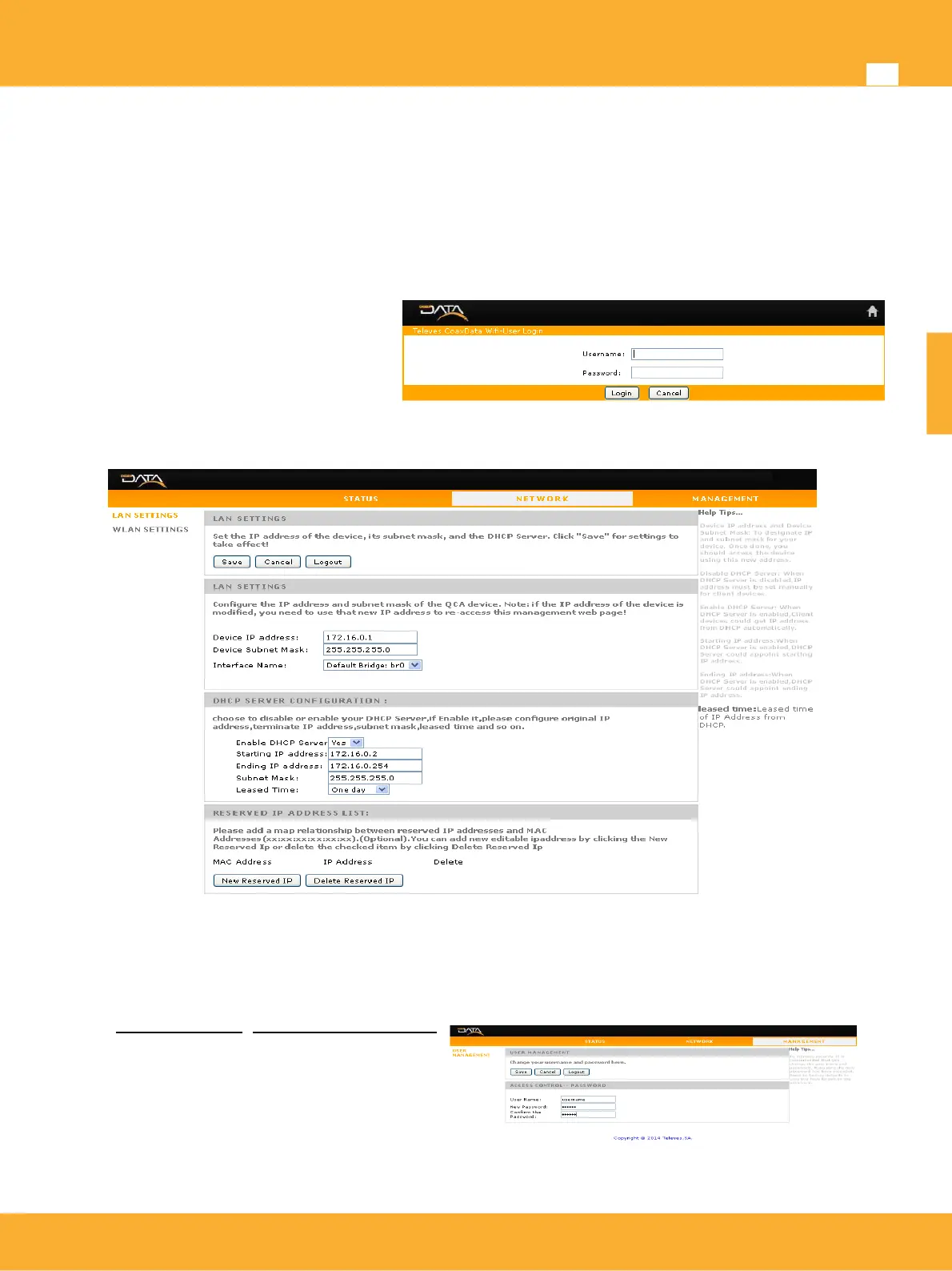
The Web interface has default account created specifically for user that only supports a limited set of
configuration
Local network configuration: Supports the establishment of the network parameters of the local
network, this is Ethernet and Wifi.
Wifi Settings: Supports set SSID and security settings on the Wifi network.
To access this user account simply
access through login from the Web
Interface with the following parameters:
• Username: username
• Password: 123456
Next picture shows available options for user account:
This page user settings allows the installer provide access to local management of the device without
provide access to critical WAN (Coaxial) settings, in such a way that user can configure local network of
the device.
User also can provide a new username and/or password of your own account access.
Go to MANAGEMENT>USER MANAGEMENT
User Name: New username of user account
New Password: New password for access to
user account
Confirm the password: user account
password confirm
www.televes.es
ENGLISH


 To Next Page