Televes
®
43
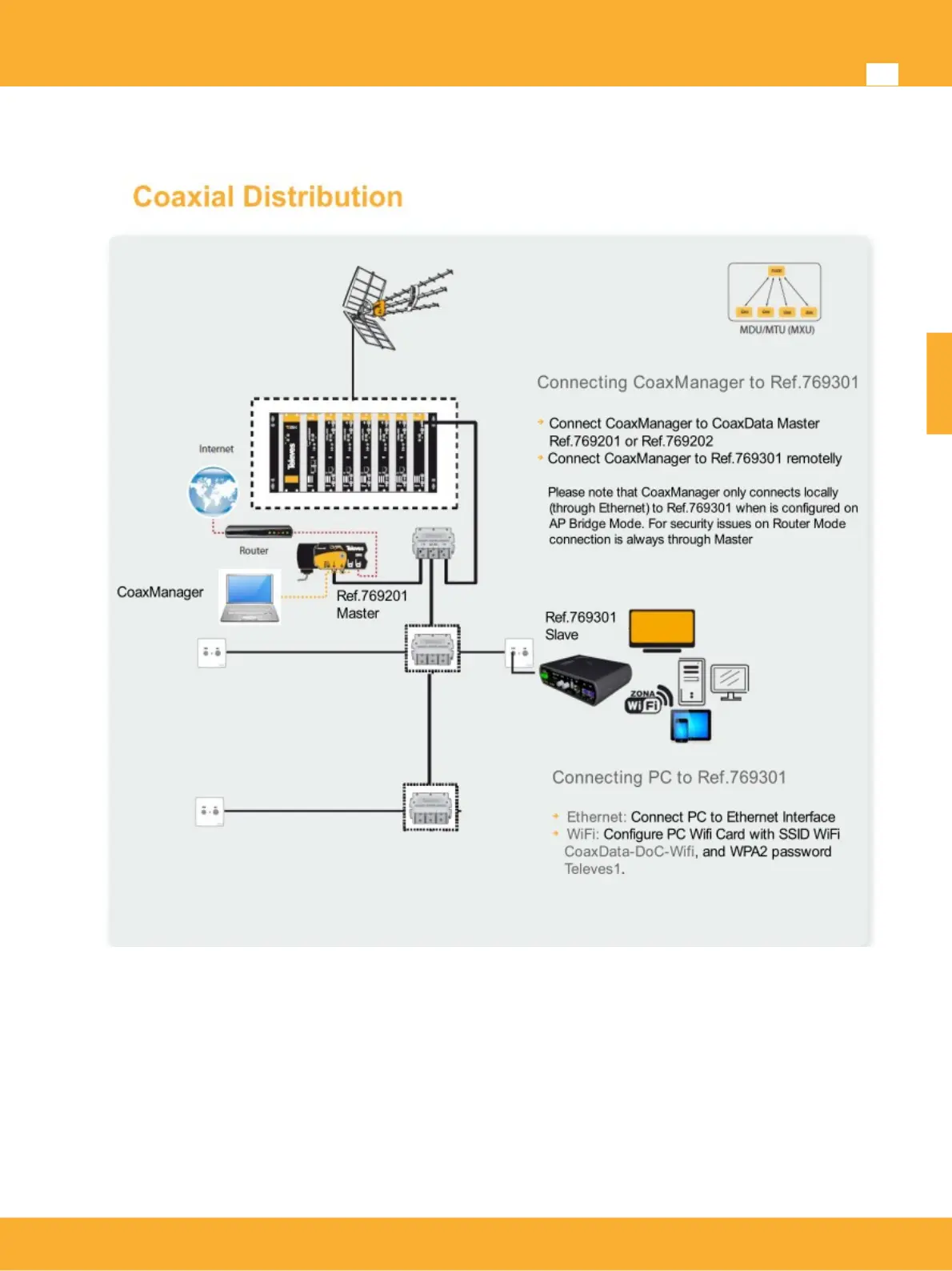
Install 769301 Slave on TV outlets.
The following instructions show the recommended steps to connect the Data Over Coax Gateway-HDTV
from the TV socket to your computer or wired device. Please note that there is no need for additional
hardware or software drivers.
Working mode Master/Slave: Ref. 769301 is configured to MxU Slave mode. Therefore it will
automatically connect to the system Master device. Please note that all other devices on the
network must be set to MxU Slave mode using the CoaxManager Software.
Connection to a computer: The Data Over Coax Gateway includes 3 ethernet ports supporting
100/10 Mbps. It supports speed autonegotation and MDI-X avoiding the use of crossover ethernet
cables.
www.televes.es
ENGLISH


 To Next Page