40 Setup C-2000 and C-2000HS Technical Manual
Bosch Security Systems, Inc. Technical Manual F.01U.174.927 Rev 03
Setup State 46 DTMF Sequence Enable/Disable
The DTMF Sequence Enable/Disable is used to enable/disable DTMF Sequence transmissions, when the D key is pressed
followed by the assigned sequence number (D00, D01,…D15).
Setup State option:
1=Enable
2=Disable*
To enable/disable DTMF sequence, do the following:
1. Select the setup option using FUP/FDWN keys.
2. Press ENTER (#).
Display shows OC (Option Changed).
NOTE: When this feature is enabled, the D key is unavailable for normal DTMF use.
Setup State 47 Function Tone Launch Delay
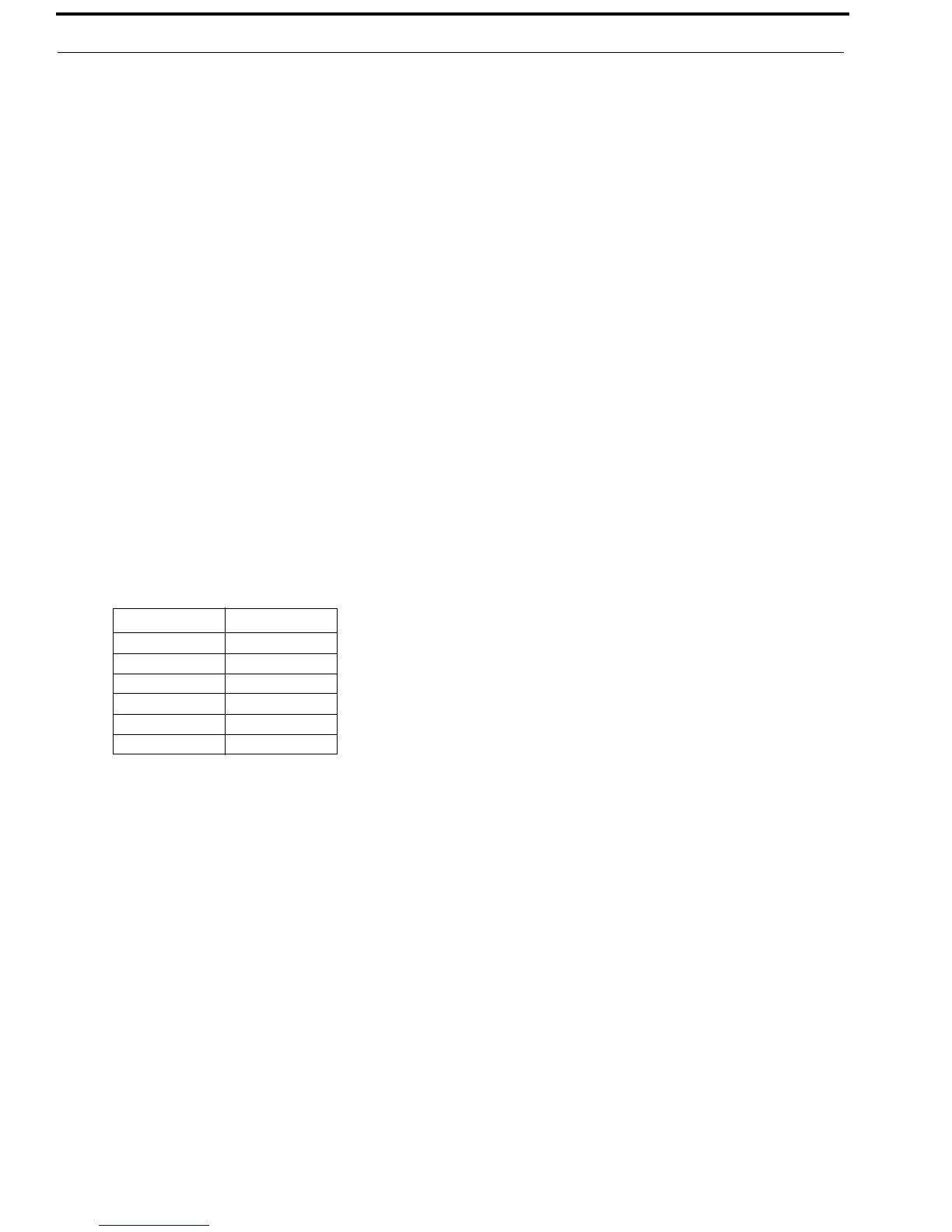
The Function Tone Launch Delay is used to control the amount of time/delay that occurs between the function tone key press
event and the actual function tone being transmitted. Shows the available delays.
To set the function tone launch delay, do the following:
1. Select the setup option using FUP/FDWN keys.
2. Press ENTER (#).
Display shows OC (Option Changed)
Setup State 48 Parallel Update Enable/Disable
The Parallel Update Enable/Disable is used to enable/disable parallel update capability, this feature is used to control
parallel consoles. If a secondary console is connected in parallel and transmits a Function Tone, the primary unit decodes the
Function Tone and switch its current Function Tone to decoded.
Setup State option:
1=Enable
2=Disable*
To enable/disable parallel update, do the following:
1. Select the setup option using FUP/FDWN keys.
2. Press ENTER (#).
Display shows OC (Option Changed).
Setup Options Delay
1 500ms
2 600ms
3 700ms
4 800ms
5 900ms
6 1 second


 To Next Page