TEM A07EXXXX – 1 Unit Transmitters Page 27
8.10 Transmitter settings (referred A07E0501 model)
An easy and intuitive settings menu is present in the Opera Plus family FM Transmitters.
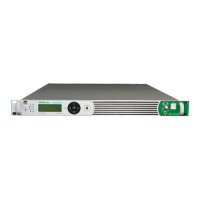
By the five front panel switch ( Up – Down – Left – Right – OK ) will be possible to set and check all the
parameters.
An ON-AIR / OFF-AIR switch is present on the front panel. Is not possible to set this switch with fingers, must be
selected by use of a little screw- driver. This is a security necessary to avoid involuntary settings.
At the switching on, the display will glow giving for few seconds the following screen shot
* * T E M
I T A
L Y S r l *
*
*
O
P E R A p
l u s F M
F A
M
I L Y
M
O D
E L : A 0
7 E 0 5
0 1
F W
: 1 . 7
6 S / N
: 0 0
0 1
1
This is the 01 page where the transmitter status is displayed. In this example the transmitter in in CE OFF by the
front panel switch ( carrier Enable OFF), is set to 98.00MHz output frequency, and no Forward and Reflected
power are present
0
1 M
A
I N S
T
A
T
U
S
S
T
A T
U
S =
C
E
O
F F
F
r e
q
u e
n
c y
=
9
8
. 0
0
M
H
Z
F
w
r =
0 0
0
W
R
e
f =
0
0
0
W
↑
Setting ON AIR by the front panel switch is possible to see the changes in the displayed information.
The transmitter is ON AIR and the forward power is 500W.
0
1 M
A I N S
T A T
U
S
S T A T U
S = O
N
A I R
F
r e q u e n c y = 9
8 . 0
0 M
H
z
F
w r = 5 0 0 W
R e f = 0 0
0 W
↑


 To Next Page