- 29 -
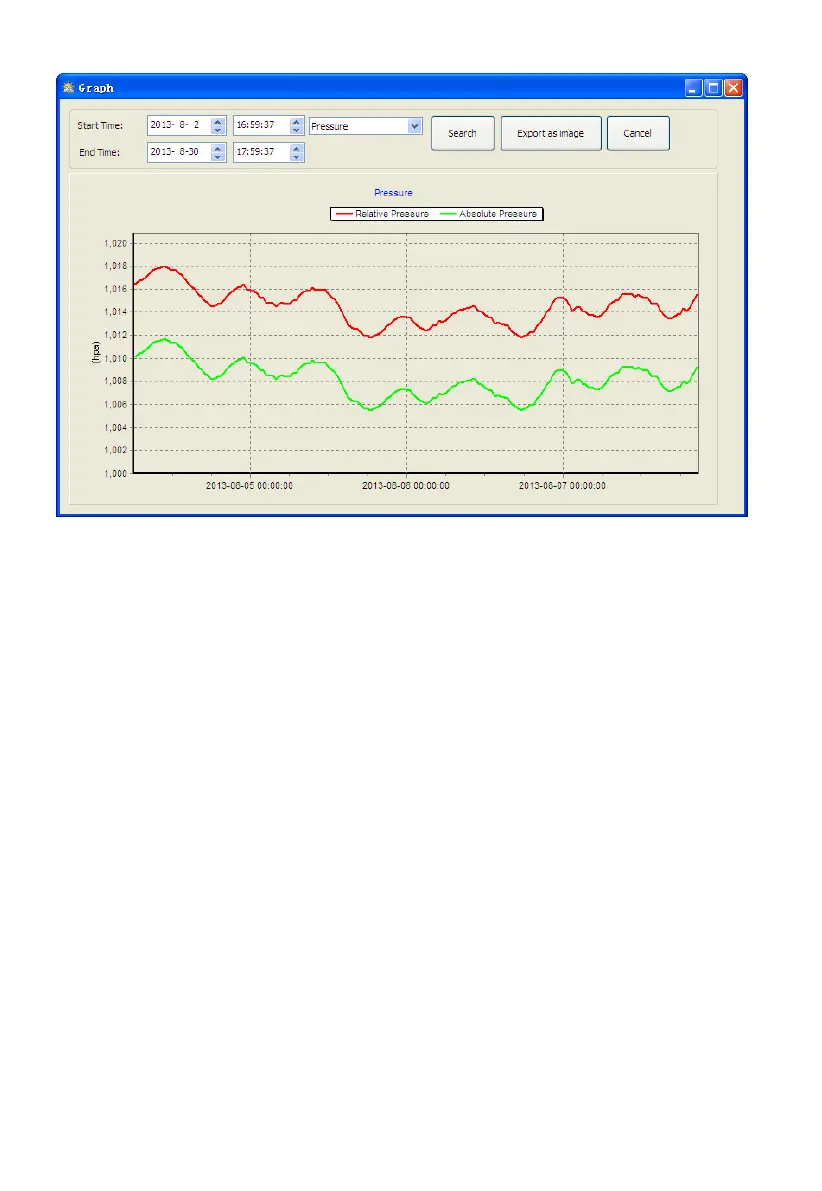
With the Export as image button, you can export the selected graph into .jpeg
format file.
You can change the Y axel by scrolling the mouse up and down roller.
What to do if graph function is not working
This is the most encountered problem with this software. To make the graph
function working properly, please check the following step:
1, find the folder where the “EasyWeahter.exe” file is located
2. Create a file name “reg_graph.bat” file with WordPad or notepad editor
program
3. Type “regsvr32 easyweather.ocx” and save the reg_graph.bat file
4. Double click “reg_graph.bat” file and it should register the graphic driver
again. If successful, then the following window will be displayed:


 To Next Page