EasyManua.ls Logo

Tesmec DLR300 - SETTING THE SERIAL NUMBER; SETTING THE COUNTER

Tesmec DLR300
52 pages
Print Icon
To Next Page IconTo Next Page
To Previous Page IconTo Previous Page
Loading...
The
The
ste
p
4.1.
6
&
P
S
&
P
&
P
&
P
&
P
4.1.
7
&
P
S
&
P
&
P
&
P
&
P
following is
first value
a
p
s implemen
t
6
SETTIN
P
ress:
S
elect:
P
ress:
The followi
n
P
ress:
P
ress:
P
ress:
7
SETTIN
P
ress:
S
elect:
P
ress:
The followi
n
P
ress:
P
ress:
P
ress:
an example
a
cquired alw
a
t
ed, in asce
n
G THE SER
n
g appears:
G THE CO
U
n
g appears:
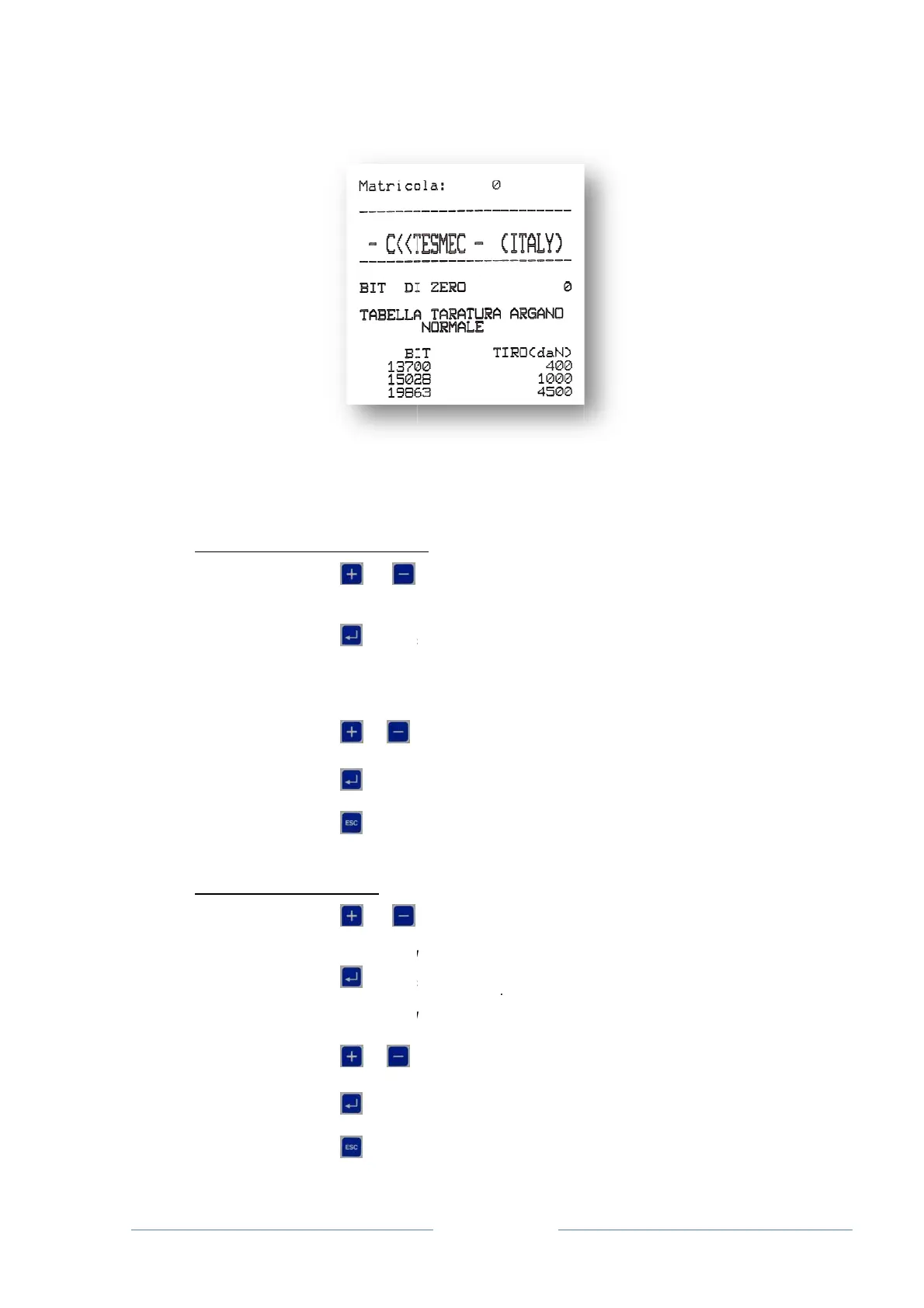
of a printou
t
a
ys refers t
o
n
ding order.
IAL NUMBE
or
select the
S
SERIAL N
U
to acce
s
SETTING
T
SERIAL N
U
correspond
i
manufactur
e
or
u
A
TTENTIO
N
to confi
or
to retur
n
U
NTER
or
select the
O
OPERATI
N
to acce
s
SETTING
T
OPERATI
N
correspond
i
or
u
A
TTENTIO
N
to confi
or
to retur
n
Pag
e
t
:
o
zero and t
h
R
to navigate
S
ERIAL NU
M
U
MBER
s
s the settin
g
T
HE SERIAL
U
MBER: xx
i
ng to the se
e
r
u
ntil the des
i
N
: the value
s
rm the sele
c
n
to the me
n
to navigate
O
PERATING
N
G HOUR
S
s
s the count
T
HE COUN
T
N
G HOURS:
x
i
ng to the nu
u
ntil the des
i
N
: the value
s
rm the sele
c
n
to the me
n
e
27
h
e subsequ
e
the machi
n
M
BER functi
o
g
s page of t
h
NUMBER
rial number
p
red value is
s
range from
c
tion
n
u without sa
the machi
n
HOURS fu
n
er setting p
a
T
ER
x
x
mber of ope
red value is
s
range from
c
tion
n
u without sa
e
nt are the i
n
n
e paramete
o
n
h
e serial nu
m
p
re-assigne
d
selected
1 to 65000
ving any ch
a
n
e paramete
n
ction
a
ge
rating hours
selected
0 to 65500
ving any ch
a
n
dividual lin
e
rs setting
m
m
ber
d
by the
a
nges made
.
rs setting
m
of the instru
h
a
nges made
.
e
arisation
m
enu and
.
m
enu and
ment
.

Related product manuals