bq76940/bq76930/bq76920 Software
www.ti.com
4.1 System Requirements
The bq76940/bq76930/bq76920 software requires Windows 7, or later operating system. The computer
must also have Microsoft® .NET connection software version 4.0 or higher installed. Examples in this
document are from Windows 7.
4.2 Installing the bq76940/bq76930/bq76920 Software
Find the latest software version in the software section of the EVM tool folder
http://www.ti.com/tool/bq76930EVM or http://www.ti.com/tool/bq76940EVM or search from power.ti.com.
Check periodically for software updates. Use the following steps to install the bq76940/bq76930/bq76920
Software:
1. Copy the archive file to a directory of your choice, extract all files and run the setup.exe application.
2. Follow the instructions and make selections as required on the setup windows selecting Next as
required. Installation in the default location is suggested.
3. On the last window, select Close to complete the bq76940/bq76930/bq76920 software installation.
4.3 Interface Adapter
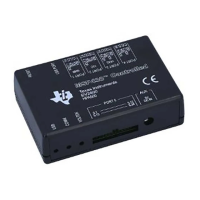
The interface adapter should not be connected to the I2C connector if a gauge or MCU is connected to
the bus. Board pull-up shunts must be installed for the EV2300 and removed for the EV2400
4.4 Software Operation
This section describes connection of the communication interface to the EVM and operation of the
software.
Although the software runs without connection to a powered device, TI recommends having the device on
when starting the software. Follow the directions in the quick start section. Figure 1 shows connections for
operation with the GUI software.
Start the software from the desktop shortcut bq769X0 Evaluation Software or the menu Start → All
Programs → Texas Instruments → bq769X0 Eval Software
When started, the software looks for the communication interface and the device. If either is not found, a
popup window appears and must be acknowledged. When communication is established with the device,
the main window appears as shown in Figure 3.
The bq76940/bq76930/bq76920 software uses popup help tips on many of the control features.
12
bq76930 and bq76940 Evaluation Module User's Guide SLVU925B–April 2014–Revised July 2014
Submit Documentation Feedback
Copyright © 2014, Texas Instruments Incorporated








 To Next Page