bq76940/bq76930/bq76920 Software
www.ti.com
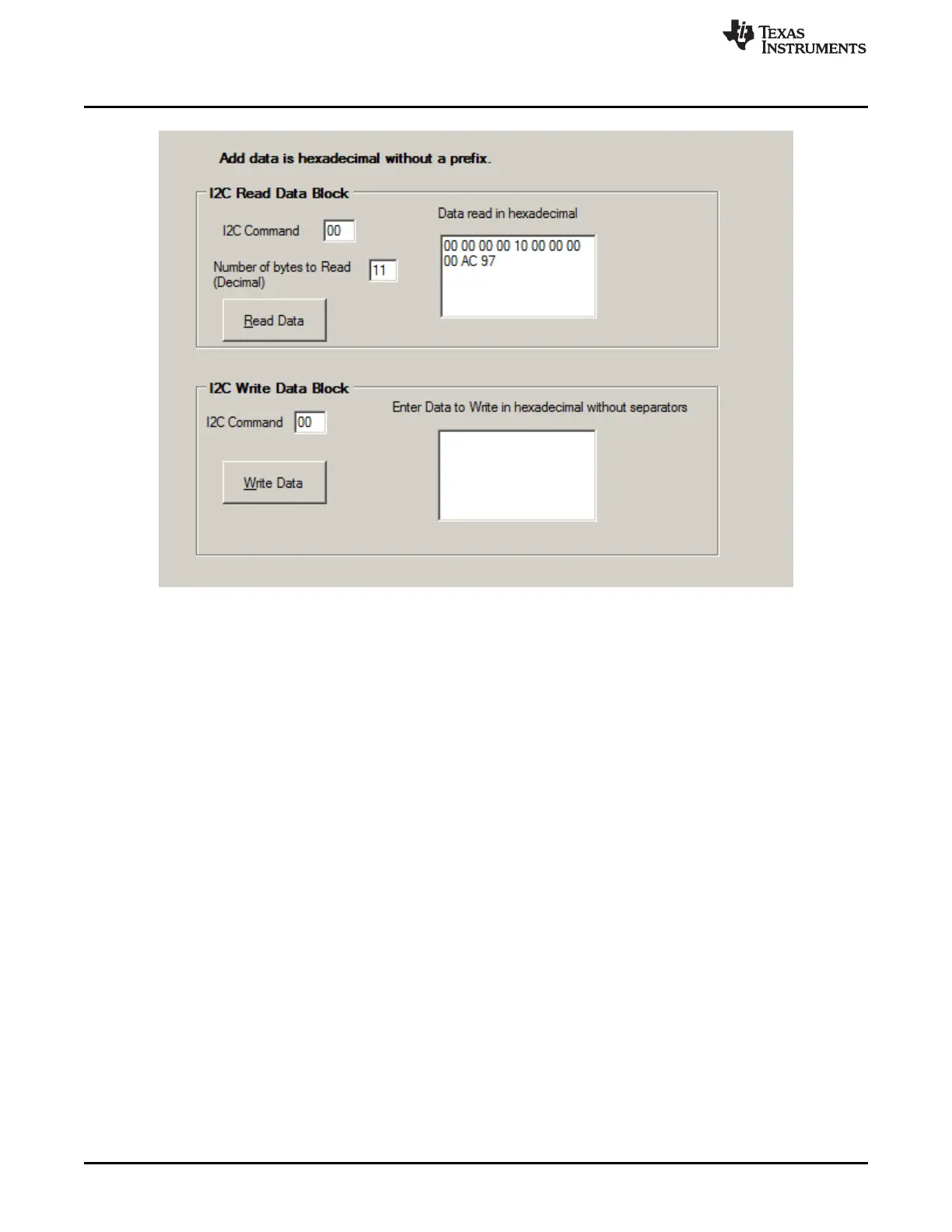
Figure 5. I2C Pro View
4.4.6 Sequence View
The Sequence view of the GUI is shown in Figure 6. This is useful to send timed sequences of register
reads or writes to the device. It can be selected using the Sequence button on the left side of the window
or from the menu. A sequence can be run by selecting its Execute button. The results of the sequence
are shown in the Sequence Dialog section. The sequence can be edited by selecting the file name under
the sequence name in the window.
16
bq76930 and bq76940 Evaluation Module User's Guide SLVU925B–April 2014–Revised July 2014
Submit Documentation Feedback
Copyright © 2014, Texas Instruments Incorporated








 To Next Page