www.ti.com
bq76940/bq76930/bq76920 Software
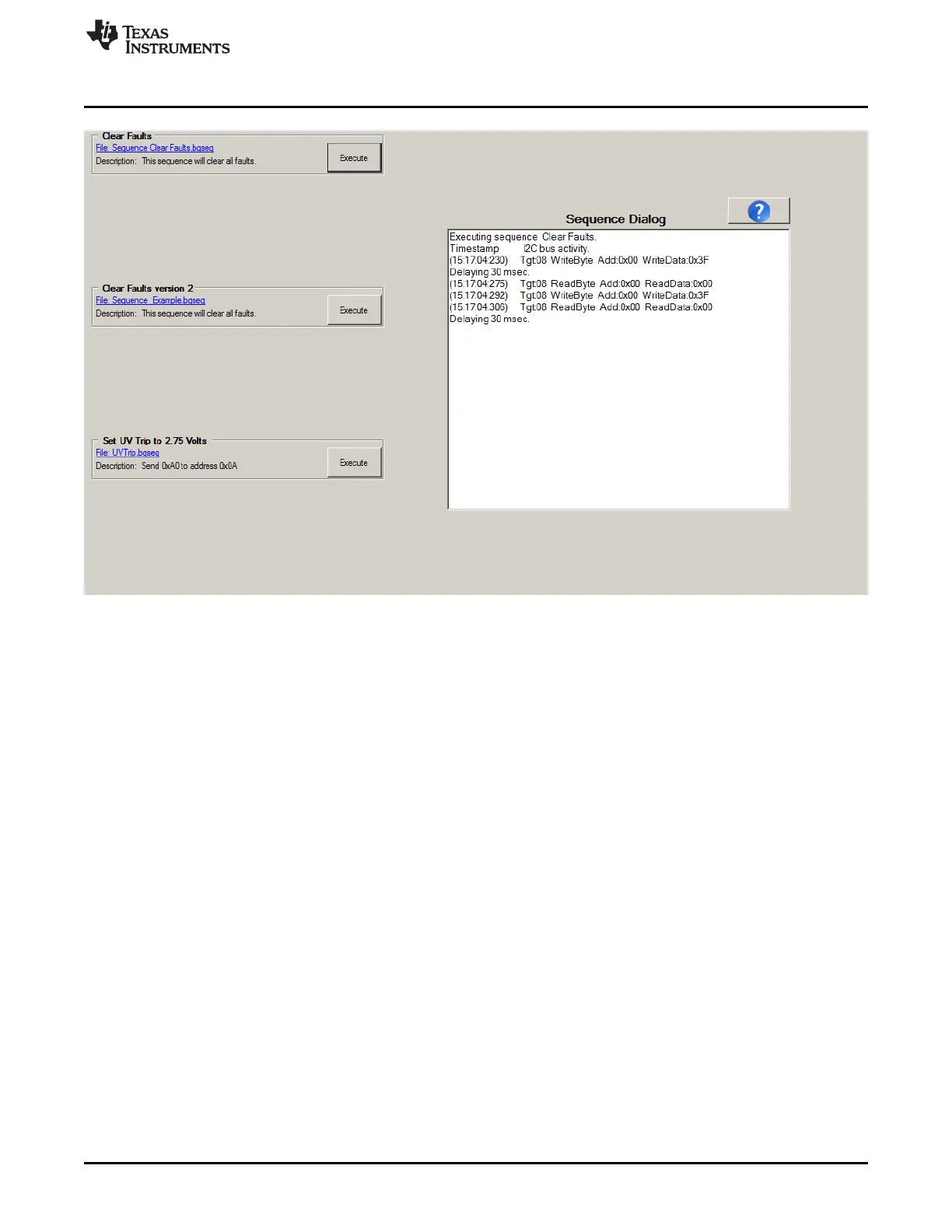
Figure 6. Sequence View
The installation comes with 3 sequence files. The Clear Faults files contain descriptions for requirements
for a sequence file. The Set UV Trip... file shows an example of a simpler format. Sequence files are
installed to: C:\Users\<account-name>\Documents\Texas Instruments\bq76940\sequence. Sequences are
loaded from this location when the program starts. Create new sequences with a text editor and save
them with the .bqseq extension. Up to 8 sequences can be stored, move other sequences to another
directory or change the extension. The sequences Sequence_Example.bqseq, Sequence Clear
Faults.bqseq and UVTrip.bqseq are required, do not move them from the directory.
Typical uses of a sequence might include:
• Reading & clearing faults, then enabling CHG and DSG outputs
• Setting ship mode
• Setting a balance pattern
• Any repetitive multiple-register write used in evaluation
While sequences can be executed during logging, the logging is paused while the sequence executes.
Long sequences will leave gaps in the log data.
4.4.7 Typical Operation of Software
Typical operation of the software involves the following steps, much like described in the quick start
section:
• Connect the EVM and related equipment
• Power the EVM
• Boot the EVM
• Start the software
• Read and change registers as desired
If the board is powered off during the evaluation process:
17
SLVU925B–April 2014–Revised July 2014 bq76930 and bq76940 Evaluation Module User's Guide
Submit Documentation Feedback
Copyright © 2014, Texas Instruments Incorporated









 To Next Page