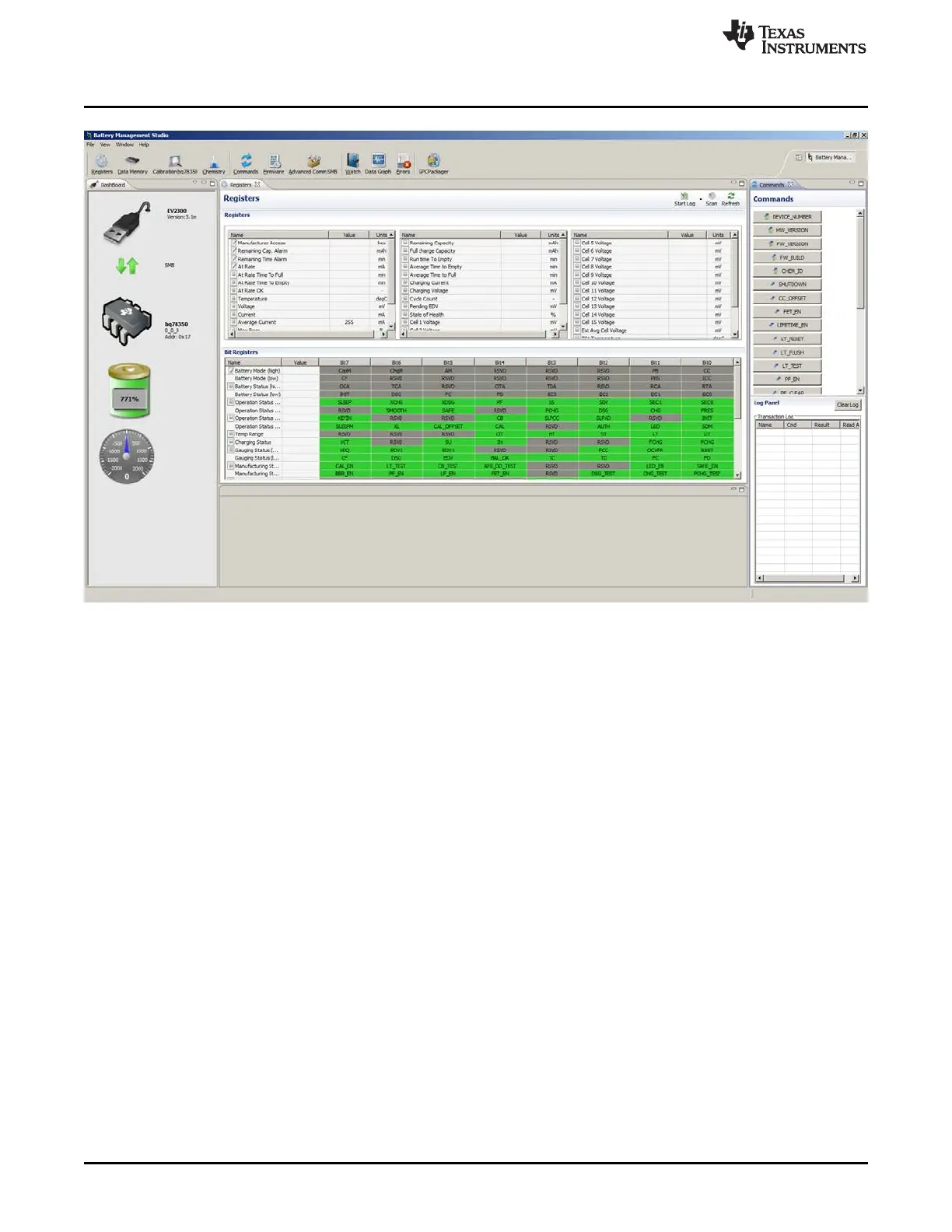
Battery Management Studio Software
www.ti.com
Figure 8. bqStudio Window with Blank Gauge
5.5 Firmware Programming
Firmware must be programmed to the bq78350 mounted to the EVM before operation. Firmware is
programmed using the Firmware view. Click on the Browse button and select the file to be programmed.
Using the Execute after programming feature is recommended. Click on the Program button to start
programming. A Progress Information window will display during programming and will close when
complete. Programming typically takes about 45 s.
20
bq76930 and bq76940 Evaluation Module User's Guide SLVU925B–April 2014–Revised July 2014
Submit Documentation Feedback
Copyright © 2014, Texas Instruments Incorporated








 To Next Page