PIXIUM STATIC X-Ray Flat Panel Detectors - End User Manual
Document reference : 63137046 -
January 2024
Page 34
OPEN
This document may not be reproduced, modified, adapted, published, translated, in any way, in whole or in part, or disclosed to a third party without the prior written consent of THALES.
© 2017-2023 THALES All rights reserved
83270259-SER-MIS-EN-002
The following behavior is applicable during battery CHARGE
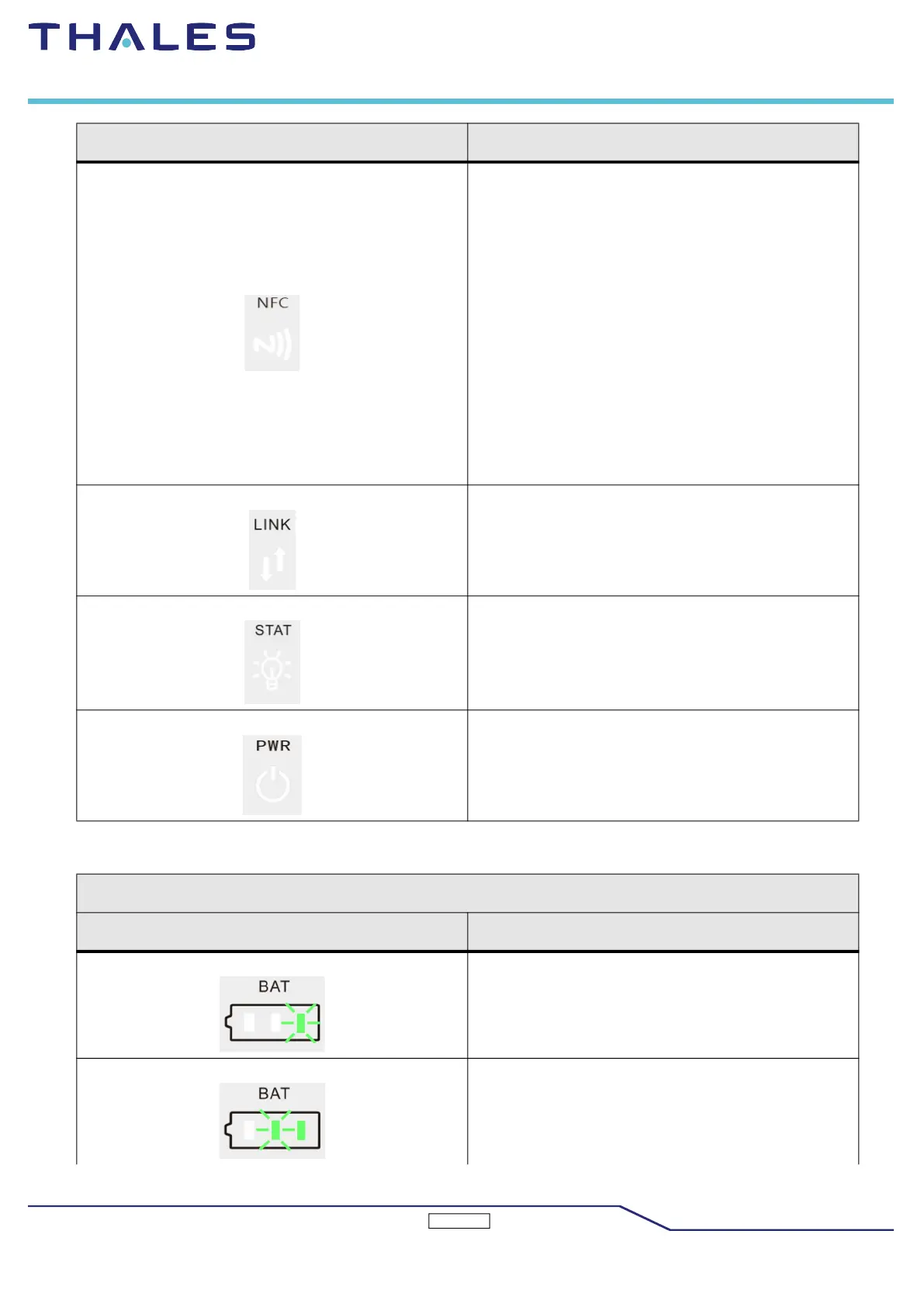
NFC
• IDLE: Keeps green when the NFC is idle.In this
state, the Pixium EZ HD is ready to read a NFC
tag.
READING: Blinking (frequency: 2 Hz) when the
Pixium EZ HD is reading a NFC tag.
• READING OK: If the setting is PASS, the NFC
LED blinks green slowly during 3 seconds
(frequency: 0.5 Hz). Then, the Pixium EZ HD
goes into Idle state and the NFC tag can be
removed.
• READING FAIL: If the setting is FAIL, the NFC
LED blinks green quickly during 3 seconds
(frequency: 4 Hz). Then, the
Pixium EZ HD goes into Idle state and the NFC
tag can be removed.
LINK
• Keeps green when the Pixium EZ HD is
connected.
• Is flashing in other case.
STAT
• Keeps green when the Pixium EZ HD is in Idle
state.
• Is flashing during acquisition.
PWR
• Lit up when the Pixium EZ HD is powered on.
Charge
Symbol Meaning
The remaining power is in the range of (0% - 25%), led
1 flashes, led 2 and led 3 are off.
The remaining power is in the range of (25% - 50%),
led 1 is always on, led 2 flashes, and led 3 is off.
Symbol Meaning



 To Next Page