PIXIUM STATIC X-Ray Flat Panel Detectors - End User Manual
Document reference : 63137046 -
January 2024
Page 37
OPEN
This document may not be reproduced, modified, adapted, published, translated, in any way, in whole or in part, or disclosed to a third party without the prior written consent of THALES.
© 2017-2023 THALES All rights reserved
83270259-SER-MIS-EN-002
10. TURN ON, TURN OFF
10.1.PIXIUM EZ-C HD Series
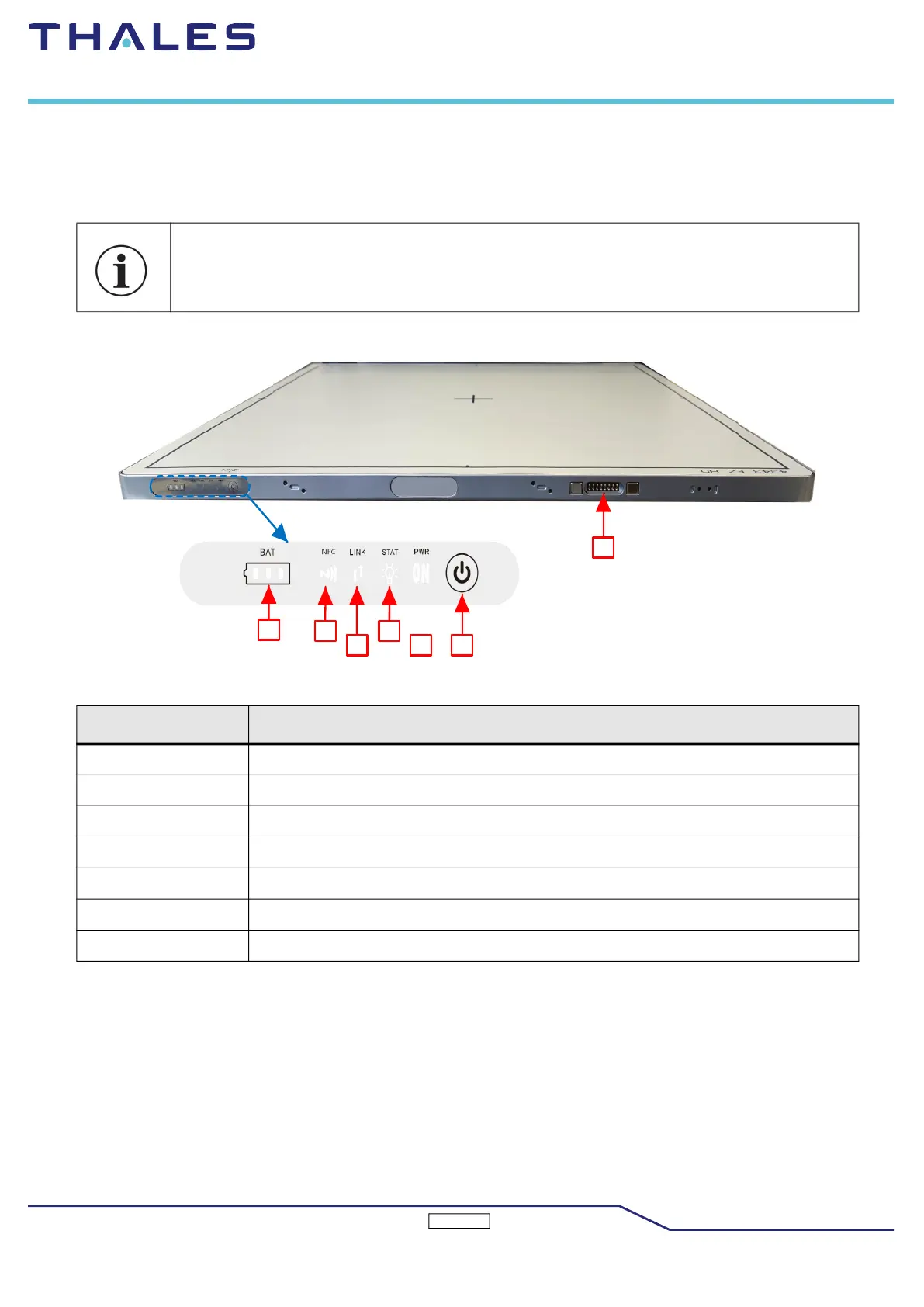
The figure shows the electrical interface area of the PIXIUM EZ HD.
Figure: Electrical interface area on the PIXIUM EZ-C HD
To turn off the detector, use a dedicated system command (if available) or use the button available
on the main connector during at least 3 seconds.
Label Description
A BAT - Battery LED
B NFC - NFC LED
C LINK - Connection
D STAT - Status
E PWR - Power
F Push button
G Back up cable interface



 To Next Page