4acpowerconnector
5LenovoOneLinkconnector
Whentheacpoweradapterisconnectedtotheacpowerconnector,itprovidespowertothecomputer
andchargesthebattery.WhenasupportedThinkPadOneLinkDockorThinkPadOneLinkProDockis
connectedtotheLenovoOneLinkconnector,itcannotonlyextendthecomputercapabilitiesbutalso
provideacpowertothecomputerandchargethebattery.
TousetheLenovoOneLinkconnector,removetheconnectorcoverfromtheLenovoOneLinkconnectorfirst.
Note:Ensurethatyoukeeptheconnectorcover.ReattachittotheLenovoOneLinkconnectorwhen
youarenotusingtheLenovoOneLinkconnector.
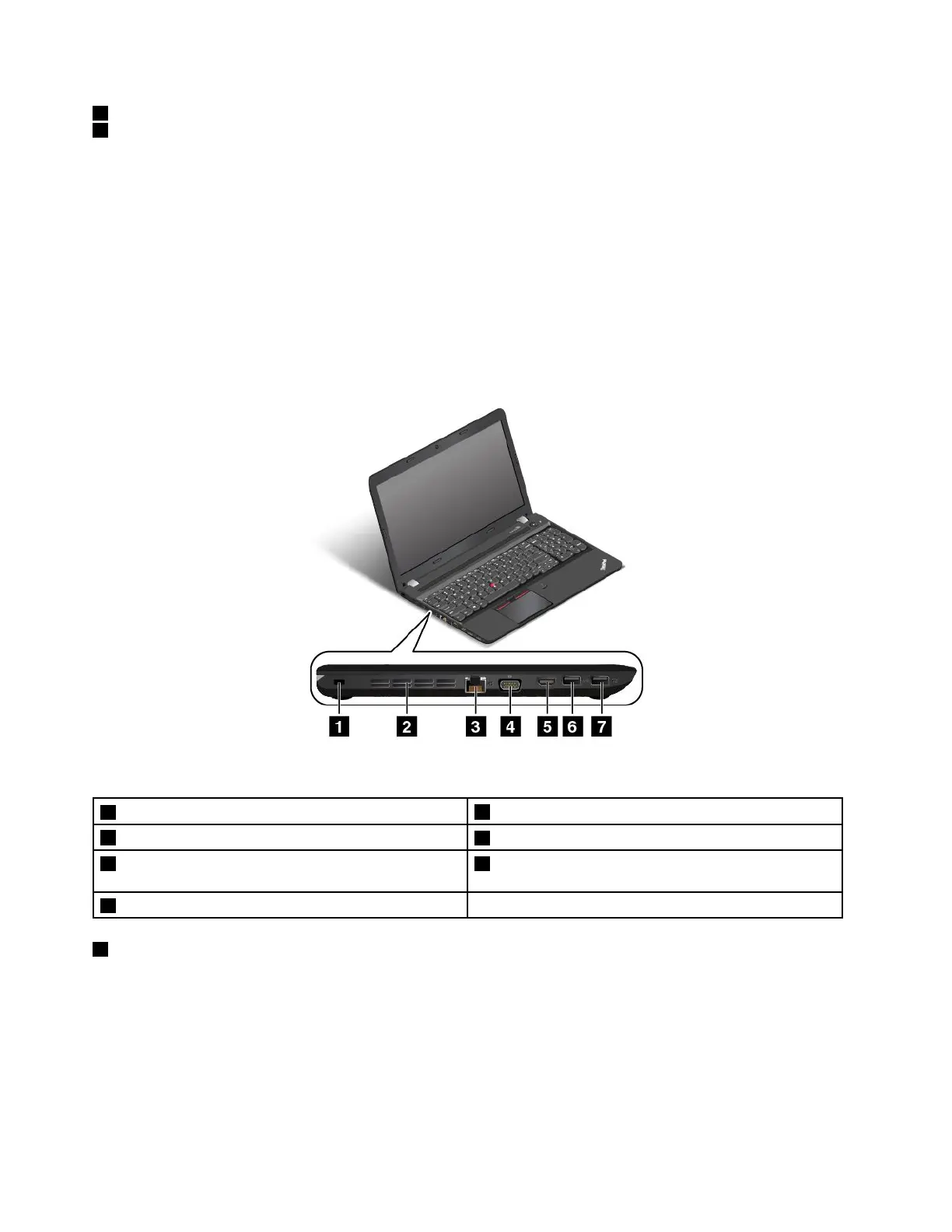
Left-sideview
Figure4.Left-sideview
1Security-lockslot
2Fanlouvers
3Ethernetconnector
4Videographicsarray(VGA)connector
5High-definitionmultimediainterface(HDMI™)
connector
6USB3.0connector
7AlwaysOnUSB3.0connector
1Security-lockslot
Toprotectyourcomputerfromtheft,purchaseasecuritycablelockthatfitsthissecurity-lockslottolock
yourcomputertoastationaryobject.
Note:Youareresponsibleforevaluating,selecting,andimplementingthelockingdeviceandsecurity
feature.Lenovomakesnocomments,judgments,orwarrantiesaboutthefunction,quality,orperformance
ofthelockingdeviceandsecurityfeature.
6UserGuide



 To Next Page