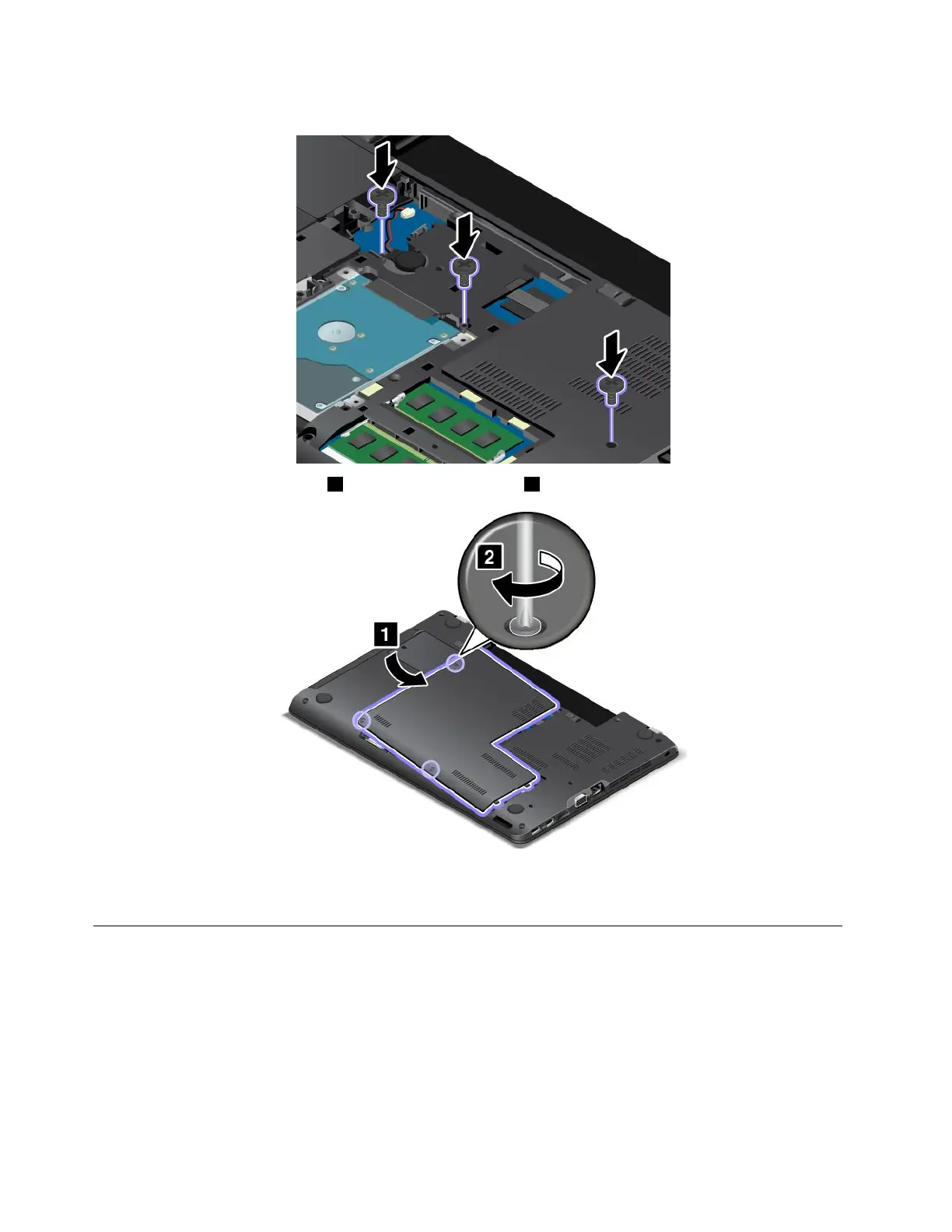
4.Reinstallthescrews.
5.Reinstallthecomputercover1.Thentightenthescrews2.
6.Reinstallthebattery.See“Replacingthebattery”onpage113.
7.Turnthecomputeroveragain.Connecttheacpoweradapterandallcables.
Replacingthestoragedrive
Beforeyoustart,printtheseinstructionsandread“Importantsafetyinformation”onpagevi.
Attention:Thestoragedriveisverysensitive.Incorrecthandlingcancausedamageandpermanentlossof
data.Observethefollowingguidelines:
•Replacethestoragedriveonlyifyouupgradeitorhaveitrepaired.Theconnectorsandslotofthestorage
drivearenotdesignedforfrequentchangesordriveswapping.
•Donotdropthedriveorsubjectittophysicalshocks.Putthedriveonamaterial,suchassoftcloth,that
absorbsanyphysicalshocks.
120UserGuide



 To Next Page