•“1190DC-in/Ethernetcard”onpage96
•“1220LCDunit”onpage100
•“2010LCD-hingecaps”onpage114
•“2020LCDpanel/screenassemblyandLCDrearcover”onpage116
•“2030LCDcablesandcamera/microphonemodule”onpage117
•“2040LCD-control-cardcable”onpage118
•“2050LCDHinges”onpage119
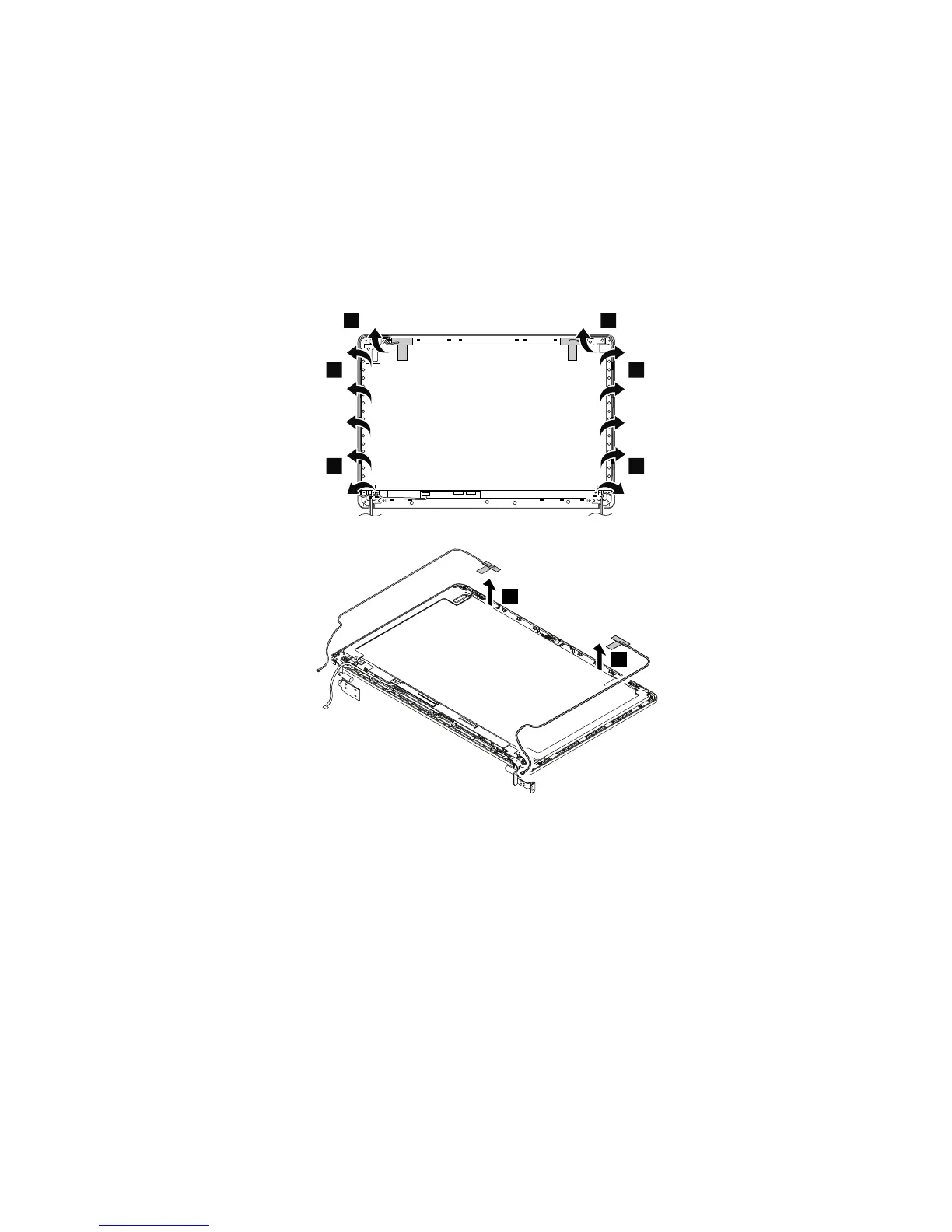
RemovalstepsofthewirelessLANantenna
ReleasetheantennacablesfromthecableguidesontheLCDscreenassembly.
Cablerouting:WhenyouinstallthewirelessLANantenna,routethecablesasshowninthefollowing
illustration.
Attention:Whenyouroutethecables,ensurethattheyarenotsubjecttoanytension.Tensioncouldcause
thecablestobedamagedbythecableguides,orawiretobebroken.
Chapter9.RemovingorreplacingaFRU121



 To Next Page