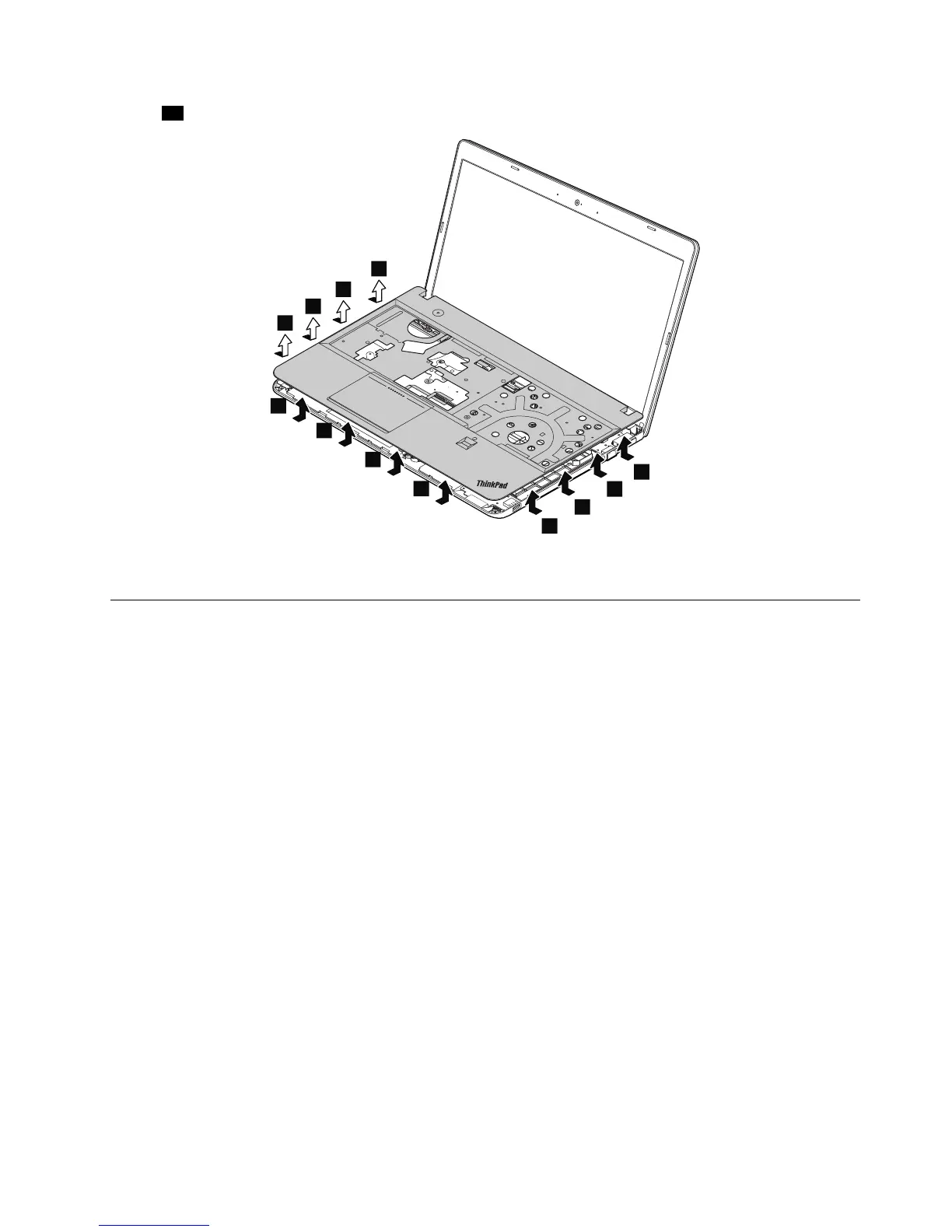
Wheninstalling:Ensurethattheconnectorsareattachedrmlytothesystemboard.
1140Microprocessor
Foraccess,removetheseFRUsinorder:
•“1020Batterypack”onpage65
•“1030Largebottomcover”onpage66
•“1110Fanassembly”onpage76
Attention:Themicroprocessorisextremelysensitive.Whenyouservicethemicroprocessor,avoidany
kindofroughhandling.
Chapter9.RemovingorreplacingaFRU87



 To Next Page