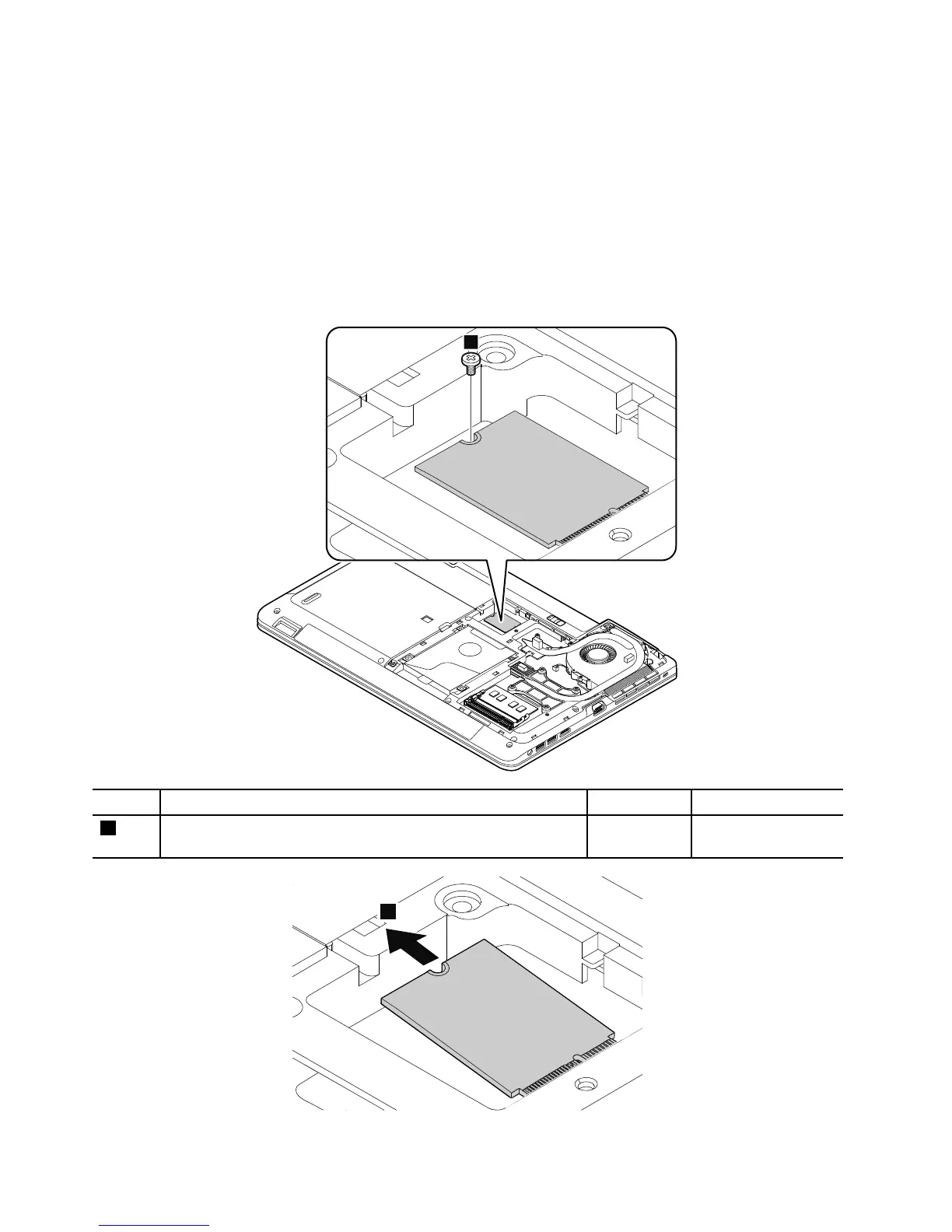
RemovalstepsoftheM.2solid-statedrive
Attention:
•Donotdropthedriveorapplyanyphysicalshocktoit.Thedriveissensitivetophysicalshock.Improper
handlingcancausedamageandpermanentlossofdata.
•Beforeremovingthedrive,havetheusermakeabackupcopyofalltheinformationonitifpossible.
•Neverremovethedrivewhilethecomputerisoperatingorisinsuspendmode.
•EnsurethatyoupartitiontheM.2solid-statedriveafterinstallingitonthecomputeryouareservicing.
Otherwise,theM.2solid-statedrivewillnotfunctioncorrectly.Forinstructionsononhowtopartitionan
M.2solid-statedrive,gotohttp://www.lenovo.com/support/msata-fru.



 To Next Page