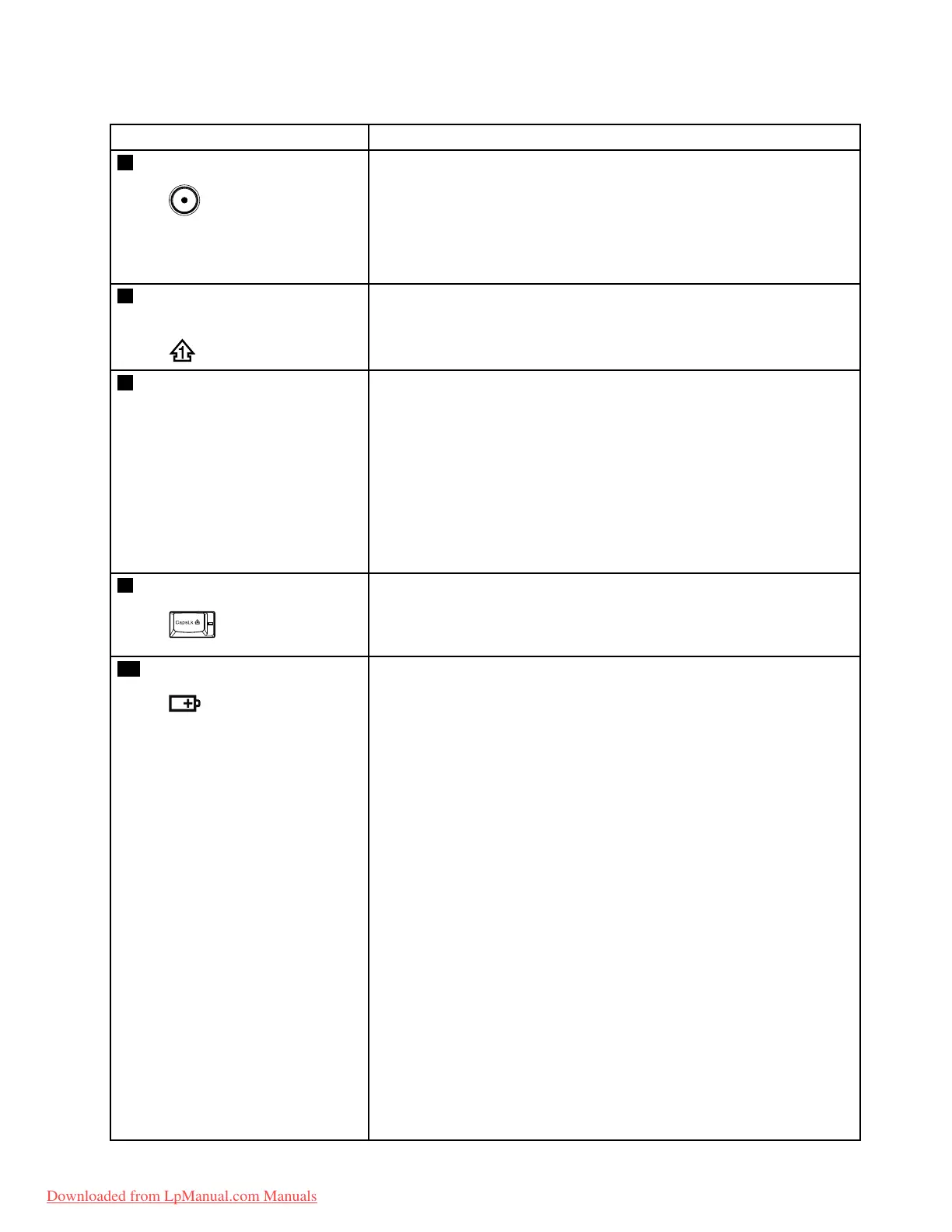
Table7.Statusindicators(continued)
IndicatorMeaning
6
Poweron
Green:
Thecomputerisonandreadytouse.Thisindicatorstayslit
aroundthepower-onbuttonwheneverthecomputerisonand
isnotinsleep(standby)mode.
Note:Thisindicatorblinkswhenthecomputerisinsleepmode.
7
Numericlock(On-screen
indicator)
Bydefault,whenthenumericlockison,thenumericlockindicatoris
displayedonthescreen.
8
SerialUltrabayEnhanced
devicestatus
Green:
ASerialUltrabayEnhanceddeviceisinstalledandinuse.
Blinkinggreen:
ASerialUltrabayEnhanceddeviceisintheprocessofbeing
detached.
Turnoff:
ASerialUltrabayEnhanceddeviceisreadytobeattachedor
detached.
9
Capslock
Green:
CapsLockmodeisenabled.T oenableordisableCapsLock
mode,presstheCapsLockkey.
10
Batterystatus
Green:
Thebatterychargelevelis20%orhigher.
Orange:
Thebatterychargelevelisbetween5%and20%.
Fastblinkingorange:
Thebatterychargelevelislowerthan5%.
Slowblinkingorange:
Thebatteryisbeingcharged.Whenitreaches20%,theblinking
colorchangestogreen.
Slowblinkinggreen:
Thebatterychargelevelisbetween20%and80%,and
chargingiscontinuing.Whenthebatteryreaches80%charge,
thebatterystatusindicatorstopsblinking,butthechargingmay
continueuntilthebatteryis100%charged.
Note:Ifthecomputerisoperatingonbatterypower,thebattery
statusindicatordoesnotworkwhilethecomputeristurnedoff
orisinsleep(standby)modeorhibernationmode.
Quickblinkingorange:
Anerroroccurredinthebattery.
Thebatterystatusindicatorblinksthreetimes:
Chapter5.Statusindicators55
Downloaded from LpManual.com Manuals



 To Next Page