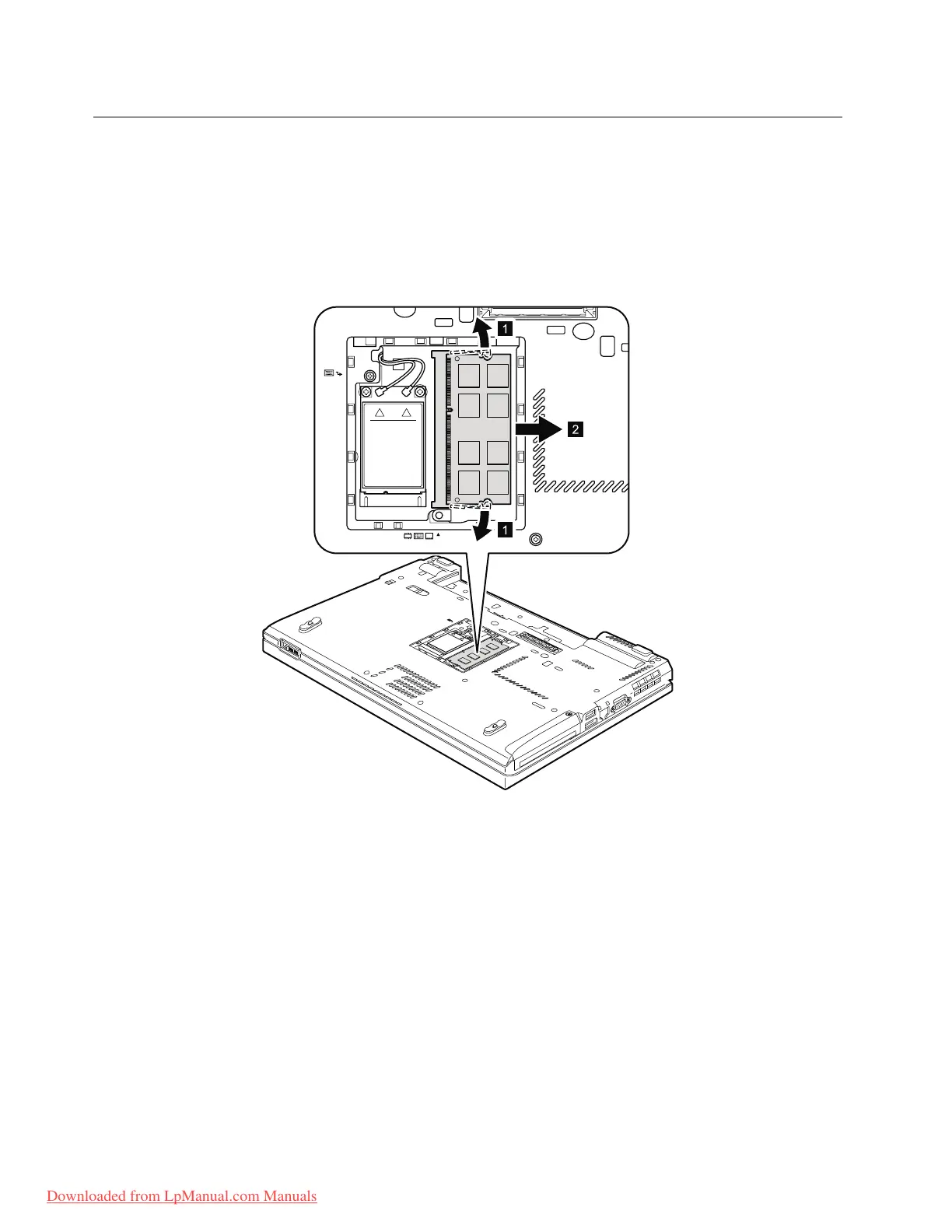
1060DIMM(intheslotontheundersideofthecomputer)
Foraccess,removetheseFRUsinorder:
•“1010Batterypack”onpage67
•“1050DIMMslotcover”onpage73
Note:YourcomputerhastwoDIMMslots:oneunderthekeyboardandanotherontheundersideofthe
computer.IfyouinstallaDIMMinonlyoneofthetwoslots,installitintheslotlocatedunderthekeyboard.
RemovalstepsofDIMM(intheslotontheundersideofthecomputer)
Wheninstalling:InsertthenotchedendoftheDIMMintothesocket.PresstheDIMMrmly,andpivotit
untilitsnapsintoplace.Makesurethatitisrmlyxedintheslotanddoesnotmoveeasily.
74ThinkPadT420andT420iHardwareMaintenanceManual
Downloaded from LpManual.com Manuals



 To Next Page