Installing the product
15
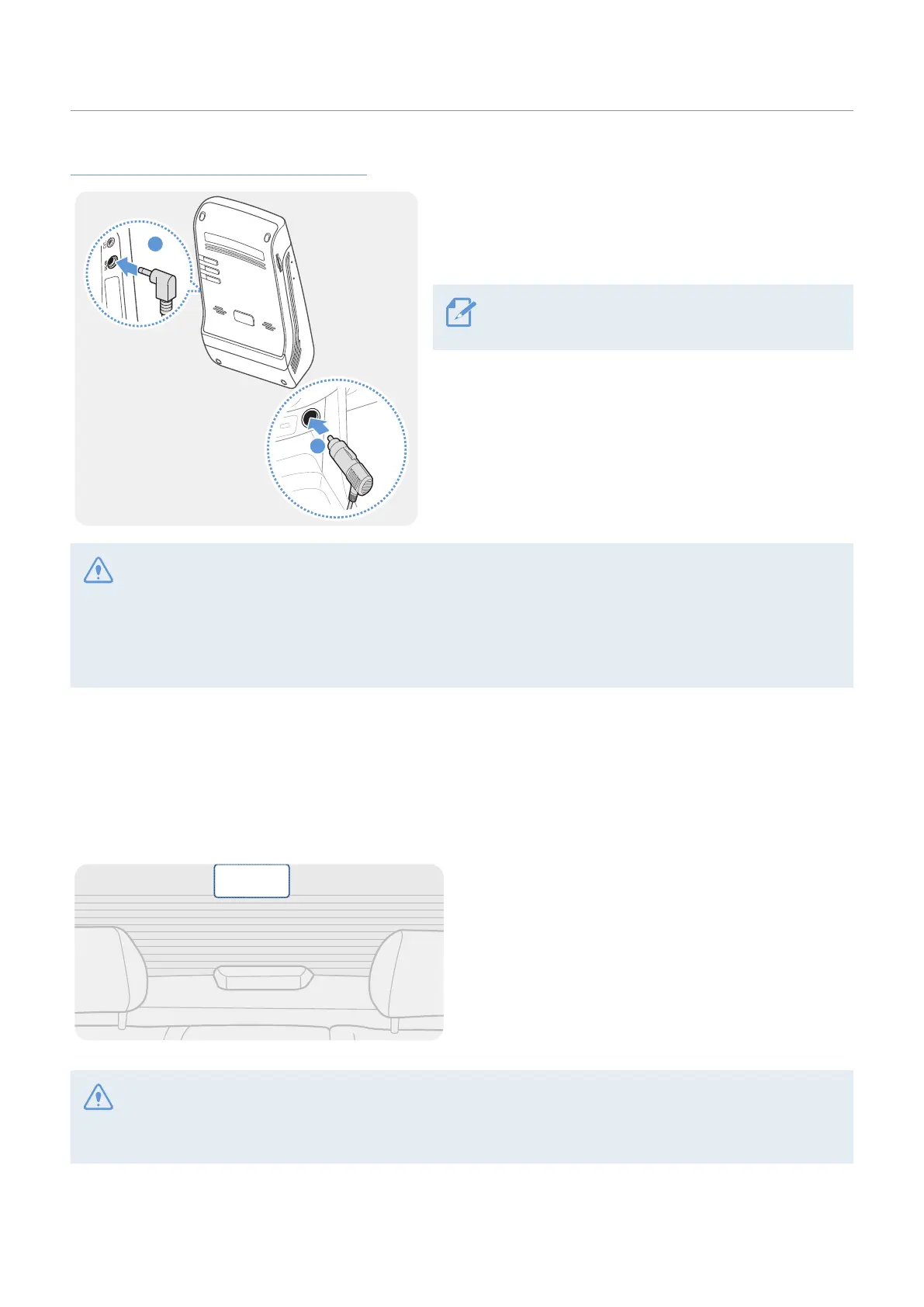
Connecting the car charger (optional)
1
2
➊➊
➋➋
Connect the car charger to the product’s DC-IN power
port and insert the cigar jack into the vehicle’s power
socket.
The location and specifications of the power socket
may differ by vehicle make and model.
• Use the authentic THINKWARE car charger (optional). Use of third party power cables may damage the
product and result in electrical fire or electrocution due to the voltage difference.
• Do not cut or modify the power cable yourself. Doing so may damage the product or the vehicle.
• For safe driving, arrange the cables to prevent the driver's vision from being obstructed or interfering with
driving. For more information about arranging cables, visit www.thinkware.com.
2.2 Installing the rear camera
Refer to the following instructions to properly install the rear camera.
2.2.1 Selecting an installation location
Select a location on the rear windshield where there
is no defrost grid wire and the camera can record
the entire rear view.
• For vehicles with a sunshade attached to the rear windshield, you must select a location where using the
sunshade will not interfere with camera operation.
• The adhesive part of the rear camera should not touch the defrost grid.



 To Next Page