8
1.3 Tablet state and notice
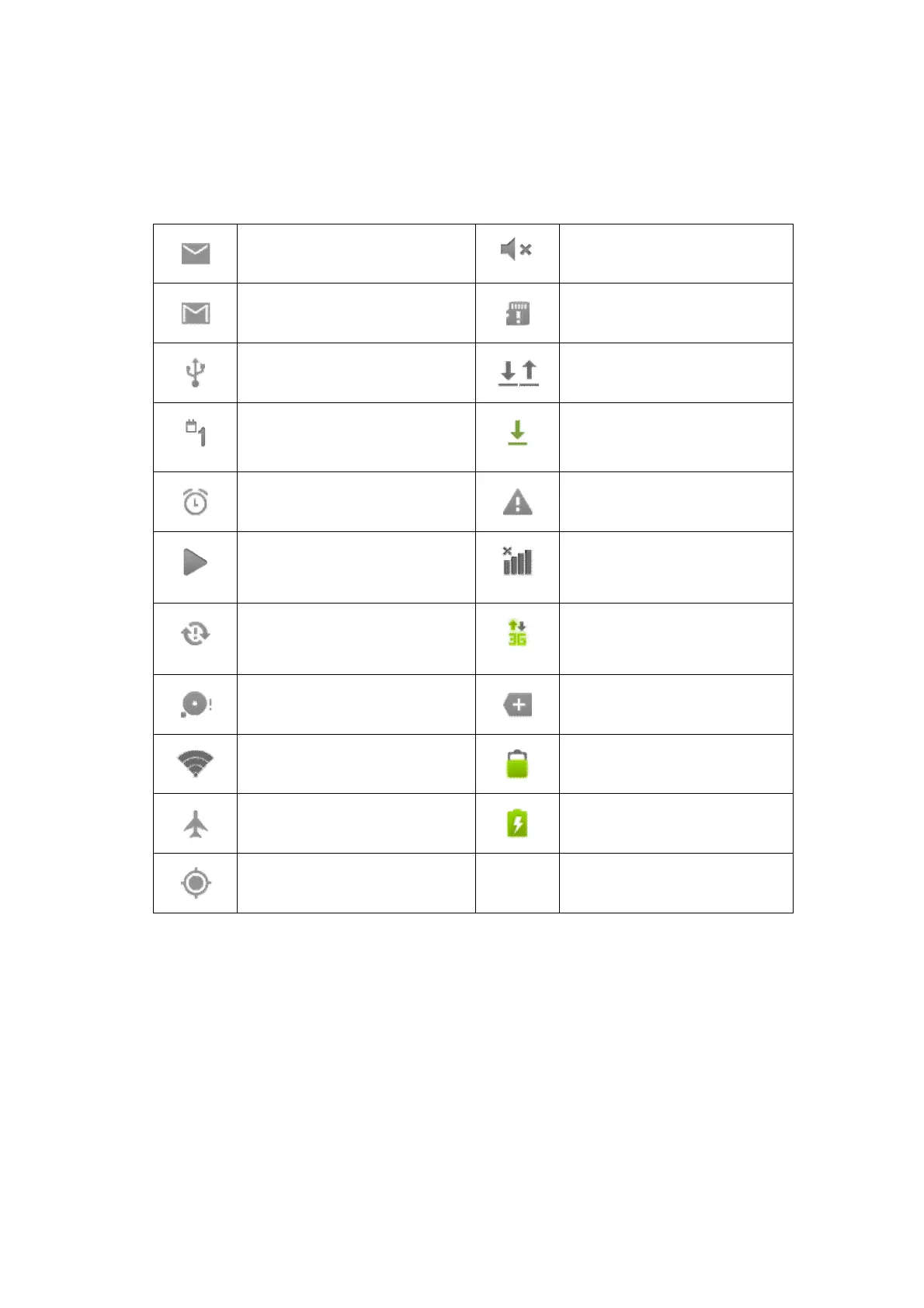
Icon Descriptions
The following are icons in the status bar:
Mail notice
Mute
Gmail notice
Without SD card
Computer and Tablet are
connected through USB line
Uploading/Downloading
Events waiting to be done
Downloading finished
Alarm clock opening
General notice (for example:
synchronous error)
Playing music
3G Dongle SIM card
information, wandering, no
signal
In data synchronism
Connecting 3G Dongle
Internet service, data
exchanging
Insufficient space of SD card
More
WIFI service is connected,
network is available
Battery symbol
Airplane mode
Charging
GPS positioning
Notice panel
Notice icons will show when receiving new message, setting the alarm clock as well
as inserting Micro SD card, you can open the notice panel to check detailed
information
Unlock notice panel
When new notice icon shows on the notice column, please press the notice column
with your finger, then slide downwards to unlock the notice panel.



 To Next Page