15
2.7 Memory card
Copy the document to storage card
You can transmit documents between your Tablet and a computer, such as music
and pictures, etc. If you want to see the documents in the Tablet, click the file browser
to look through the content in the SD card.
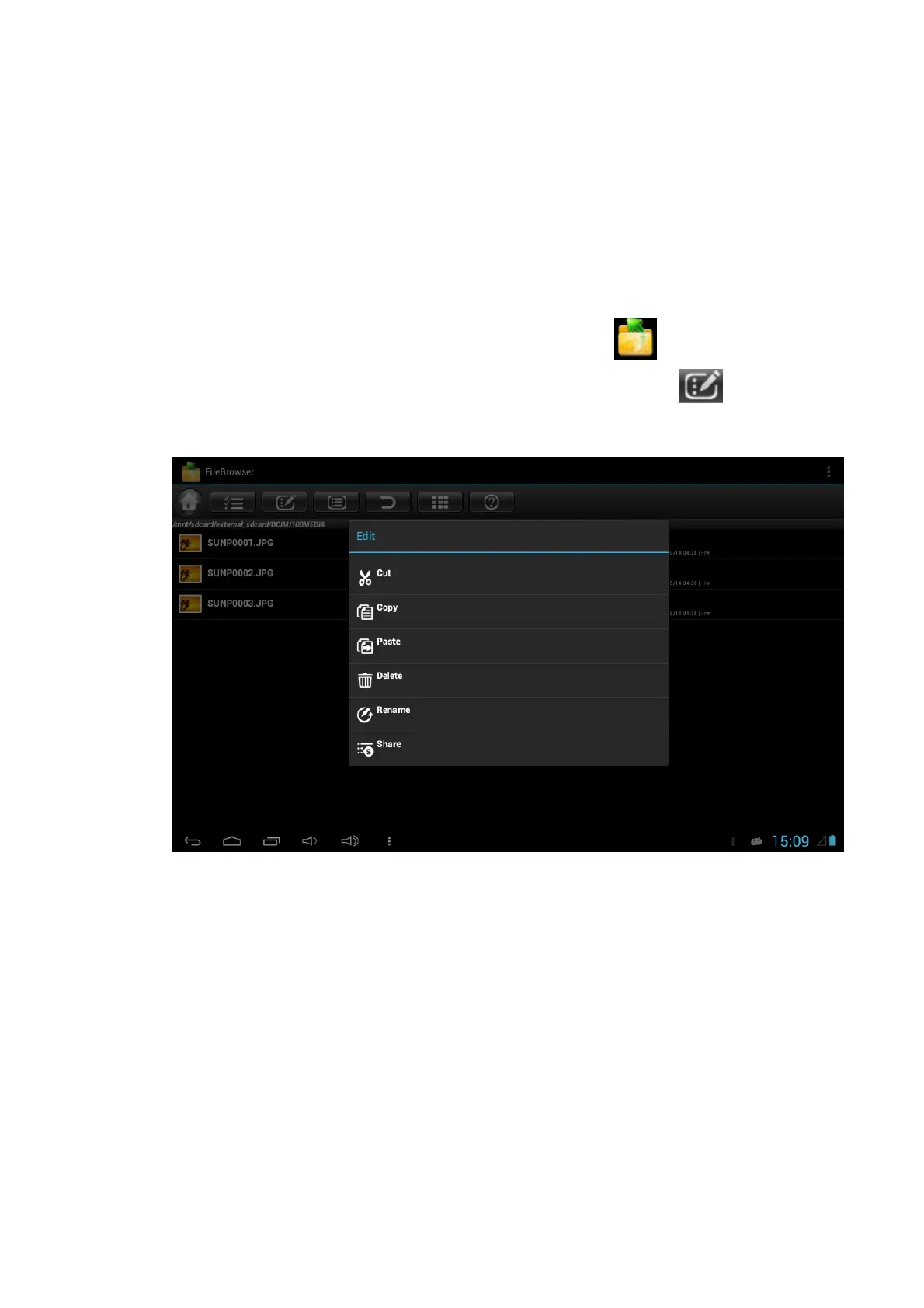
Delete documents on the storage card of Tablet
1. Find the document you want to delete using file browser .
2. Press the document name you need to delete, press the button then a
file menu will pop up.
3. Click delete.
You can also Cut, Copy, Paste, Rename and Share the selected files by using the
above procedures.
Removing the storage card when the Tablet is in the starting up state
Do not remove the storage card under starting up state of the Tablet, you must unload
the storage card firstly, for fear of failure or damage to the storage card.
1. In the homepage interface, press the menu key, then click settings.
2. Pull the setting menu downwards, then click storage.
3. Click External SD card setting.
4. Click to Unmount SD card.
5. Click OK to confirm.



 To Next Page