27
Visit and play the music
1. Click and select the music;
2. Click and select the songs, click and select the Artist, Special Edition and
Song List.
3. Select one of the songs to play.
Add songs onto the new play list
1. Click and select the music;
2. Click and select the songs,
3. Press and hold the songs that you will add onto the play list ;
4. A Pop up setting menu will appear, click and select add onto the play list.
Delete the play list
1. Click and select the music;
2. Click and select the songs,
3. Press and hold the songs that you will add onto the play list until the pop up menu
appears.
4. Pop up the music setting menu, click and select Delete.
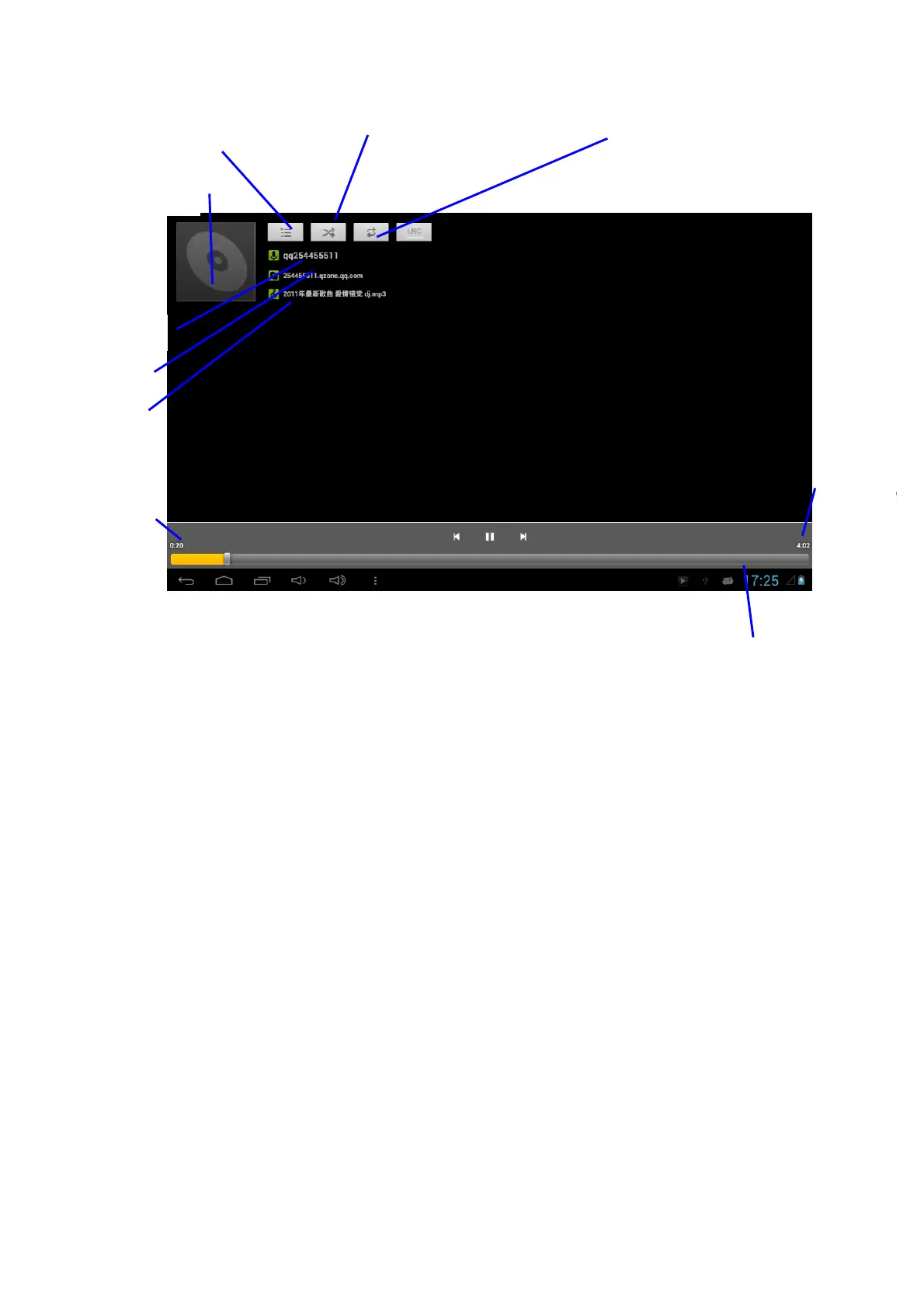
Artist
Special edition
Music
Played time
Check current play list
The cycle has been opened
Replay all songs
time
Play progress bar



 To Next Page