1 SpeedTouch™ Installation
E-SIT-CTC-20030306-0003 v3.0
18
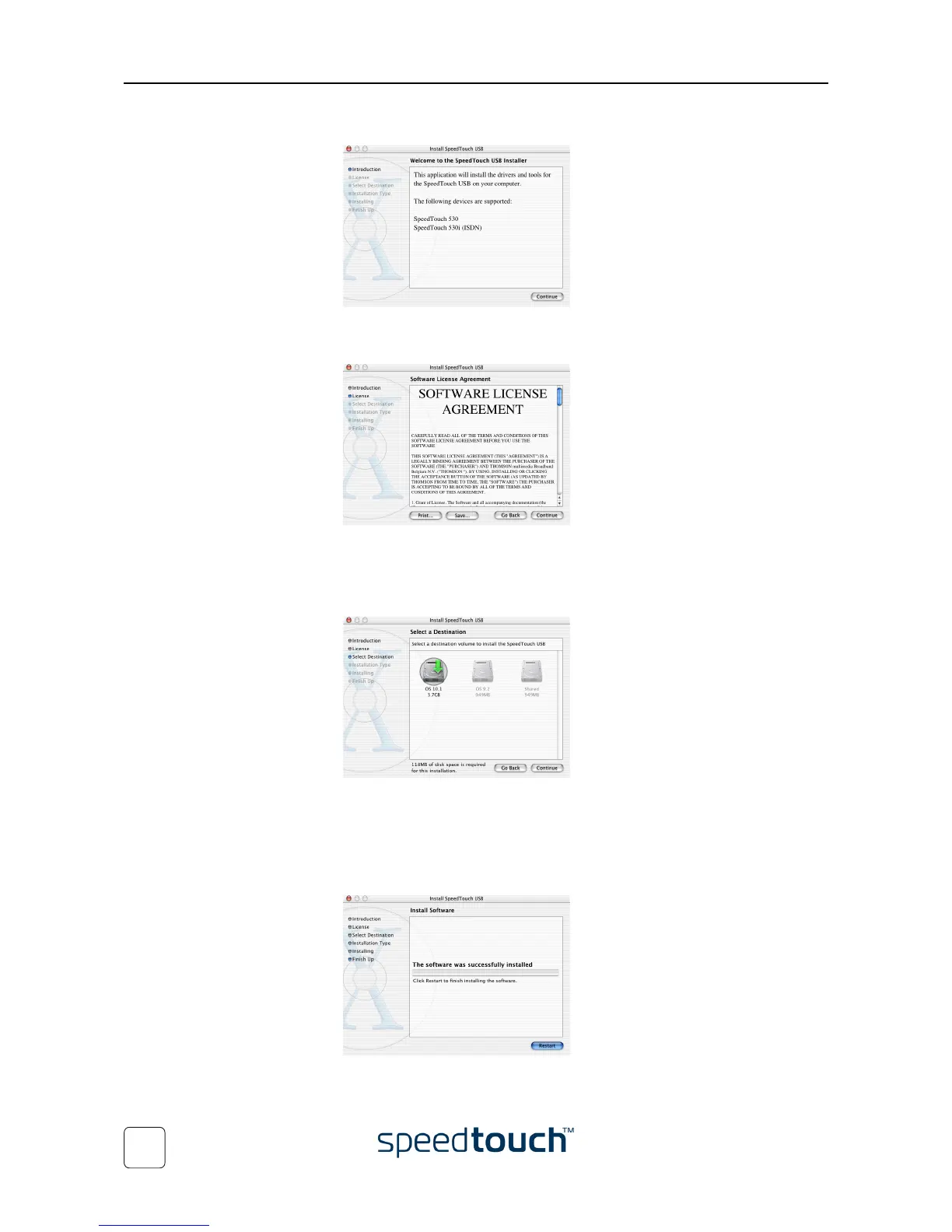
5 The installation window appears:
Click Continue.
6 The Software License Agreement appears:
When you click Continue, you are prompted to agree to the terms of the soft-
ware license agreement. Click Agree to continue.
7 The installation wizard lists the drives found on your computer and asks you to
select one:
The installation wizard automatically highlights your OS X partition.
Click the destination volume of your choice and click Continue.
8 In the following windows you can follow the installation procedure. Click Con-
tinue whenever requested to proceed.
9 At the end of the procedure, the following window appears:
Click Restart.















 To Next Page