1 SpeedTouch™ Installation
E-SIT-CTC-20030306-0003 v3.0
24
The configuration
procedure
The Configuration procedure proceeds as follows:
1 Once the SpeedTouch™ Setup wizard has detected your SpeedTouch™ device,
you can proceed with the configuration procedure.
If more than one SpeedTouch™ device is listed, select the appropriate one.
Then, click Next to proceed.
Note If the SpeedTouch™ has been configured before:
• It may be protected by a system password. You must provide this
password before you can view the device details or continue with
the configuration.
• You will be asked to choose between reconfiguring your Speed-
Touch™ or changing your Local Area Network configuration.
Select the Reconfigure the SpeedTouch™ option and click Next.
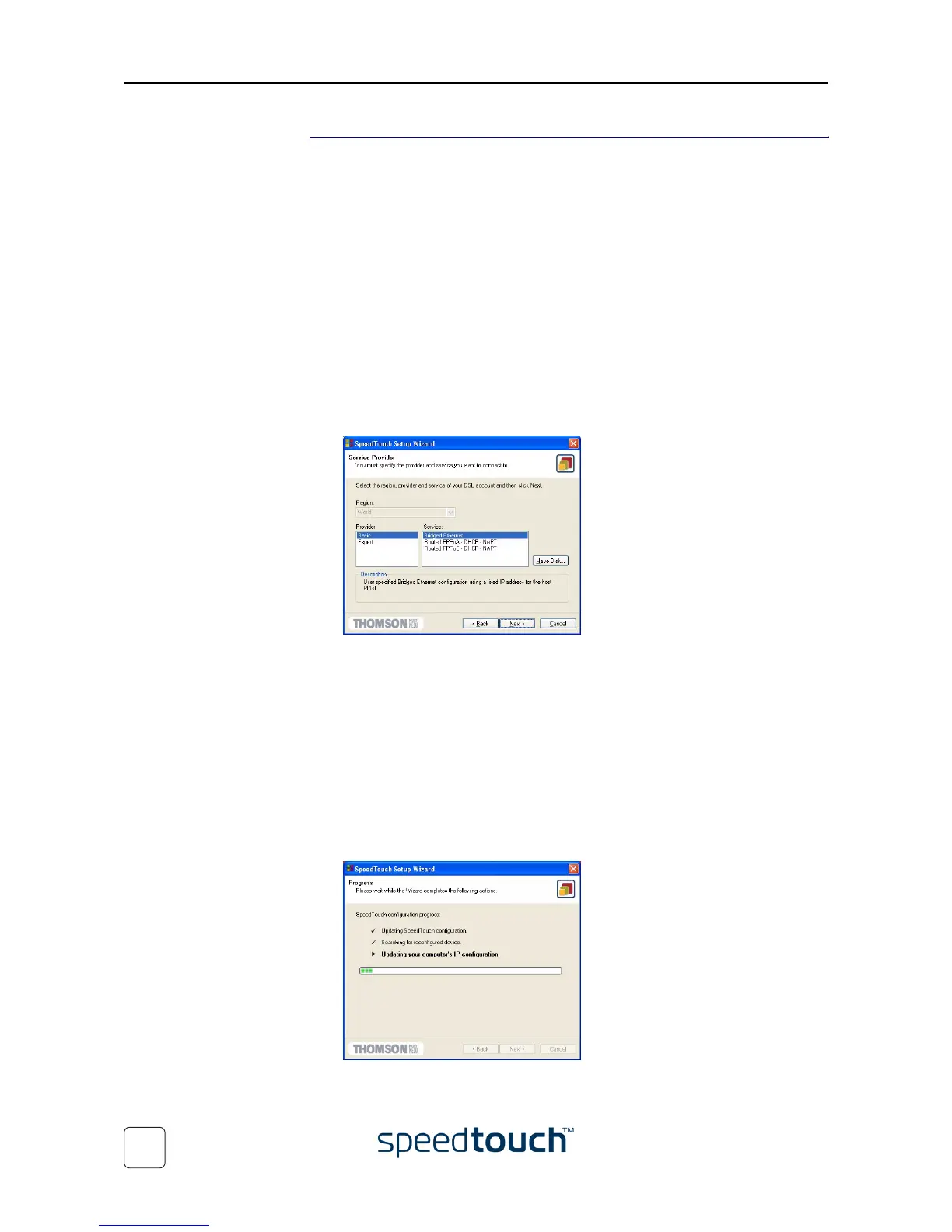
2 The following window invites you to select the appropriate connection profile for
your Internet connectivity:
Select the connection profile of your choice and click Next to continue.
Note If the Service Provider has included a separate disk with a dedicated
connection profile, click Have Disk to navigate to the location of the
appropriate connection profile file.
3 Subsequent screens will guide you through the configuration setup of both your
SpeedTouch™ and/or your PC. Follow the instructions and enter the required
information where needed. This information should be provided by your Service
Provider.
4 In a final step all configurations will be applied to the SpeedTouch™ and your PC.
You can follow the configuration progress in following window:















 To Next Page