3 SpeedTouch™ Web Interface
E-SIT-CTC-20030306-0003 v3.0
51
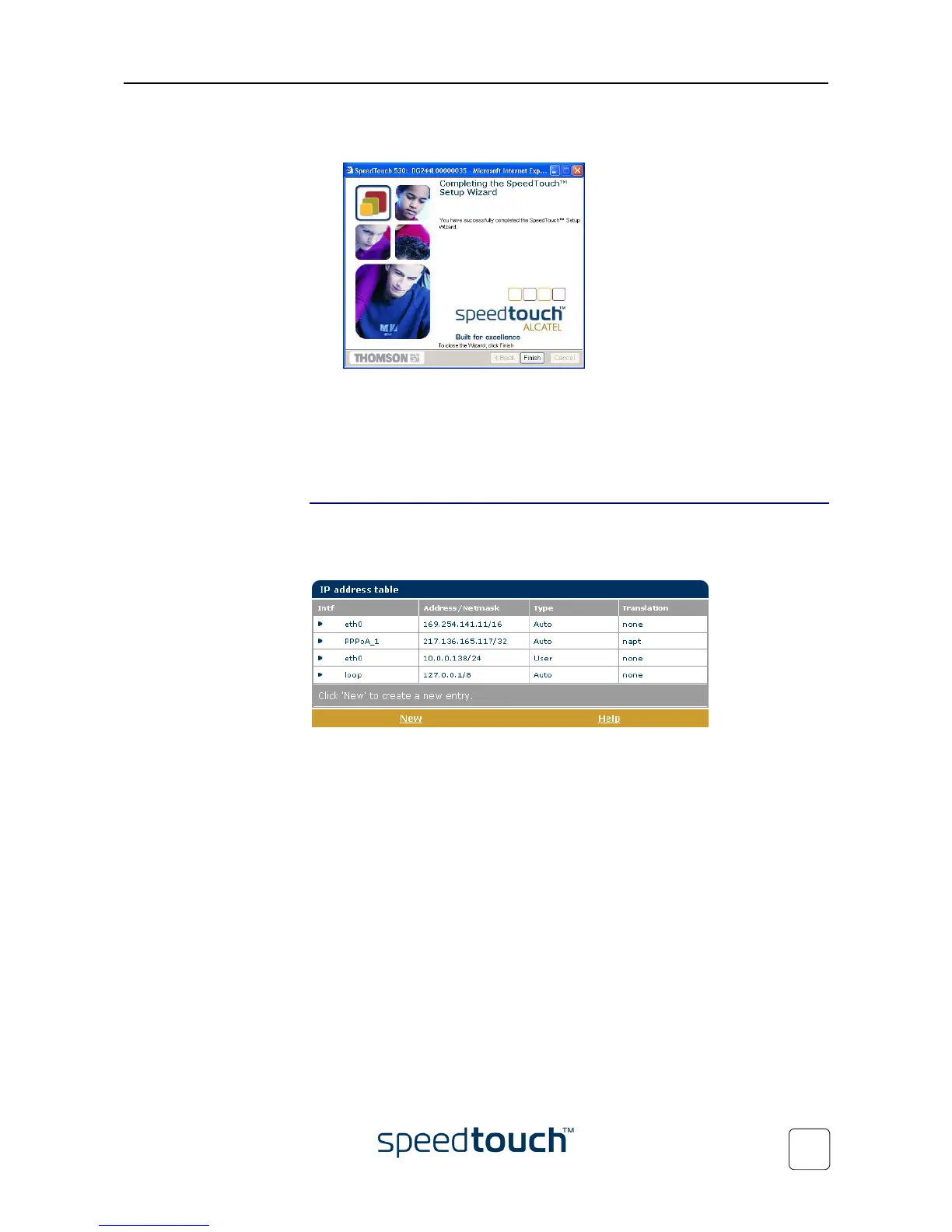
6 The SpeedTouch™ Setup Wizard appears again to announce that the configura-
tion has been successful:
Click Finish to close the wizard.
Most configuration profiles will enable SpeedTouch™’s DHCP server - and a PC’s
Ethernet port is configured as DHCP client by default. Therefore, in most cases, no
additional configuration of your PCs must be done if you want to enable multiple PCs
on your local network for accessing the Internet via the SpeedTouch™.
IP Addresses
Click this link to display the IP Addresses page.
This page allows you to view or add/delete specific IP address entries for Speed-
Touch™'s interfaces:
To add an IP address for one of the SpeedTouch™ interfaces:
1 Click New.
2 Select the interface to which the IP address applies (use eth0 for assigning to the
SpeedTouch™ Ethernet interface).
3 Provide IP address and (sub)netmask in IP prefix notation (e.g. 192.6.11.150/24) or
select Obtain an IP address automatically for assigning a dynamic IP address to the
interface.
4 Optionally select NAPT in case you want to enable address translation on this IP
address.
5 Click Apply
6 Click Save all to save your changes to persistent memory.















 To Next Page